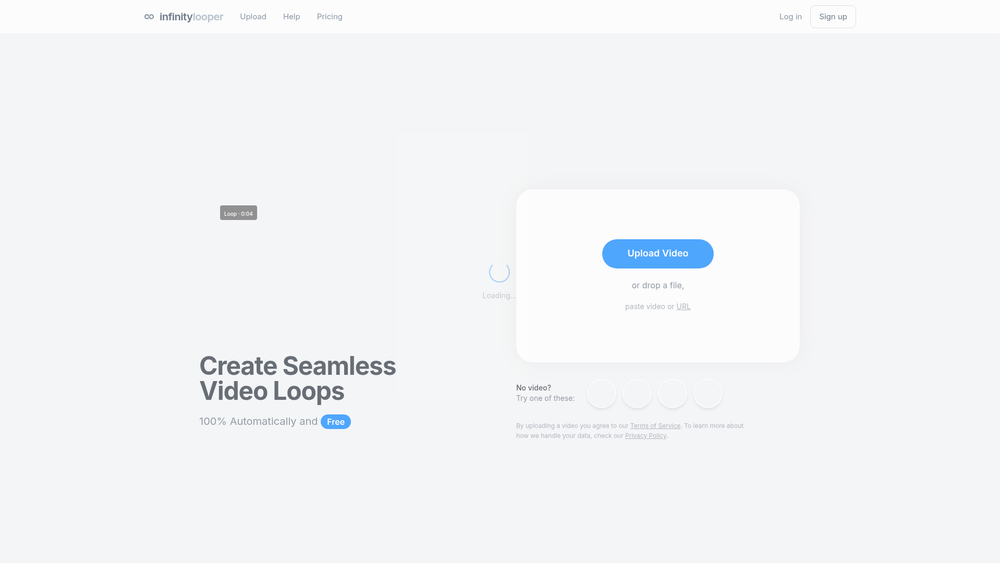
Social Media Automation, specifically through the Infinity Looper platform, is a specialized AI utility designed to solve one of the most tedious tasks in video production: creating the perfect seamless loop. By utilizing machine learning algorithms, the platform analyzes video frames to identify the optimal transition points, effectively eliminating the "jump cut" effect that often plagues looped content. It serves as a bridge for creators who need high-quality visuals for streaming or social media but lack the time or technical expertise to manually mask and blend frames in traditional editing software.\n\nThe tool is particularly effective for those working in the VTuber and lofi music spaces, where consistent, non-distracting backgrounds are essential for maintaining viewer immersion. Worth noting is its ability to integrate directly into established workflows via API and third-party software connections. In practice, whether you are preparing a Spotify Canvas or setting up an OBS scene, the goal is to make the transition from a raw clip to an infinite loop as frictionless as possible.\n\n## Key Features\n- AI Loop Optimizer: Automatically detects and fixes jump cuts by intelligently blending frames for a smooth transition.\n- High-Speed Bulk Processing: Capable of handling up to 100 videos per minute, which is ideal for creators managing large asset libraries.\n- Seamless Integrations: Works directly with popular production tools like OBS, Streamlabs, and Canva to streamline the content creation pipeline.\n- URL Import Support: Users can paste direct video links or upload files locally, providing flexibility in how source material is sourced.\n- Developer API: Offers an API for developers looking to integrate automated looping capabilities into their own applications or services.\n- Visual Quality Retention: Maintains the original video's resolution and clarity while applying AI enhancements to the looping points.\n- Credit-Based System: A flexible payment model that allows users to pay for exactly what they need without mandatory long-term commitments. That said, the free tier remains a viable option for those with occasional looping needs.\n\n## How to Use Social Media Automation\n1. Navigate to the dashboard and choose between uploading a local file or pasting a video URL from a supported source.\n2. Once the video is loaded, the AI engine will automatically analyze the footage to determine the best loop points and fix any jump cuts.\n3. Preview the generated loop to ensure the transition is seamless and free of any background glitches or artifacts.\n4. Adjust any specific settings if you are using the bulk-editing feature to process multiple files simultaneously.\n5. Export the finished loop directly or use the integration options to push the content to OBS, Streamlabs, or Canva.\n\n## Use Cases\n- VTubing and Streaming: Create infinite background loops for OBS scenes that stay consistent throughout a multi-hour broadcast without visual breaks.\n- Etsy Digital Products: Generate high-quality animated assets for digital storefronts that require short, repeating video previews to showcase products.\n- Spotify Canvas: Convert music video snippets into the specific looping format required for Spotify artist pages to enhance the listener experience.\n- Lofi Music Channels: Produce long-form "study beats" videos by looping short, aesthetic animations without visible seams or editing glitches.\n\n## Pricing\nCheck the official website for pricing.\n\n## FAQ\n\n### What is Social Media Automation?\nSocial Media Automation, specifically through tools like Infinity Looper, refers to the use of AI to streamline the creation and enhancement of social media content. In this context, it focuses on automating the technical process of creating seamless video loops for various platforms.\n\n### Is Social Media Automation free to use?\nThe tool offers a free version for basic looping tasks. That said, advanced features like bulk processing and API access typically require the use of their credit-based system.\n\n### How many videos can I process at once?\nThe platform is built for efficiency, allowing users to process up to 100 videos per minute using its bulk-editing capabilities, provided they have sufficient credits.\n\n### Does it integrate with OBS?\nYes, it features direct integrations with OBS and Streamlabs, making it easy to drop loops directly into your streaming setup as background or overlay elements.\n\n### Can I use it for Spotify Canvas?\nAbsolutely. It is specifically designed to create the high-quality, seamless loops required for Spotify Canvas and other digital product formats that demand smooth transitions.\n\n### Is there an API available?\nYes, there are API documents available for developers who want to build the looping functionality into their own custom tools, websites, or automated workflows.
Newsletter
Join the Community
Subscribe to our newsletter for the latest news and updates