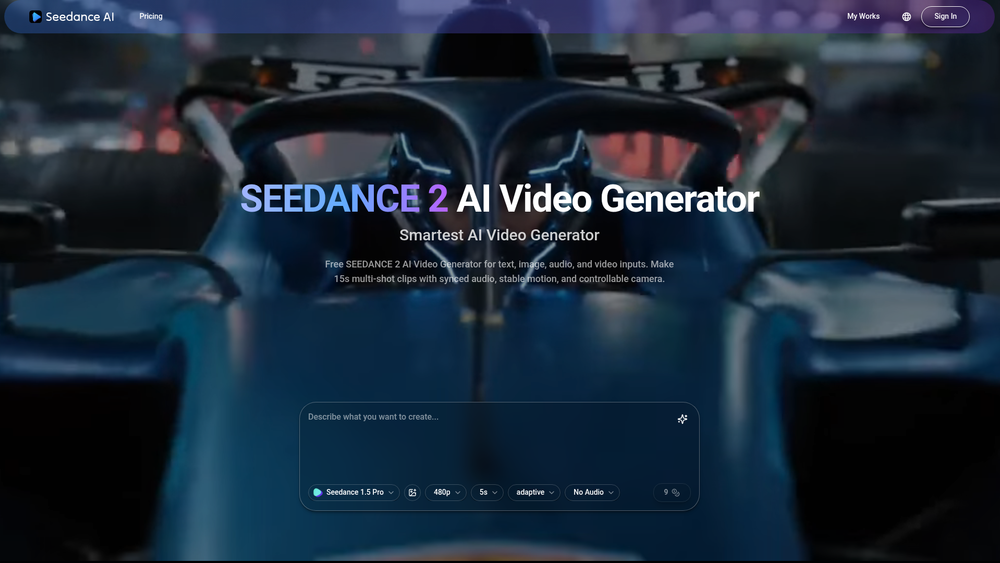
SEEDANCE 2 AI Video Generator is a sophisticated multimodal platform designed to push the boundaries of short-form content creation. Unlike basic text-to-video tools that produce single-shot snippets, this engine specializes in generating cohesive 15-second multi-shot clips complete with synchronized audio. It addresses the common jitter problem in AI video by prioritizing stable motion and temporal consistency across scene transitions. Creators, marketers, and developers can leverage its ability to interpret complex prompts into cinematic sequences that feel intentional rather than random. That said, the tool is particularly effective for those who need more than just a moving image; it provides a structured narrative flow within a single generation. The underlying model focuses on high-fidelity visual output, ensuring that textures and lighting remain consistent even as the camera moves. This makes it a powerful asset for those needing quick, high-quality visual storytelling without the overhead of a full production crew. In practice, the platform bridges the gap between static AI imagery and professional cinematography. ## Key Features - Multimodal Generation: Combines text, image, and audio inputs to create a unified video output that feels cohesive. - 15-Second Multi-Shot Clips: Produces longer, structured sequences with multiple camera angles rather than simple 3-second loops. - Synced Audio Integration: Automatically generates or aligns audio tracks to match the visual rhythm and action of the video. - Stable Motion Technology: Utilizes advanced algorithms to minimize flickering and maintain object permanence across different frames. - High-Resolution Output: Delivers crisp visuals suitable for professional social media campaigns, presentations, or digital art. - Intuitive Prompting System: Supports detailed natural language descriptions to control lighting, mood, and specific camera movements. - Rapid Rendering: Optimized processing speeds allow for quick iterations, making it easier to refine a creative vision on the fly. ## How to Use SEEDANCE 2 AI Video Generator 1. Access the SEEDANCE 2 platform and create an account to enter the main generator dashboard. 2. Input your primary text prompt, detailing the subject, environment, and the specific actions you want to see in the sequence. 3. Upload a reference image if you have a specific visual style, character, or color palette you want the AI to maintain. 4. Select your preferred audio settings or allow the system to generate a synced track based on the visual mood of your prompt. 5. Hit the Generate button and wait for the multi-shot sequence to render, which typically takes a few minutes. 6. Review the output and use the refinement tools to tweak specific shots or motion parameters before downloading. ## Use Cases - Social Media Marketing: Quickly produce high-engagement 15-second ads for platforms like TikTok or Instagram Reels that require high visual variety. - Storyboarding: Turn script ideas into visual sequences to pitch concepts to clients or production teams without expensive pre-production. - Music Visualization: Create atmospheric background visuals that sync perfectly with the tempo and mood of a specific song or audio track. - Educational Content: Generate short, illustrative clips to explain complex concepts or historical events in online courses and tutorials. ## Pricing Check the official website for pricing. ## FAQ ### What is SEEDANCE 2 AI Video Generator? It is a multimodal AI tool capable of generating 15-second video clips with multiple shots and synchronized audio from text or image prompts. ### Is SEEDANCE 2 AI Video Generator free to use? Please refer to the official website for the most current information regarding free trials or subscription tiers. ### Does it support audio? Yes, the tool features synced audio integration that matches the visual content of the generated video. ### Can I use my own images as a base? Absolutely; you can upload reference images to guide the AI in terms of style, character design, and composition. ### How long are the videos? The generator is specifically optimized for 15-second multi-shot sequences, providing more narrative depth than standard AI video tools. ### Is the motion stable? Yes, SEEDANCE 2 uses specific motion stability algorithms to reduce the morphing and jittering often seen in AI-generated videos.

SEEDANCE 2 AI Video Generator
Multimodal AI generator for 15s multi-shot clips with synced audio and stable motion.
Introduction
Information
- Websiteseedance-ai.art
- Published date2026/02/21
Categories

Seedance 2.5
An AI video generator that produces continuous 30-second shots in native 4K resolution with integrated sound and character consistency.