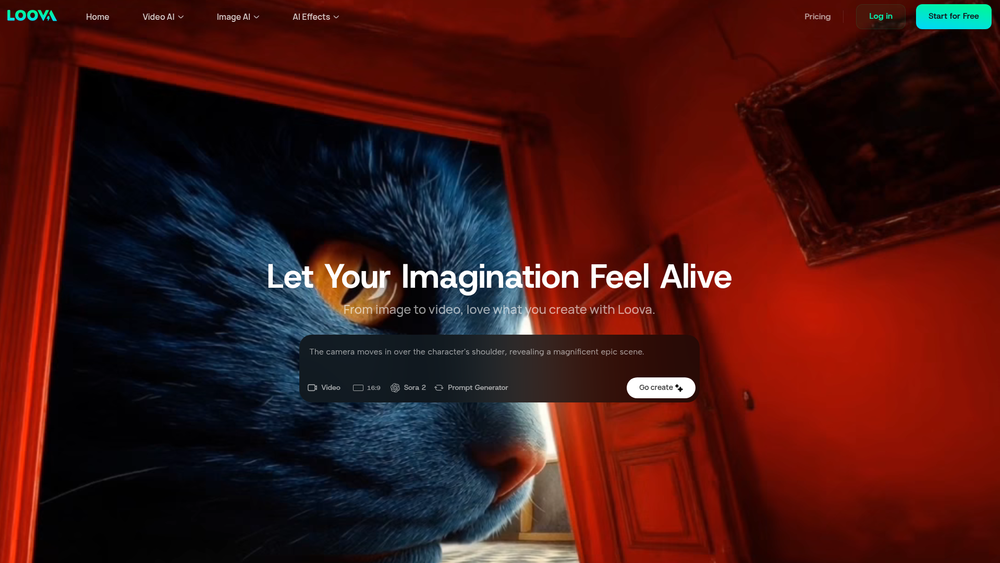
Loova is an all-in-one AI creation platform designed to empower creators with access to the industry's leading artificial intelligence models for generating video, images, and other trend-driven content. The platform serves as a unified creative playground, eliminating the need to switch between multiple services by consolidating powerful tools like Google's Veo 3.1, OpenAI's Sora 2, and Midjourney under a single, intuitive interface. Its primary purpose is to simplify and accelerate the content creation process for a diverse range of users.
The key benefit of Loova is its accessibility and versatility. It caters to social media managers, marketers, independent filmmakers, artists, and casual creators who want to produce high-quality, engaging visuals without extensive technical skills or resources. By providing a streamlined workflow from text or image input to a finished video or graphic, Loova makes sophisticated AI technology practical for everyday creative tasks. This makes it an invaluable tool for anyone looking to enhance their digital content, prototype ideas rapidly, or simply explore the creative potential of AI.
Features
- Text-to-Video Generation: Create dynamic, high-quality videos from simple text descriptions. Users can choose from top-tier models like Sora 2 and Google Veo 3.1 to bring their written concepts to life.
- Image-to-Video Animation: Transform any static image into a moving video, adding motion and life to still photos or illustrations.
- AI Video Editor: Edit existing videos using simple text prompts and reference images, allowing for intuitive and powerful post-production adjustments.
- Advanced Image Generation: Generate stunning AI images from text prompts (Text-to-Image) or transform existing pictures into new artistic styles (Image-to-Image) using models like Midjourney and Seedream 4.0.
- Access to a Wide Array of Models: Loova provides direct access to a curated selection of the best AI models for both video and image creation, including Sora 2, Google Veo, Kling AI, Midjourney, and FLUX.2.
- Trend-Driven Video Effects: Instantly apply fun and viral special effects to your videos, such as the AI Bikini Generator, Superhero transformations, Simpsons-style avatars, and more.
- Model-Specific Options: Choose between different versions of models, such as fast-rendering options (e.g., Google Veo 3.1 Fast) for quicker results or pro versions for the highest possible quality.
How to Use
- Select a Creation Tool: After logging into Loova, start by choosing your desired function from the main dashboard, such as 'Text to Video', 'Image to Image', or one of the 'Video Effects'.
- Choose an AI Model: Based on your chosen tool, select an appropriate AI model. For cinematic video, you might pick Google Veo 3.1; for a stylized image, you might choose Seedream 4.0. Consider the balance between speed and quality if options are available.
- Provide Your Input: For text-based generation, write a detailed and descriptive prompt. For image or video tools, upload your source media. The more specific your input, the better the result.
- Configure and Generate: Adjust any available settings, such as aspect ratio or style intensity. Click the 'Generate' button to let the AI process your request.
- Review and Refine: Once the generation is complete, review the output. If it's not perfect, you can refine your prompt and generate again or use the AI Video Editor for further adjustments.
- Download Your Creation: When you are satisfied with the result, download the final video or image to use in your projects.
Use Cases
- Social Media Marketing: Marketers can quickly generate eye-catching video ads, promotional content, and engaging posts for platforms like Instagram, TikTok, and Facebook using just a product image or a simple marketing slogan.
- Filmmaking and Animation Prototyping: Independent filmmakers and animators can use Loova to rapidly visualize scenes, create storyboards, or generate animated sequences from scripts, significantly speeding up the pre-production and conceptualization phases.
- Personalized Entertainment and Avatars: Users can create fun, shareable content by transforming themselves into popular characters like Batman or The Joker, creating a Simpsons-style avatar, or applying other creative filters for social media profiles and messages.
- E-commerce Product Visualization: Online store owners can turn static product photos into dynamic videos, showcasing items from different angles or in a lifestyle context to increase customer engagement and sales.
FAQ
What is Loova?
Loova is an all-in-one AI creative platform that provides users with access to a wide range of leading AI models for generating and editing video and image content through a single, easy-to-use interface.
What AI models can I access on Loova?
You can access a variety of top-tier models, including Sora 2 and Google Veo 3.1 for video generation, and Midjourney, Seedream 4.0, and FLUX.2 for image creation, among others.
Can I edit existing videos on the platform?
Yes, Loova includes an AI Video Editor that allows you to edit your videos using simple text prompts and reference images, making complex edits more intuitive.
Do I need to be a professional to use Loova?
No, Loova is designed for users of all skill levels. Its prompt-based interface makes it easy for anyone to create high-quality content without needing professional video or image editing skills.
What kind of content can I create with Loova?
You can create a wide range of digital content, including short films from text, animated images, AI-generated art, marketing videos, social media posts, and apply fun video effects to existing clips.
Is there a difference between models like 'Sora 2' and 'Google Veo 3.1 Fast'?
Yes. Different models and their variations offer trade-offs. For example, 'Fast' versions typically render content more quickly with a slight reduction in quality, while 'Pro' or standard versions prioritize cinematic quality and detail, which may take longer to generate.
How do the Video Effects work?
The Video Effects are pre-trained transformations that you can apply to your uploaded videos or images. You simply select an effect like 'AI Superhero Generator' or 'AI Simpsons Avatar Maker', provide your media, and the AI applies the specific style or transformation to it.