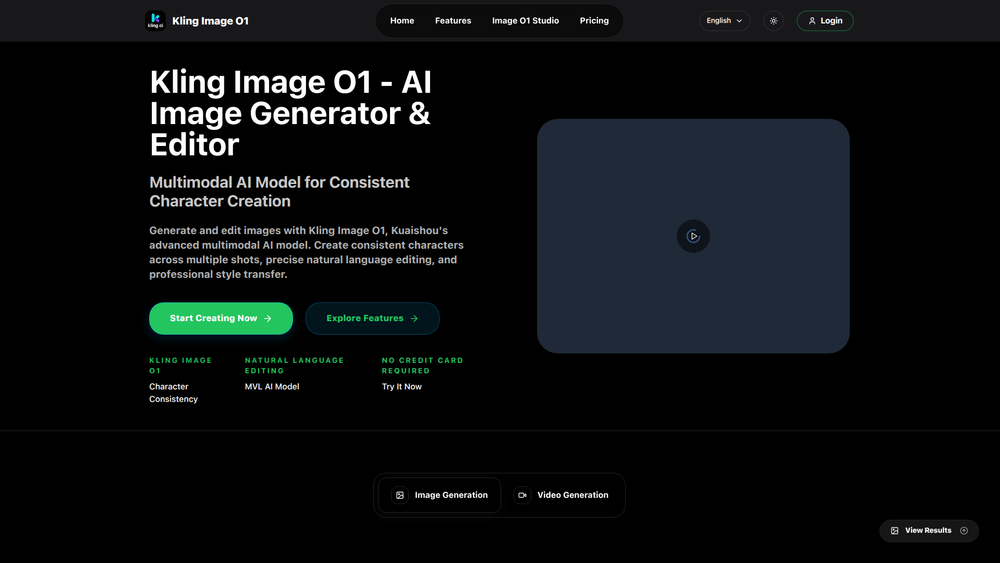
Kling Image O1 is a professional AI image generator and editor designed to create stunning, cinematic-quality images from simple text descriptions. It stands out from basic AI tools by offering a suite of advanced features tailored for professional use, enabling users to produce commercial-ready visuals with exceptional control and precision. The platform is built on a multimodal AI model that understands and executes complex creative demands, making it an indispensable tool for marketers, designers, content creators, and businesses.
The primary value of Kling Image O1 lies in its ability to bridge the gap between creative vision and digital execution. It addresses common frustrations with AI image generation, such as garbled text and inconsistent characters. By providing studio-grade controls over composition, lighting, and character appearance, it empowers professionals to create compelling marketing campaigns, consistent brand assets, and high-quality product photos efficiently and cost-effectively.
Features
- Accurate Text Rendering: Generates images with clear, correctly spelled text, eliminating garbled letters. This is perfect for creating marketing materials, product labels, and branded content where text is crucial.
- Character Consistency: Maintain the exact appearance, facial features, and style of a character across multiple images. This is ideal for developing brand mascots, creating visual stories, and ensuring continuity in sequential narratives.
- Precise Composition Control: Offers studio-grade control over image generation using professional vocabulary. Users can direct the shot by adjusting virtual camera parameters, dynamic depth of field, zoom, focus, and angle, with over 50 lens simulations available.
- Format Flexibility: Natively generate assets for any platform or medium. The tool supports all aspect ratios, from 9:16 for TikTok to 21:9 for widescreen, eliminating the need for awkward cropping and ensuring perfect framing.
- Commercial-Ready Quality: Creates stunning, cinematic images with professional-grade lighting and detail, suitable for commercial use in advertising, product photography, and more.
- Lightweight AI Model: Includes a lightweight model option for rapid previews and cost-effective drafts, allowing for quick iteration before committing to a final, high-resolution render.
- Smart Framing and Upscaling: Features built-in upscaling to increase image resolution and smart framing to optimize composition for different aspect ratios automatically.
How to Use
- Select a Model: Begin by choosing the appropriate AI model for your needs. Use the lightweight model for quick drafts and previews to save on costs.
- Write a Detailed Prompt: In the 'Image Prompt' field, describe the image you want to create. Be as specific as possible with details about the subject, setting, style, colors, and mood.
- Configure Parameters: Adjust the settings to refine your output. Set the desired 'Resolution' and 'Aspect Ratio' (e.g., 16:9 for a banner, 1:1 for a profile picture).
- Fine-Tune Control: Use the 'Consistency Strength' slider to control how closely the AI adheres to character consistency across images. For precise shots, utilize advanced composition controls to set the camera angle, zoom, and focus.
- Generate the Image: Once your prompt and settings are ready, initiate the generation process. The AI will interpret your instructions and create the image instantly.
- Review and Download: Review the generated image. If you're satisfied, download the commercial-ready file for your project.
Use Cases
- Marketing & Advertising: Create high-impact visuals for digital and print advertising campaigns. The accurate text rendering and cinematic quality ensure that ads are professional and effective at converting customers.
- Product Photography: Generate professional, studio-lit product photos without the need for a physical studio. Showcase products in various settings and styles to appeal to different customer segments.
- Brand Storytelling & Mascots: Develop a consistent brand mascot or character for storytelling across multiple platforms. The character consistency feature ensures the brand's identity remains coherent in visual narratives and campaigns.
- Social Media Content: Quickly produce perfectly formatted content for various social media platforms. The format flexibility allows for native asset creation for TikTok, Instagram, YouTube, and more, all from a single prompt.
FAQ
What is Kling Image O1 AI?
Kling Image O1 AI is a professional-grade AI image generator that creates high-quality, cinematic images from text descriptions. It is designed for professionals and offers advanced features like accurate text rendering, character consistency, and precise composition control.
How is Kling Image O1 different from other AI image generators?
Unlike basic tools, Kling Image O1 provides professional-level control. Its key differentiators are the ability to render text accurately without errors, maintain the exact appearance of a character across multiple images, and offer studio-grade controls over camera parameters like zoom, focus, and angle.
Can I use the images for commercial purposes?
Yes, Kling Image O1 is designed to produce 'commercial-ready' images. You can use the visuals you create for marketing campaigns, product photos, branded content, and other commercial applications.
How does character consistency work?
This feature allows you to create a character and then generate new images with that same character, maintaining their exact face, style, and appearance. It's perfect for creating brand mascots or sequential stories where the character needs to be recognizable in every scene.
Can I create images in different sizes, like for a TikTok video?
Absolutely. The 'Format Flexibility' feature supports all aspect ratios, including 9:16 for platforms like TikTok and Instagram Reels. You can generate native assets for any platform without needing to crop or resize them afterward.
What kind of composition controls are available?
Kling Image O1 provides 'Precise Composition Control' with a studio-grade vocabulary. You can direct the virtual camera, adjust the depth of field for focus effects, and simulate over 50 different types of lenses to achieve a specific photographic style.
Will text in my images be readable?
Yes. A core feature of Kling Image O1 is its ability to render text correctly inside your images. It avoids the common AI issue of garbled letters or misspellings, making it reliable for creating visuals with brand names, slogans, or labels.