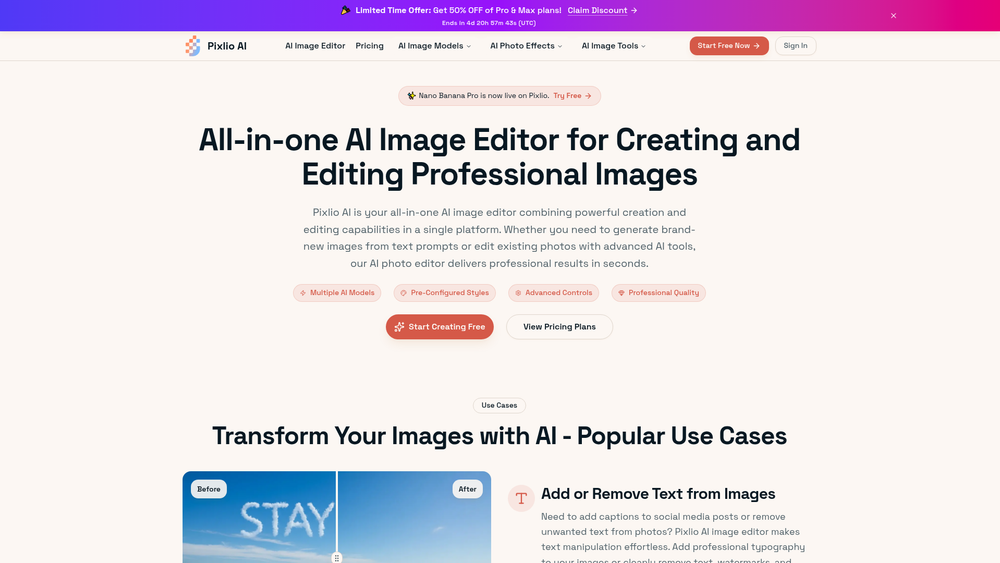
Pixlio AI is a comprehensive web-based platform designed for high-end image generation and manipulation. It distinguishes itself by aggregating several specialized AI models, such as Nano Banana, Qwen, and Seedream 4.5, into a single, unified interface. This approach allows users to pivot between different aesthetic styles and technical capabilities without switching platforms, catering to both creative professionals and casual users who need quick, high-quality visual assets.
Beyond simple generation, the tool functions as a robust post-production suite. That said, the real power lies in its model diversity; you can switch from the artistic flair of Seedream to the precision of Nano Banana depending on the project's requirements. Whether you are looking to clean up a product photo or generate a brand-new concept from a text prompt, the platform provides a streamlined workflow that bypasses the need for complex desktop software.
Features
- Multi-Model Support: Access a wide array of specialized engines including Nano Banana 2, Seedream 4.5, Flux.2, and Gempix2 for varied visual outputs.
- Advanced Text Manipulation: Effortlessly add professional typography to images or remove unwanted text, watermarks, and overlays without leaving artifacts.
- Intelligent Background Removal: Cleanly isolate subjects from their backgrounds using AI that understands complex edges like hair and fabric.
- AI Photo Effects: Apply specialized transformations such as AI Snow, AI Embroidery, or seasonal holiday filters with a single click.
- Professional Headshot Generator: Transform casual photos into polished, professional portraits suitable for LinkedIn or corporate profiles.
- Image Upscaling: Enhance the resolution and clarity of low-quality images using deep learning algorithms to prepare them for print or high-res displays.
- Image-to-Image Refinement: Use existing photos as a structural or stylistic guide to generate new variations while maintaining composition.
How to Use
- Create an Account: Visit the Pixlio website and sign up to receive your initial free credits to start testing the tools.
- Choose Your Model: Select a specific AI model from the navigation menu, such as Nano Banana for high-fidelity realism or Seedream for artistic concepts.
- Input Your Prompt: Enter a descriptive text prompt in the generation field, or upload a source image if you are using the Image-to-Image tool.
- Apply Edits: Use the sidebar tools to remove backgrounds, add text, or apply specific AI effects like the Snow or Embroidery filters.
- Upscale and Refine: Once the base image is generated, use the built-in Image Upscaler to increase the pixel density and sharpen the details.
- Export Your Work: Review the final result and download the image in your preferred format directly to your device.
Use Cases
- E-commerce Optimization: Small business owners can use the background remover and text tools to create clean, professional product listings from amateur photos.
- Social Media Content: Digital creators can quickly generate themed posts or memes by utilizing the text-on-image and seasonal filter features.
- Corporate Branding: Professionals can generate high-quality headshots or custom embroidery-style logos for unique brand identity materials.
- Content Repurposing: Marketers can take existing assets and use the 'Image Describer' or 'Image-to-Image' tools to create fresh variations for different platforms.
Pricing
Pixlio AI operates on a credit-based system. New users can start with free credits to explore the platform's capabilities. For higher volume needs and access to pro models like Nano Banana Pro, check the official website for current subscription plans and credit bundles.
FAQ
What is Pixlio AI?
Pixlio AI is an all-in-one image creation and editing platform that utilizes multiple AI models to generate, upscale, and modify digital images.
Is Pixlio AI free to use?
Yes, the platform offers free credits for new users to try out the various models and editing tools. Continued use or high-volume generation requires a paid plan.
Can I remove watermarks with this tool?
Yes, the 'Add or Remove Text' feature is specifically designed to intelligently fill in areas where text or watermarks are removed, maintaining a natural look.
What models are available on Pixlio?
Pixlio currently supports several high-performance models including Nano Banana 2, Seedream 4.5, Z-Image, Flux.2, and Gempix2.
Does it support high-resolution downloads?
Worth noting is the built-in Image Upscaler, which allows you to take standard generations and boost them to professional resolutions for better print and display quality.
Can I use Pixlio for professional headshots?
In practice, the 'AI Professional Headshot' tool is specifically tailored to convert standard photos into business-ready portraits by adjusting lighting and background.