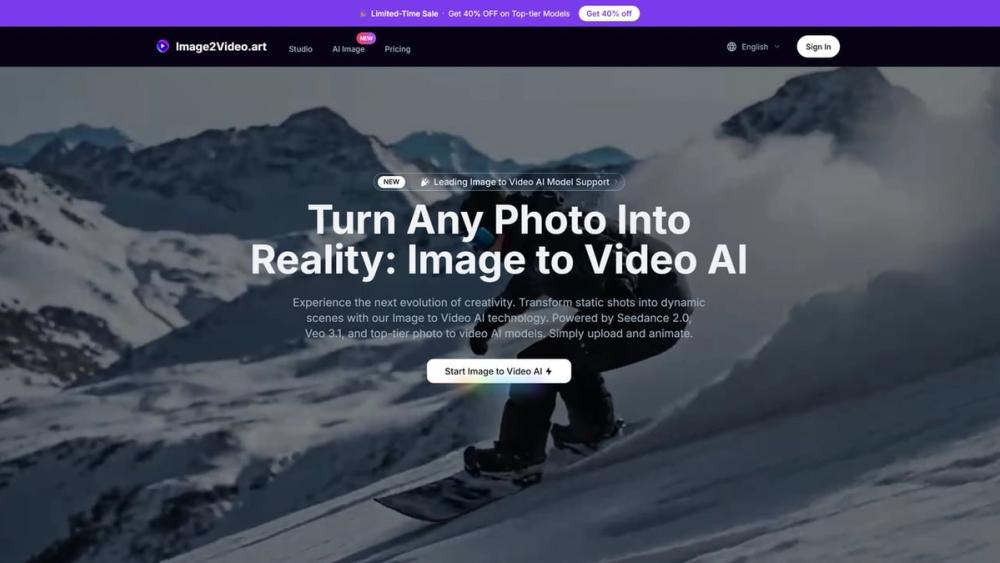
Image to Video AI is a web platform that transforms static photographs into animated video clips. It brings together several high-end generation models under one interface, allowing users to pick the specific engine that fits their visual style. Content creators and marketers use it to build social media assets or cinematic B-roll without a full production crew.
The tool works by analyzing the depth and subjects in your uploaded JPG or PNG files. It then applies motion based on your text prompts or the internal logic of the selected model. One thing to keep in mind: while the results are often impressive, 1080p and 4K renders take longer to process than the standard 720p previews.
Key features
- Choice of multiple engines including Seedance 2.0, Veo 3.1, and Sora 2
- Video reframing tool to change aspect ratios for TikTok, YouTube, or Instagram
- Support for up to 4K resolution on professional tiers
- Native audio synthesis that matches the movement in the video
- Multi-shot generation for complex scenes with transitions
- Motion control settings to adjust how the camera moves around the subject
- Privacy-focused processing that keeps your uploads and generations hidden
How to use
- Select a generation model like Veo 3.1 or Seedance 2.0 from the dropdown menu
- Upload up to three images to serve as the visual reference for your video
- Choose your preferred aspect ratio, such as 16:9 for widescreen or 9:16 for vertical
- Enter a text prompt to describe the specific motion or atmosphere you want to see
- Pick the output resolution and click the generate button to start the rendering process
Use cases
- A small business owner turning product photos into 8-second social media ads
- A filmmaker creating realistic background plates or B-roll for a low-budget project
- Music producers generating visuals that react to beats for YouTube uploads
- Educators making historical photos come to life for classroom presentations
Pricing
The service uses a credit system with monthly plans. You can get 400 credits for $21 per month or 1500 credits for $70 per month. There is also a free credit option available for users who log in.
FAQ
What is Image to Video AI?
It is a tool that uses artificial intelligence to turn still images into short video clips with realistic motion.
Is Image to Video AI free?
You can get free credits by logging in, but high-resolution renders and commercial use usually require a paid subscription.
Which models are available?
Currently, the site supports Seedance 2.0, Veo 3.1, Sora 2, and Wan 2.5.
Can I change the video size?
Yes, the video reframer tool lets you convert existing videos into 1:1, 9:16, 21:9, and other standard aspect ratios.
Does it include sound?
Some models like Seedance 2.0 generate native, synced audio to match the movement in the clip.
Can I use the videos for work?
Paid plans include a commercial license, allowing you to use the generated content for advertising and business projects.