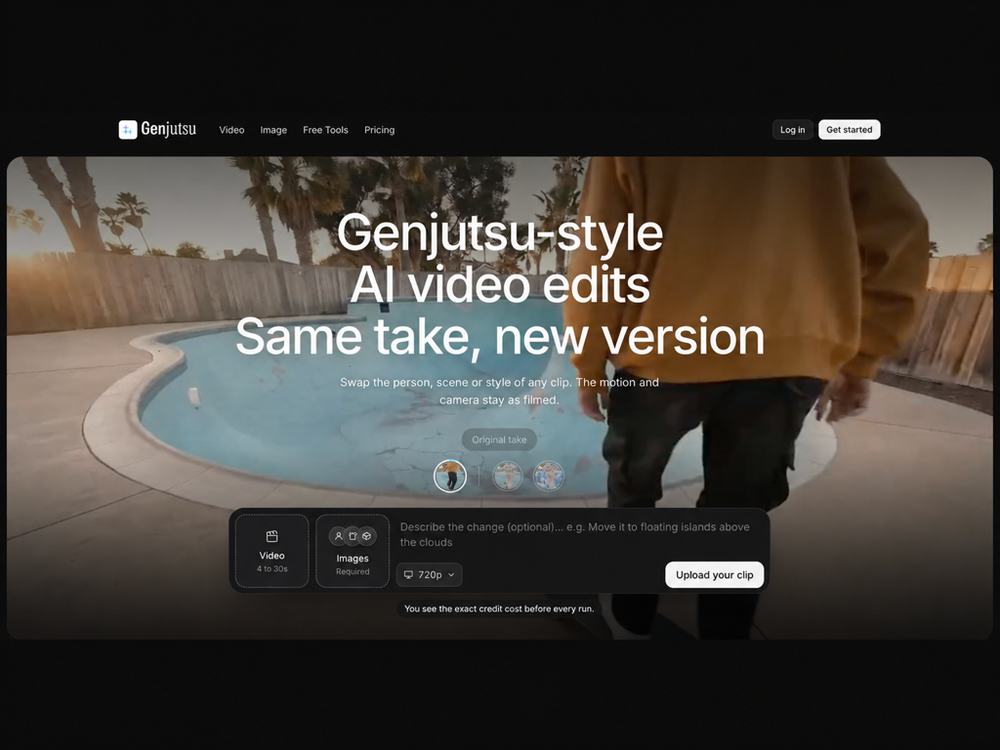
Genjutsu AI is a video-to-video editing tool that keeps the motion of a clip while replacing the subject, environment, or art style. It works by analyzing a source video between 4 and 30 seconds long and applying changes based on a text prompt. This allows creators to film a single take and generate multiple versions without reshooting.
Marketing teams and creators use this to swap actors for AI personas or move a performance from a studio to a custom background. It solves the problem of expensive reshoots and allows for rapid testing of different visual styles. The tool is built into a studio environment where you can access multiple video models like Kling 3.0 and Sora 2 under one subscription.
Key features
- Motion transfer keeps the original timing and camera path for every generated version
- Object swap replaces specific elements while leaving the rest of the shot alone
- Reusable personas let you save a specific AI influencer face and style for consistency
- Access to multiple models including Seedance 2.0, Sora 2, and Runway Gen-4.5
- Built-in video editor for adding captions, music, and cuts without exporting first
- Credit-based pricing shows the exact cost before you start a render
- Commercial rights are included in all paid plans for business use
How to use
- Upload a single continuous shot between 4 and 30 seconds long
- Enter a short, specific prompt describing the change you want to see
- Select a saved persona if you are replacing a character in the scene
- Review the credit cost displayed in the prompt box and start the run
- Open the result in the studio editor to trim, caption, or add music
Use cases
- Generating UGC ad variations by swapping different creators into the same performance
- Localizing global campaigns by changing the background to match specific regional markets
- Updating old brand assets with a new visual style like 90s anime or claymation
- Maintaining character consistency for AI influencers across different scenes and outfits
Pricing
Plans start at $19 per month, or $15.83 when billed annually. Video generation costs 15 credits per second, meaning a 10-second clip uses 150 credits. Check the official website for current pricing and refund terms.
FAQ
What is Genjutsu AI?
It is a tool for video-to-video editing that replaces subjects or scenes while keeping the original motion and camera movement.
Is Genjutsu AI free?
No, it is a paid service with plans starting at $19 per month, though paid plans include a 3-day refund window.
Can I use my own AI influencer?
Yes, you can create and save unlimited personas to use as character replacements in your videos.
What video models does it use?
The platform provides access to Sora 2, Kling 3.0, Veo 3.1, and Runway Gen-4.5 under a single plan.
How long can the source videos be?
You can upload source clips ranging from 4 to 30 seconds in length.
Does it work with edited sequences?
It works best with single, continuous shots because cuts in the source video often confuse the motion tracking.