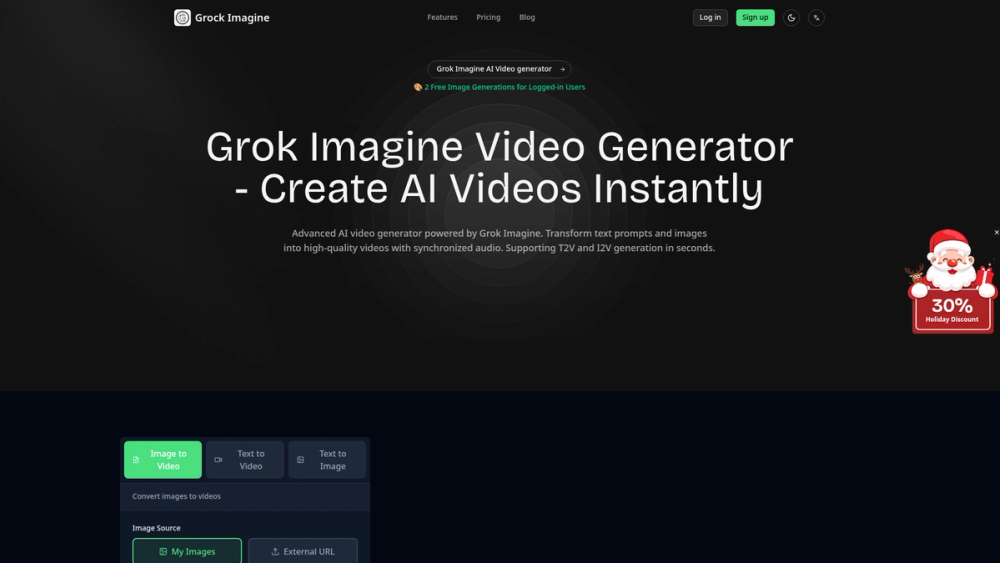
Grok Imagine is an advanced AI video generator designed to transform text prompts and static images into high-quality, dynamic videos. Its core purpose is to simplify and accelerate the video creation process, making it accessible to everyone, regardless of their technical skills. By leveraging powerful AI, the platform supports both Text-to-Video (T2V) and Image-to-Video (I2V) generation, allowing users to bring their creative ideas to life in seconds.
The primary benefit of Grok Imagine is its combination of speed, simplicity, and creative flexibility. It caters to a wide range of users, including social media managers, digital marketers, content creators, and artists who need to produce engaging video content quickly. Instead of spending hours with complex editing software, users can generate professional-looking videos with synchronized audio through a simple, intuitive interface.
Grok Imagine's value lies in its ability to democratize video production. It removes the traditional barriers of high costs, steep learning curves, and time-consuming workflows associated with creating videos. Whether for crafting a viral social media post, a compelling advertisement, or a unique piece of digital art, Grok Imagine provides a powerful and efficient solution to turn imagination into motion.
Features
- Dual Generation Modes: Supports both Text-to-Video (T2V) for creating videos from descriptive prompts and Image-to-Video (I2V) for animating existing static images.
- Creative Generation Styles: Offers multiple modes to control the output, including 'Normal' for standard quality, 'Fun' for a more creative style, and 'Spicy' for high-quality, artistic results.
- Synchronized Audio: Videos are automatically generated with synchronized audio, providing a complete, ready-to-use asset without needing additional sound editing.
- High-Resolution Output: Creates high-quality videos suitable for professional use across various platforms, including social media, websites, and digital advertising campaigns.
- Batch Video Creation: In I2V mode, users can upload up to 10 images at once to generate multiple videos simultaneously, streamlining workflow for large projects.
- Intuitive User Interface: Features a simple three-step process for video creation, making the platform accessible for beginners and efficient for experienced creators.
- Credit-Based System: Provides free initial generations for new users and operates on a straightforward credit system, with each video costing 20 credits.
How to Use
- Select Your Input Method: Begin by choosing your preferred creation method on the dashboard. Select 'Text to Video' to generate a video from a written description or 'Image to Video' to animate a picture.
- Provide Your Source Material: If using T2V, write a detailed prompt describing the scene, characters, and actions. For I2V, upload one or more images from your device or select from images you've previously generated on the platform.
- Define the Motion: In the 'Description' box, clearly describe the motion you want the AI to apply to your image or generate from your text. Be specific about the movements and transformations.
- Customize Generation Settings: Choose a 'Generation Mode' (Normal, Fun, or Spicy) to match your desired creative style and quality. This setting influences the final look and feel of the video.
- Generate and Preview: Click the 'Generate' button to start the process. The AI will create your video in approximately 1-3 minutes. Once complete, you can preview the result directly on the platform.
- Download and Share: If you are satisfied with the video, download it in a format optimized for your needs. You can then share it directly on social media or use it in your projects.
Use Cases
- Social Media Marketing: Marketers can instantly create eye-catching video posts, stories, and reels from product images or campaign slogans. This allows for rapid content production to keep audiences engaged on platforms like Instagram, TikTok, and Facebook.
- Digital Advertising: Businesses can generate short, compelling video ads for online campaigns without the high cost of a production team. This is ideal for A/B testing different creative concepts and messaging quickly.
- Content Creation & Prototyping: Artists, designers, and writers can visualize scenes from a script or animate concept art. This helps in storyboarding, pitching ideas, and bringing creative visions to life for feedback and development.
- Personal Entertainment: Individuals can animate their favorite photos, create unique video greetings, or turn imaginative ideas into fun, shareable clips for friends and family.
FAQ
How long does it take to generate a video?
Generation time is typically between 1 to 3 minutes, depending on the complexity of the prompt and current server traffic.
What is the difference between the generation modes?
'Normal' mode produces standard quality videos. 'Fun' mode applies a more creative and stylized filter. 'Spicy' mode is designed for high-quality, artistic results and is best used with images generated on the platform.
How much does it cost to create a video?
Each video generation costs 20 credits. New users who log in receive free image generations to get started.
Can I use my own images?
Yes, the Image-to-Video (I2V) feature is specifically designed to allow you to upload and animate your own images.
Do the generated videos include sound?
Yes, all videos created with Grok Imagine come with automatically synchronized audio included.
What kind of motion can I describe?
You can describe a wide range of motions, from simple camera movements (pan, zoom, tilt) to complex character actions and environmental effects (wind blowing, water rippling).
Can I create multiple videos at once?
Yes, when using the Image-to-Video mode, you can upload up to 10 images in a single batch to generate 10 separate videos simultaneously.