

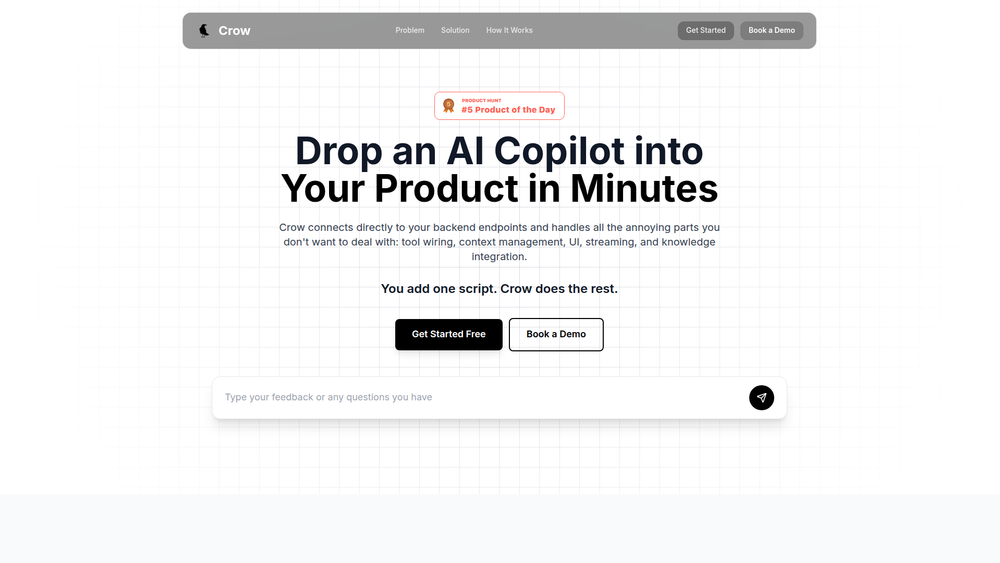
Crow is a powerful platform designed to help software teams integrate a chat-first AI copilot into any product in minutes. It provides a streamlined solution for adding a language-based user interface, allowing end-users to interact with an application through natural conversation. Crow handles the complex backend work, including tool wiring, context management, UI implementation, and knowledge integration, so developers can focus on their core product logic.
The primary benefit of Crow is the drastic reduction in time and resources required to build and deploy an AI assistant. It's ideal for development teams and product managers who want to enhance their software with sophisticated AI capabilities without the steep learning curve and lengthy development cycles. By abstracting away the complexities of AI integration, Crow makes it feasible for almost any application to become AI-native, improving user engagement and providing a modern, intuitive user experience.
Features
- Rapid Deployment: Integrate a complete AI copilot into your application by adding a single script tag, enabling a fully functional chat interface within seconds.
- API to Tool Conversion: Automatically converts your existing backend endpoints into functional tools for the AI agent by uploading an OpenAPI specification or providing an API URL.
- Advanced Knowledge Integration: Train the AI on your specific context by ingesting content from your website or uploading documents. Crow uses a Retrieval-Augmented Generation (RAG) system to ensure the AI provides accurate, context-aware responses.
- Custom AI Persona: Easily customize the AI agent's tone, intent, and personality by providing a simple natural language prompt in the setup process.
- Managed Chat UI: Comes with a pre-built, production-ready chat widget that handles UI, state management, and response streaming, eliminating the need for frontend development.
- Authenticated Actions: Allows the AI copilot to securely take actions on behalf of users within your application through a simple and secure authentication integration.
How to Use
- Customize Your Agent: Begin by navigating to the Crow dashboard and writing a prompt to define your AI's personality, tone, and core instructions.
- Train with Your Data: Provide context to your agent by inputting your website's URL for automatic ingestion. For deeper knowledge, upload additional documents like help guides, FAQs, or technical manuals.
- Connect Your Backend: Convert your application's functionality into AI-accessible tools. Upload your OpenAPI spec or provide your API URL and select which endpoints the agent should be able to use.
- Configure Authentication: Follow the guided steps to set up authentication. This is crucial for allowing the copilot to perform actions securely for your logged-in users, such as creating data or updating settings.
- Embed the Widget: Copy the generated script snippet from the Crow dashboard and paste it into the HTML of your web application. The AI copilot will immediately be live and available to your users.
Use Cases
- Interactive User Onboarding: Deploy an AI copilot to guide new users through your application's features. The agent can answer questions, provide step-by-step instructions, and even perform initial setup actions on the user's behalf.
- Natural Language Data Interaction: For business intelligence or analytics platforms, a copilot can allow users to query data using plain English (e.g., "Show me the sales figures for Q3"). The AI translates the request, calls the appropriate API, and presents the information.
- Automated In-App Support: Use the copilot as a first line of support, trained on your help documentation. It can answer common questions and perform simple tasks like checking an order status or resetting a password by interacting with your backend APIs.
- Streamlined Task Management: In a project management tool, a user could simply chat, "Create a task to design the new logo and assign it to Jane for Friday." The AI copilot would parse this command and use the application's API to create and assign the task accordingly.
FAQ
How does Crow connect to my application's backend?
Crow connects to your backend by parsing an OpenAPI specification file that you provide or by connecting directly to an API URL. This allows it to understand your available endpoints and convert them into tools the AI can use.
What kind of knowledge can I use to train the AI agent?
You can train the agent by having it ingest your public website content directly. For more detailed or private information, you can upload documents such as PDFs, Word documents, or text files that serve as the agent's knowledge base.
How does Crow handle user authentication to perform actions?
Crow provides a dedicated integration flow for authentication. This allows you to securely pass user credentials or tokens to Crow, enabling the copilot to make authenticated API calls and perform actions on behalf of a logged-in user.
Can the AI copilot's UI be customized?
Crow provides a pre-built chat widget designed for rapid deployment and a seamless user experience. The primary focus is on functionality and speed of integration rather than deep UI customization.
What is RAG and how does Crow use it?
RAG stands for Retrieval-Augmented Generation. Crow uses this system to make its AI agents more intelligent. When a user asks a question, the RAG system first retrieves the most relevant information from the documents and website content you provided, then uses that information to generate a highly accurate and contextual answer.
How long does the setup process take?
The website states that you can have a functional AI copilot in your product in minutes. The setup involves six straightforward steps, from customizing the agent to embedding the final script.
What happens if I update my API?
If you change your API endpoints, you will need to update the configuration in your Crow dashboard. This typically means re-uploading your OpenAPI specification or updating the API URL and tool settings to reflect the changes.



