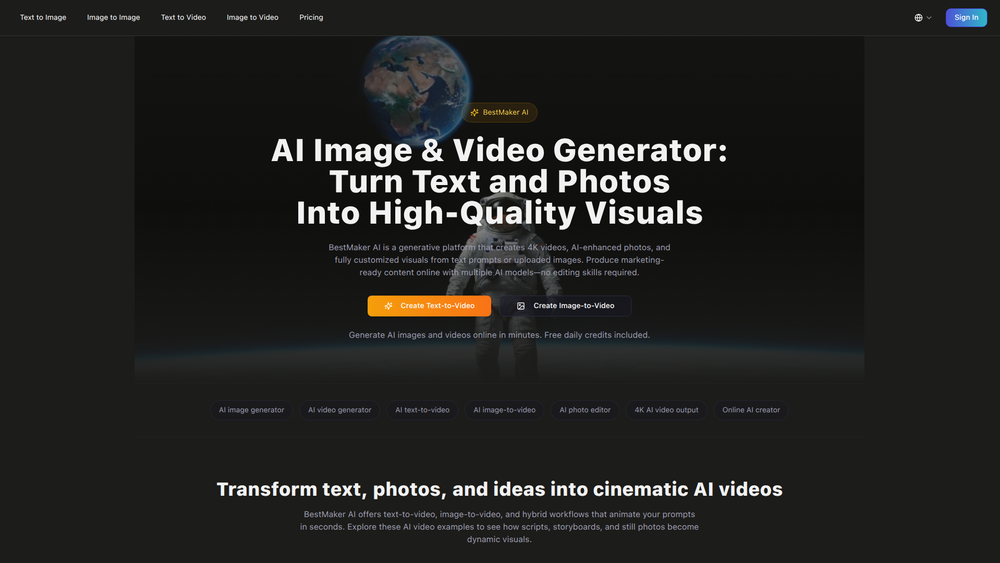
BestMaker AI is a generative AI platform designed to create high-quality 4K videos and AI-enhanced images from simple text prompts or existing photos. It serves as an all-in-one workspace for generating visual content, combining an AI image generator, video maker, and photo editor into a single, user-friendly interface. The platform is ideal for marketers, content creators, artists, and studios who need to produce professional-grade visuals quickly without requiring technical editing skills.
Its primary value lies in consolidating multiple creative tools, streamlining the workflow from concept to a publish-ready asset. By offering free daily credits, BestMaker AI makes advanced content generation accessible for experimentation and regular use. With support for multiple AI models and high-resolution output, it empowers users to produce diverse, marketing-ready content that stands out on any channel.
Features
- Text & Image to Video Generation: Transform text scripts or still images into dynamic, cinematic videos in seconds with dedicated text-to-video and image-to-video workflows.
- High-Resolution Output: Produce ultra-sharp videos in up to 4K resolution and generate high-resolution images suitable for any professional application, from digital ads to print.
- Multiple AI Models: Access a variety of leading AI models, including Kling, Hunyuan, and Pika, to achieve different artistic styles ranging from realistic to animated.
- Integrated AI Photo Editor: Edit images directly within the platform. Use simple text prompts to remove objects, change backgrounds, or retouch product photos seamlessly.
- Free Daily Credits: Generate AI images and videos every day without an upfront subscription, allowing for continuous experimentation and content creation.
- Extensive Template Library: Accelerate the creative process with a library of ready-made scenes, storyboards, and AI prompt templates for both images and videos.
- Versatile Style Options: Render visuals in any style you can imagine, including cinematic, realistic, or animated looks, ensuring creative consistency across both image and video projects.
How to Use
- Sign Up for Free: Create an account on the BestMaker AI website to receive your initial set of free daily credits.
- Choose Your Generator: From the dashboard, select the tool that matches your goal, such as 'Text-to-Video', 'Image-to-Image', or 'AI Photo Editor'.
- Provide Your Input: For text-based generation, write a detailed and descriptive prompt outlining your vision. For image-based generation, upload your source photo.
- Customize Your Output: Select a preferred AI model and define the creative style (e.g., cinematic, animated, realistic) to guide the generation process.
- Generate and Refine: Click the generate button to create your visual. Review the output and, if necessary, refine your prompt or use the integrated editor to make adjustments.
- Download and Share: Once you are satisfied with the result, download the final high-resolution image or 4K video to use in your projects.
Use Cases
- Marketing & Advertising: Create compelling video ads, social media content, and promotional visuals directly from product descriptions or static images, bypassing the need for expensive film crews.
- Content Creation: Generate unique visuals for blog posts, YouTube videos, and social media feeds, quickly turning written ideas into engaging animated stories or custom images.
- E-commerce Product Visualization: Enhance product photos by automatically changing backgrounds, removing unwanted objects, or creating short promotional videos that showcase the product in various settings.
- Creative Prototyping: Quickly visualize scenes, characters, and concepts for films, games, or animations by generating storyboard panels or short video clips from scripts and creative briefs.
FAQ
What is BestMaker AI?
BestMaker AI is a generative AI platform that allows users to create 4K videos and high-quality images from text prompts or uploaded photos. It integrates image generation, video creation, and photo editing into a single workspace.
How do the free daily credits work?
Upon signing up, you receive a set number of credits each day. These credits can be used to generate a certain amount of images or seconds of video. They reset daily, allowing you to experiment and create content regularly for free.
What kind of output quality can I expect?
The platform can produce videos in up to 4K resolution and high-resolution images, making the content suitable for professional use across websites, social media, and digital advertising.
Can I use my own images to create videos?
Yes, the Image-to-Video feature is specifically designed for this. You can upload a still photo and use AI to animate it, creating a dynamic video clip from a static image.
What AI models are available?
BestMaker AI provides access to multiple leading AI models, including Kling, Hunyuan, Pika, and Minimax, giving you the flexibility to choose a model that best fits your desired creative style.
Do I need editing skills to use BestMaker AI?
No, the platform is designed to be user-friendly. You can generate and edit professional-quality visuals using simple text prompts and intuitive controls, without needing any prior video or photo editing experience.