

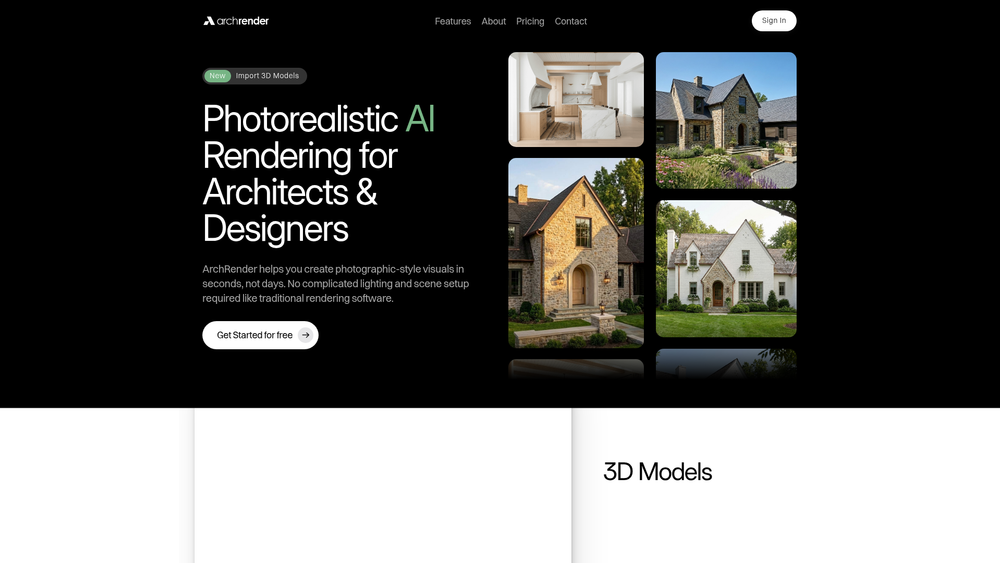
ArchRender is a specialized AI-driven rendering platform designed to bridge the gap between raw 3D modeling and high-fidelity architectural visualization. By leveraging advanced generative models, it allows architects and designers to transform basic geometry into atmospheric, photorealistic scenes without the steep learning curve or hardware demands typically associated with professional rendering engines. In practice, this means moving from a wireframe to a client-ready visual in a matter of seconds rather than hours of manual lighting and texture mapping.
The tool is particularly effective for professionals who need to iterate quickly during the schematic design phase. Instead of getting bogged down in the technical minutiae of global illumination or ray-tracing settings, users can focus on the spatial qualities of their designs. That said, it is not just a shortcut; it acts as a creative partner that helps visualize the potential of a project under various environmental conditions with minimal friction.
Key Features
- Direct 3D Model Integration: Supports industry-standard file formats including OBJ, FBX, and GPL for seamless workflow transitions.
- AI-Powered Photorealism: Generates high-quality, photographic-style visuals by interpreting geometry and applying realistic textures and lighting.
- Season Control: Features a unique toggle to visualize projects across different times of year, adjusting foliage and light quality accordingly.
- Zero-Setup Rendering: Eliminates the need for complicated manual lighting, environment HDRI, or complex scene configurations.
- Instant Turnaround: Produces high-resolution architectural renders in seconds, significantly accelerating the design feedback loop.
- Web-Based Workflow: Operates entirely in the browser, removing the need for high-end local GPU hardware to process complex scenes.
- Intuitive Camera Navigation: Allows users to find the perfect angle within the imported 3D space before triggering the AI generation.
How to Use ArchRender
- Upload Your Model: Start by importing your 3D design in OBJ, FBX, or GPL format directly into the ArchRender interface.
- Set the Perspective: Use the integrated viewport to navigate around your model and lock in the specific camera angle you wish to render.
- Configure Environment: Adjust environmental parameters such as the season or specific mood to match your project's requirements.
- Generate the Visual: Click the render button to allow the AI to interpret the geometry and apply photorealistic materials and lighting.
- Review and Refine: Evaluate the output and, if necessary, adjust your perspective or settings to generate alternative iterations.
- Download and Share: Export the final high-resolution image for use in presentations, portfolios, or marketing materials.
Use Cases
- Early-Stage Concept Pitching: Quickly generate atmospheric visuals to help clients understand the "feel" of a building before the design is finalized.
- Rapid Design Iteration: Test different massing options and material palettes in real-time to see how they respond to environmental lighting.
- Marketing and Real Estate: Create high-quality promotional imagery for property listings or development proposals without the cost of traditional rendering studios.
- Seasonal Impact Studies: Visualize how a landscape or building exterior will look during winter versus summer to assess aesthetic impact year-round.
Pricing
ArchRender offers a "Get Started for free" option to allow users to test the platform's capabilities. For detailed information on subscription tiers and commercial usage rights, please check the official website at archrender.ai.
FAQ
What is ArchRender?
ArchRender is an AI-powered visualization tool that converts 3D architectural models into photorealistic images without requiring manual lighting or material setup.
Is ArchRender free to use?
Yes, there is a free entry point for users to get started, though advanced features or higher usage limits may require a paid plan.
Which 3D file formats are supported?
Currently, the platform supports OBJ, FBX, and GPL files, which are standard exports from most architectural software like Rhino, SketchUp, and Revit.
Do I need a powerful computer to run ArchRender?
No, because the rendering is handled by AI in the cloud, you only need a standard web browser and an internet connection.
Can I control the lighting and weather?
Yes, the tool includes specific features like Season Control to adjust the environmental mood and lighting conditions of the render.
How does it differ from traditional rendering software like V-Ray?
While V-Ray offers total manual control over every photon and texture, ArchRender uses AI to automate these processes, prioritizing speed and ease of use for rapid visualization.



