

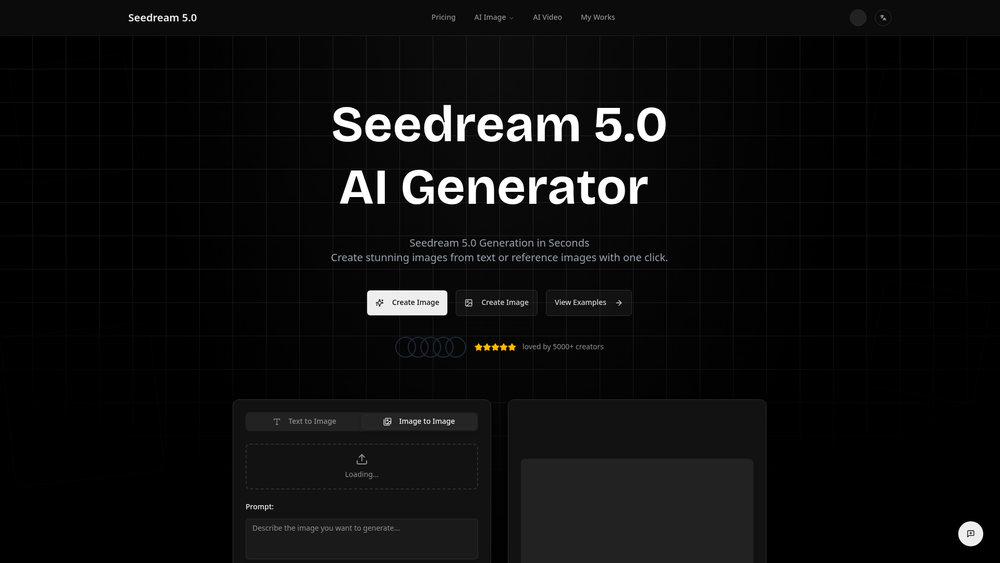
Seedream 5.0-1 is a sophisticated AI image generation platform built on the proprietary Seedream 5 model architecture. It bridges the gap between abstract concepts and photorealistic visuals, allowing users to render high-fidelity assets through natural language processing. Unlike many general-purpose generators, this tool focuses on anatomical precision and lighting realism, making it a viable choice for professional designers and content creators who require more than just stylized art.
By leveraging advanced diffusion techniques, the engine interprets complex prompts with a high degree of nuance. It isn't just about making pretty pictures; it's about control over composition, texture, and atmospheric perspective. Whether you are building a brand identity or conceptualizing a film scene, the platform provides a streamlined workflow to iterate on visual ideas without needing a traditional studio setup.
Key Features
- Seedream 5 Model Architecture: A high-parameter model specifically optimized for photorealism and textural accuracy.
- Prompt Weighting Control: Fine-tune the influence of specific keywords to emphasize certain elements of the composition.
- Aspect Ratio Customization: Native support for various formats including cinematic 16:9, vertical 9:16, and standard 1:1 square.
- Negative Prompting: Explicitly exclude unwanted elements like artifacts, specific colors, or background clutter to refine results.
- High-Resolution Upscaling: Built-in tools to enhance output quality for professional print or 4K digital displays.
- Batch Processing: Generate multiple variations of a single prompt simultaneously to speed up the creative selection process.
- Seed Consistency: Reuse specific seed numbers to maintain character or stylistic consistency across multiple generations.
- API Integration: Robust developer access to integrate the image generation engine into external applications or automated workflows.
How to Use Seedream 5.0-1
- Navigate to the Seedream 5.0-1 dashboard and log in to your account.
- Enter your descriptive text prompt into the primary input field, detailing the subject, lighting, and style.
- Select your desired aspect ratio and resolution settings from the configuration sidebar.
- Apply negative prompts in the advanced settings to filter out any unintended visual distortions or themes.
- Click the Generate button and wait for the model to process the four-image preview grid.
- Select your favorite result and use the Upscale button to prepare the image for final export.
Use Cases
- Digital Marketing: Creating unique, stock-free imagery for social media campaigns that stand out from generic library photos.
- Concept Art: Rapidly prototyping environments and character designs for game development and film pre-production.
- Architectural Visualization: Generating mood boards and realistic lighting references for interior design and urban planning.
- E-commerce: Producing high-quality lifestyle product shots without the logistical overhead of a physical photography studio.
- Web Design: Crafting bespoke hero images and background textures tailored to specific brand color palettes and layouts.
Pricing
Check the official website for pricing.
FAQ
What is Seedream 5.0-1?
It is an advanced AI image generator powered by the Seedream 5 model, designed to turn text descriptions into high-quality, realistic visual assets.
Is Seedream 5.0-1 free to use?
Seedream typically offers a tiered system; please check the official website for current free trial availability and subscription plans.
Does it support commercial use?
In practice, images generated through paid tiers usually include commercial usage rights, but you should verify the specific terms of service on their site.
Can I use my own images as a reference?
Yes, the platform supports image-to-image workflows where you can upload a reference image to guide the composition and style of the output.
How does it handle human anatomy?
The Seedream 5 model is specifically trained to reduce common AI artifacts in hands and faces, resulting in more realistic human depictions.
Is there an API available?
Worth noting for developers is that Seedream 5.0-1 provides a comprehensive API for those looking to build third-party tools or automate image creation.
What file formats are supported for export?
Users can typically export their finished designs in high-quality PNG or JPG formats, depending on their specific project requirements.



