

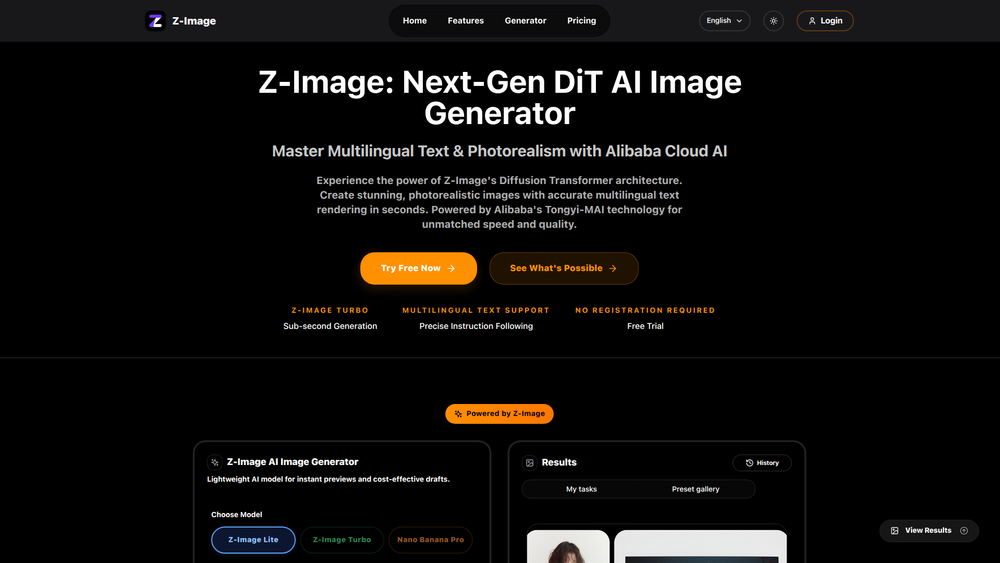
Z-Image is a next-generation DiT (Diffusion Transformer) AI image generator designed to produce 4K photorealistic images from text descriptions in milliseconds. Its primary purpose is to provide professionals with a powerful tool that overcomes the limitations of basic AI generators, offering superior quality, control, and consistency. The platform is particularly valuable for marketers, designers, content creators, and e-commerce businesses who require commercial-ready visuals with specific, high-quality attributes.
What sets Z-Image apart is its focus on professional-grade features. It delivers images with accurate, multilingual text rendering, maintains character consistency across multiple visuals, and provides precise camera controls typically found in professional photography and cinematography. This combination of speed, quality, and advanced control makes it an indispensable asset for creating stunning campaign visuals, professional product photos, and compelling brand narratives without the high costs and long timelines of traditional methods.
Features
- Accurate Text Rendering: Unlike many AI tools that produce garbled text, Z-Image correctly renders readable text and numbers directly within images, making it perfect for marketing materials, ads, and product labels.
- Character Consistency: Maintain the exact appearance of a character across multiple images. This is ideal for creating brand mascots, sequential narratives, and consistent campaign visuals.
- Precise Camera Control: Go beyond simple prompts with studio-grade controls. Direct your shot by adjusting pan, tilt, zoom, focus, and dynamic depth of field, and choose from over 50 lens simulations for professional accuracy.
- Format Flexibility: Generate images in any aspect ratio, from 9:16 for TikTok to 21:9 for widescreen, without needing to crop. The platform also includes built-in upscaling and smart framing for platform-native assets.
- High-Quality Photorealistic Images: Powered by a next-gen DiT AI model, the tool generates stunning, commercial-ready 4K visuals with incredible detail and realism.
- Lightweight Model for Drafting: Utilize a lightweight AI model for instant previews and cost-effective drafts, allowing for rapid iteration before generating final, high-resolution images.
- Style Transfer: Lock in a specific aesthetic or artistic style to ensure all generated images maintain a consistent look and feel, reinforcing brand identity.
How to Use
- Choose Your Model: Select the appropriate AI model for your needs. Use the lightweight model for quick, cost-effective drafts and previews.
- Describe Your Image: In the text prompt box, type a detailed description of the image you want to create (up to 2500 characters). Be specific about the subject, setting, colors, mood, and style.
- Configure Image Settings: Set the desired parameters for your output, including image size, format (aspect ratio), and the number of images to generate at once.
- Apply Advanced Controls (Optional): For greater precision, use the advanced technical controls to set specific camera parameters, such as lens type, zoom, and depth of field, to frame the perfect shot.
- Generate the Image: Click the generate button. The AI will process your prompt and settings to create your image(s) in milliseconds.
- Download Your Asset: Review the generated visuals. Once you are satisfied with the result, download the high-resolution, commercial-ready image for your project.
Use Cases
- Marketing & Advertising: Create visually striking ads, social media posts, and website banners with perfectly rendered taglines and branding directly in the image, ensuring higher engagement and conversion.
- E-commerce Product Photography: Generate professional, studio-quality product photos with custom lighting and backgrounds without the need for a physical photoshoot, saving time and money.
- Brand Storytelling: Develop a series of images featuring a consistent brand mascot or character for a marketing campaign or visual narrative, ensuring a cohesive and recognizable story.
- Cinematic Pre-visualization: Use the precise camera and lens controls to storyboard scenes and visualize complex shots for film, animation, or video game development.
- Content Creation: Quickly produce unique, high-quality images for blog posts, articles, and presentations that are perfectly tailored to the subject matter, enhancing visual appeal and reader engagement.
FAQ
What makes Z-Image different from other AI image generators?
Z-Image is built for professionals, offering advanced features that basic tools lack. Key differentiators include its ability to render text accurately, maintain character consistency across multiple images, and provide precise, studio-grade camera controls.
Can I use the images I create for commercial purposes?
Yes, Z-Image is designed to produce commercial-ready images, making them suitable for use in marketing campaigns, product listings, advertisements, and other business-related projects.
How does the character consistency feature work?
This feature allows you to define a character's appearance and then generate new images with that same character in different scenes or poses, ensuring their look remains identical every time. This is perfect for brand mascots and storytelling.
Can Z-Image really create images with readable text?
Yes, one of its core strengths is rendering text correctly inside images without the common issues of garbled letters or misspellings. This is ideal for creating visuals that include names, slogans, or labels.
What kind of camera controls are available?
Z-Image offers professional-level camera controls, including pan, tilt, zoom, and focus adjustments. It also features dynamic depth of field and simulations for over 50 different types of lenses.
Does Z-Image support different aspect ratios?
Yes, it supports all standard aspect ratios (e.g., 16:9, 1:1, 9:16, 21:9) natively. This means you can generate images perfectly sized for any platform without needing to crop or reframe them.
How fast is the image generation process?
The platform is optimized for speed, generating 4K images in milliseconds, allowing for rapid iteration and a highly efficient workflow.



