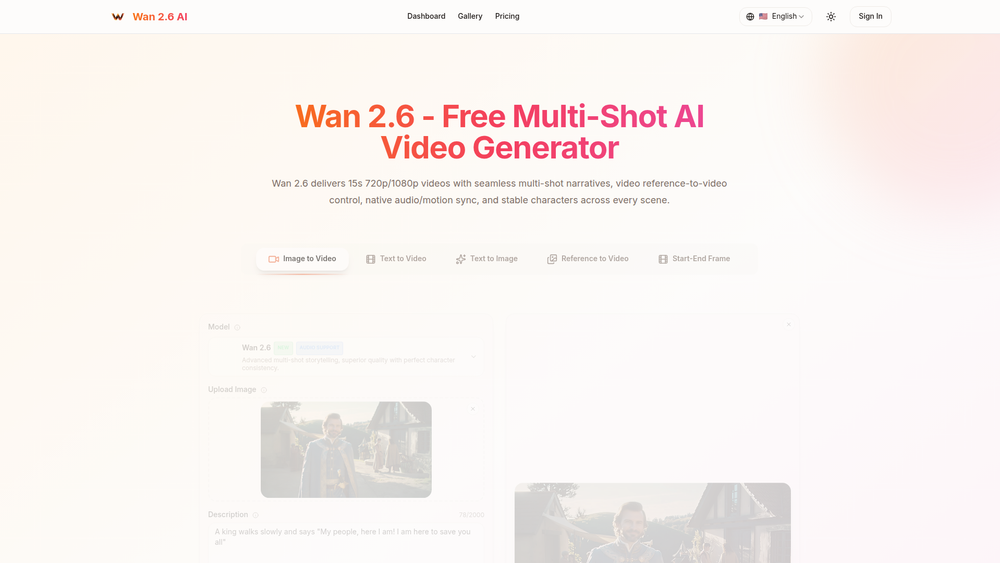
Wan 2.6 is an advanced AI video generator designed to create compelling, 15-second multi-shot stories from simple text prompts or reference media. It specializes in producing high-quality cinematic narratives in 720p or 1080p, complete with seamless transitions, consistent characters, and synchronized audio. The platform is engineered to break down a single creative concept into a cohesive sequence of shots, making it an invaluable tool for rapid video production.
The primary audience for Wan 2.6 includes social media managers, digital marketers, content creators, and professionals who need to produce engaging short-form video content for platforms like YouTube Shorts, Instagram Reels, and TikTok. Its value lies in its ability to automate the complex process of storyboarding, shooting, and editing, delivering polished, ready-to-publish clips in under 30 seconds. By offering features like video reference control and native audio sync, Wan 2.6 significantly reduces post-production work and empowers users to bring sophisticated visual ideas to life with unprecedented ease and speed.
Features
- Multi-Shot Storytelling: Automatically breaks down a single prompt into a connected, multi-shot video sequence up to 15 seconds long, maintaining consistent lighting, subjects, and environments across different angles.
- High-Resolution Output: Generates videos in both 720p and 1080p resolutions at a standard 24fps, optimized for short-form social media platforms and professional marketing campaigns.
- Video Reference Control: Allows users to upload a reference video to guide the motion, style, and subjects of the new video. This feature supports single or dual-subject interactions and can be combined with text prompts to direct the story.
- Superior Character Consistency: Maintains the identity and appearance of characters flawlessly across every shot in a sequence, even when generating from a text prompt or using reference footage.
- Native Audio & Motion Sync: Features built-in audio alignment that synchronizes video motion to an uploaded audio track (MP3, WAV, etc.). This creates beat-aware pacing and polished results without manual editing.
- Image-to-Video Generation: Users can upload a reference image to define a character or style, which the AI then animates into a full video narrative based on a text prompt.
How to Use
- Describe Your Story: Begin by writing a detailed text prompt in the description box. Clearly articulate the concept, characters, setting, and actions you want to see in your 15-second video.
- Configure Settings & Upload Assets: Choose your desired output resolution (720p or 1080p). For more control, you can optionally upload a reference image to set the style, a reference video to guide motion, or an audio file (up to 30MB) for sound and motion sync.
- Generate Your Video: Click the generation button to let the AI process your inputs. Wan 2.6 will create a complete multi-shot storyboard and render the final video sequence.
- Review and Download: Once the generation is complete (typically in under 30 seconds), review the output. If you are satisfied with the result, download the high-quality video file.
- Share Your Creation: The downloaded video is ready to be published directly to social media platforms, used in marketing campaigns, or incorporated into larger professional projects.
Use Cases
- Social Media Content Creation: Quickly produce a steady stream of engaging, 15-second videos for Instagram Reels, YouTube Shorts, and TikTok. The multi-shot format is perfect for telling short stories that capture viewer attention.
- Digital Marketing & Advertising: Create dynamic video ads, product showcases, and promotional content. Use Video Reference Control to ensure brand assets or specific products are represented accurately.
- Creative Storyboarding & Prototyping: Filmmakers and animators can use Wan 2.6 to rapidly visualize scenes from a script. It's an effective way to test concepts, camera angles, and pacing before committing to full production.
- Personalized Entertainment: Turn creative ideas, memories, or even still photos into short, cinematic videos. Users can bring their imagination to life and share unique stories with friends and family.
FAQ
What is Wan 2.6 AI?
Wan 2.6 is an AI video generator that creates high-quality, 15-second videos with multi-shot narratives, consistent characters, and audio synchronization from text prompts or reference media.
What is the maximum video length and quality?
The platform generates videos up to 15 seconds long at 24 frames per second. You can choose between 720p and 1080p resolution tiers.
Can I use my own audio files?
Yes, you can upload audio files (MP3, WAV, AAC, M4A) up to 30MB. The AI's native audio sync feature will align the video's pacing and motion to the beat and rhythm of your track.
How does Video Reference Control work?
This feature allows you to upload a source video to guide the generated video's motion, style, or subjects. You can use it to replicate an action or maintain the look of a person while still using a text prompt to change the story's context or environment.
How does the AI maintain character consistency?
The model is specifically trained to maintain a character's physical appearance, clothing, and identity across all the different shots within a single 15-second video, ensuring a coherent narrative.
Is Wan 2.6 free to use?
Yes, Wan 2.6 offers a free plan with a daily generation quota. For users who need higher volume, paid subscription plans with expanded quotas are available.
What are "Smart Storyboards"?
Smart Storyboards refer to the AI's ability to intelligently interpret a single text prompt and break it down into a logical sequence of connected shots with smooth transitions, effectively creating a mini-story without manual input.