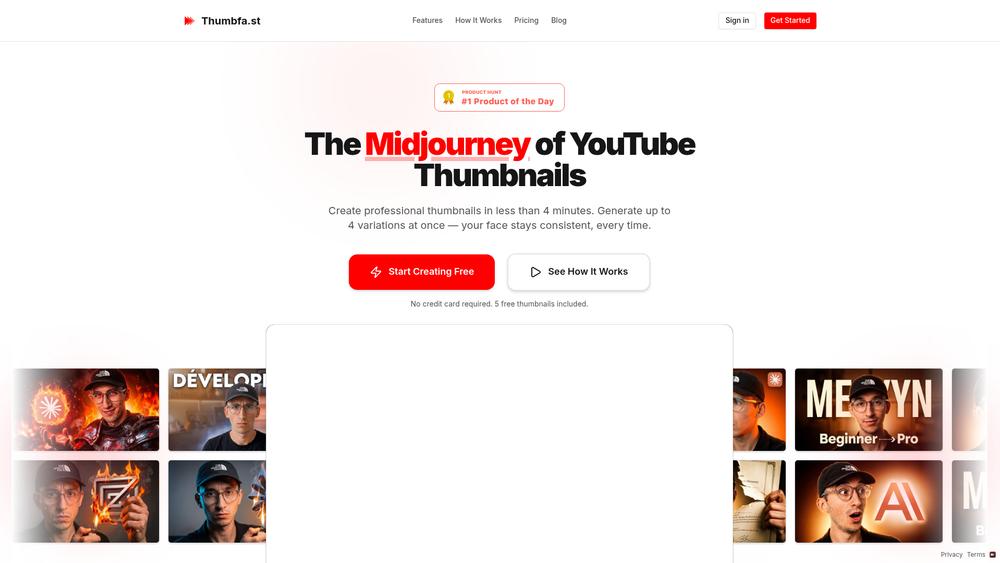
Thumbfa.st is a specialized AI-driven platform engineered specifically for YouTube creators who need to produce high-quality thumbnails without the steep learning curve of professional design software. Often referred to as the "Midjourney for thumbnails," the tool streamlines the creative workflow by generating professional-grade imagery tailored for high click-through rates. By leveraging advanced generative models, it ensures that the visual style remains polished while significantly reducing the turnaround time for each video upload.
One of the most persistent challenges for solo creators is maintaining visual brand consistency, particularly when it comes to their own likeness. Thumbfa.st addresses this by offering sophisticated face consistency features, allowing users to generate multiple variations of a thumbnail while keeping their facial features recognizable and stable across different scenes. This level of automation allows creators to focus more on content production and less on the technical hurdles of graphic design.
Features
- Face Consistency Engine: Ensures your facial features remain recognizable across all generated images, maintaining a consistent brand identity for your channel.
- Rapid Generation: Produces a set of professional-grade thumbnails in under four minutes, drastically cutting down the time spent in post-production.
- Quad-Variation Output: Generates up to four distinct variations for every prompt, providing creators with multiple options to compare or A/B test.
- Zero Design Skills Required: Uses natural language prompts to handle complex tasks like composition, lighting, and styling automatically.
- High-Resolution Exports: Delivers images specifically optimized for YouTube's aspect ratio and resolution requirements to ensure clarity on all devices.
- Style Presets: Offers various aesthetic directions to match the tone of different niches, from high-energy gaming to minimalist educational content.
- Cloud-Based Processing: Handles all intensive AI computations on remote servers, meaning you don't need a high-end computer to generate visuals.
How to Use Thumbfa.st
- Create an Account: Visit the Thumbfa.st website and sign up; you can get started with five free credits without providing any credit card information.
- Upload Reference Photos: Provide a clear photo of your face to the AI model so the consistency engine can accurately replicate your likeness in the thumbnails.
- Input Your Prompt: Describe the specific scene, mood, or context of your video in the provided text box.
- Select Artistic Style: Choose from the available presets to guide the AI toward a specific visual look that fits your channel's brand.
- Generate Variations: Initiate the generation process and wait a few minutes for the AI to produce four distinct thumbnail options.
- Refine and Download: Select the variation that best fits your video and download the high-resolution file for immediate use.
Use Cases
- Daily Vloggers: Significantly speed up the daily upload cycle by automating the most time-consuming part of the video packaging process.
- Educational Channels: Create clean, authoritative imagery that establishes trust and professionalism with viewers.
- Gaming Creators: Generate high-action, stylized scenes that capture the energy of gameplay without the need for manual compositing.
- Marketing Agencies: Quickly produce multiple thumbnail concepts for clients to review, allowing for faster feedback loops and A/B testing strategies.
Pricing
Thumbfa.st offers an introductory trial that includes 5 free thumbnails with no credit card required. For creators requiring higher volume or advanced features, please check the official website for current subscription tiers and credit packages.
FAQ
What is Thumbfa.st?
Thumbfa.st is an AI-powered tool designed to help YouTube creators generate professional, consistent thumbnails in minutes using text prompts and reference images.
Is Thumbfa.st free to use?
Yes, the platform offers 5 free thumbnails to new users so they can test the features before committing to a paid plan.
How does face consistency work?
By uploading a reference photo, the AI learns your facial features and applies them to the generated thumbnails, ensuring you look like yourself in every variation.
How long does it take to generate a thumbnail?
In practice, most thumbnail sets are generated in less than four minutes, though this can vary slightly based on server load.
Do I need to know how to use Photoshop?
Not at all. The tool is designed to be entirely prompt-based, meaning the AI handles the lighting, layout, and graphic design for you.
Can I use these thumbnails for commercial purposes?
Yes, the thumbnails generated are intended for use on your YouTube channel and other promotional platforms, though you should review the terms of service for specific licensing details.