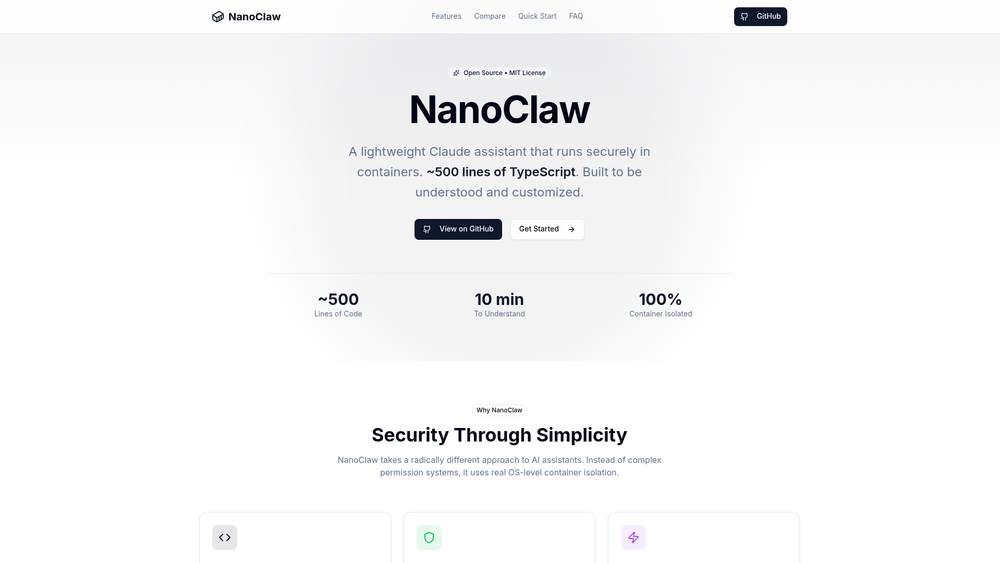
NanoClaw is a minimalist, open-source assistant designed for users who want the power of Claude with the security of local, containerized execution. Unlike heavy frameworks that hide complexity behind layers of abstraction, NanoClaw is built on roughly 500 lines of TypeScript, making it entirely readable and customizable for developers. It bridges the gap between a simple chatbot and a powerful autonomous agent by providing a secure environment where AI can execute code without risking the host system's integrity.
The tool is specifically engineered for those who prioritize security and transparency. By leveraging OS-level container isolation—using Apple Container on macOS or Docker on Linux—NanoClaw ensures that every interaction remains sandboxed. This means you can grant the assistant bash access or allow it to run complex scripts with the peace of mind that it cannot access your sensitive host files unless explicitly permitted. It is an ideal starting point for developers who want to build their own bespoke AI tools without fighting against a bloated third-party architecture.
Features
- OS-Level Containerization: Every chat session runs in a dedicated Linux container, ensuring that bash commands and script executions are fully sandboxed from your host OS.
- Ultra-Lightweight Core: The entire core logic resides in approximately 500 lines of TypeScript, allowing a single developer to audit the entire codebase in minutes.
- WhatsApp Integration: You can connect your assistant to WhatsApp, enabling you to trigger tasks or query your AI directly from your mobile device.
- Automated Scheduled Tasks: Set up recurring jobs that allow Claude to perform autonomous actions, such as data scraping or report generation, on a fixed schedule.
- Extensible Skills System: Enhancing the assistant is straightforward through a modular skills system that supports integrations for tools like Gmail or custom APIs.
- Web Access Capabilities: Built-in tools for web searching and content fetching allow the assistant to stay updated with real-time information from the internet.
- Isolated Group Contexts: Manage different projects or conversations in separate groups, each maintaining its own unique memory and filesystem state.
- Native macOS & Linux Support: Designed to run efficiently using native virtualization technologies like Apple Container or standard Docker environments.
How to Use
- Clone the Repository: Start by pulling the source code from GitHub to your local machine to begin the setup process.
- Install Dependencies: Ensure you have Docker (for Linux/Windows) or Apple Container (for macOS) installed to handle the sandboxing environments.
- Initialize with Claude Code: Use the recommended 'Claude Code' tool to automate the initial configuration and environment setup.
- Configure API Credentials: Input your Anthropic API keys and any optional service keys (like WhatsApp or Google) into the environment configuration.
- Launch the Service: Run the start command to initialize the TypeScript process and spin up your first isolated container.
- Interact and Customize: Connect via your preferred interface and, since the code is so small, feel free to modify the source files directly to change how the assistant behaves.
Use Cases
- Secure Script Testing: Use NanoClaw to write and test bash scripts or Python code where the AI can execute the logic in a safe, disposable environment.
- Mobile Productivity: Send a WhatsApp message to your self-hosted NanoClaw instance to summarize a long article or check the status of a scheduled task while on the go.
- Automated Research: Set up a scheduled task that crawls specific technical blogs every morning and provides a summarized report of new developments.
- Learning AI Internals: Because the codebase is so compact, it serves as an excellent educational resource for developers wanting to understand how agentic loops and container management work.
- Private Data Processing: Process sensitive local documents through Claude without uploading them to a complex cloud-based platform that lacks transparent isolation.
Pricing
NanoClaw is an open-source project released under the MIT License and is free to download and self-host. Users are responsible for their own Anthropic API costs associated with Claude usage.
FAQ
What is NanoClaw?
NanoClaw is a lightweight, secure AI assistant that uses Claude as its brain and runs all code execution inside isolated OS-level containers.
Is NanoClaw free to use?
Yes, the software itself is free and open-source. However, you will need an active Anthropic API key, which incurs costs based on your token usage.
How does the security model work?
Unlike many assistants that use software-level permissions, NanoClaw uses hardware-level virtualization. Every command runs inside a restricted Linux container, preventing the AI from touching your actual computer files.
Do I need to be a developer to use it?
While the setup is designed to be easy, NanoClaw is primarily aimed at developers and power users who are comfortable with the command line and basic container concepts.
Can I use it on Windows?
Yes, while it is optimized for macOS and Linux, it can run on Windows via Docker Desktop or WSL2.
What makes it different from other AI frameworks?
Most frameworks are tens of thousands of lines of code. NanoClaw is only 500 lines, making it easier to understand, harder to hide bugs in, and much faster to customize.
How do I add new capabilities?
Capabilities are added through 'Skills.' You can write small TypeScript modules to give the assistant access to new APIs, local files, or external services.