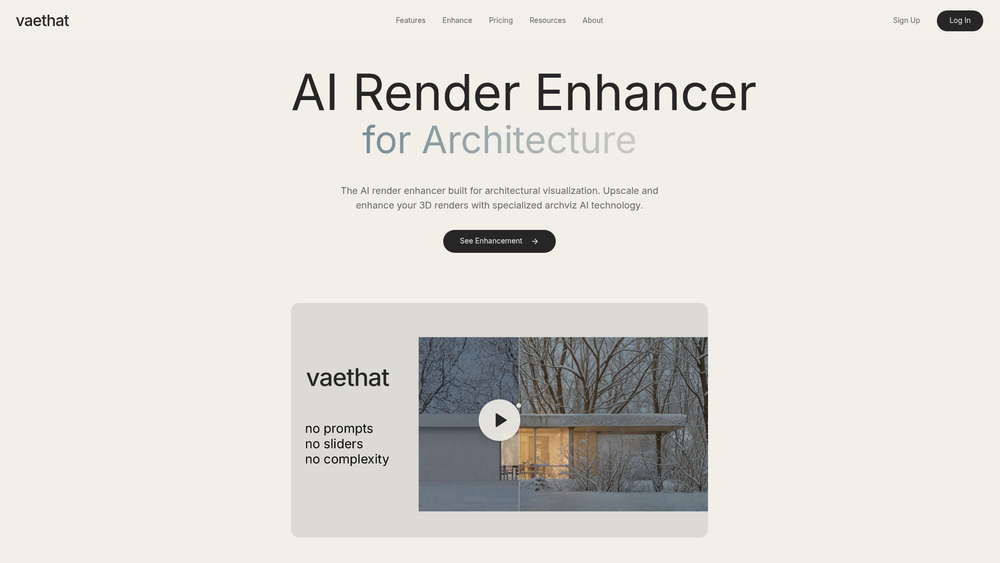
vaethat is a specialized AI-powered enhancement tool specifically engineered for architectural visualization. While general-purpose AI upscalers often struggle with the precise lines and material textures essential to architecture, vaethat uses a model trained exclusively on archviz data. This ensures that structural details, lighting nuances, and vegetation look realistic rather than "hallucinated" or overly stylized.
For professionals in the 3D industry, the platform offers a streamlined alternative to the trial-and-error nature of traditional AI tools. By removing the need for complex prompt engineering or constant slider adjustments, it allows artists to focus on the creative output rather than technical troubleshooting. It essentially bridges the gap between a raw 3D render and a high-end, polished visualization.
Key Features
- Archviz-Specific Training: The AI model is built on architectural data, ensuring structural integrity in every upscale.
- Prompt-Free Interface: Users don't need to write complex text descriptions; the AI understands the visual context automatically.
- Preset-Based System: Simplifies the workflow by offering curated settings tailored for different architectural styles.
- Detail Preservation: Enhances textures like wood grain, concrete, and glass without losing the original design intent.
- High-Resolution Upscaling: Transforms standard renders into high-definition assets suitable for large-format printing.
- Zero Slider Complexity: Eliminates the need for manual parameter tuning, providing a "one-click" style experience.
- Speed-Optimized Processing: Designed to deliver results quickly, reducing the time spent in post-production.
How to Use vaethat
- Visit the vaethat website and log in to access the enhancement dashboard.
- Upload your raw 3D render file directly to the processing interface.
- Select a specialized preset that best matches your scene type, such as exterior or interior.
- Initiate the enhancement process and wait for the AI to analyze and upscale the image.
- Use the side-by-side comparison tool to review the enhanced details against the original.
- Download the final high-resolution image for your professional portfolio or client delivery.
Use Cases
- Portfolio Enhancement: Quickly upgrade older renders to modern standards for a more professional online presence.
- Client Presentations: Add a final layer of polish and realism to draft renders before showing them to stakeholders.
- Competition Entries: Ensure that architectural details are sharp and lighting is atmospheric for high-stakes submissions.
- Speedy Revisions: Add high-end detail in seconds that would otherwise take hours of manual post-processing in Photoshop.
Pricing
Check the official website for current pricing plans and credit options.
FAQ
What is vaethat?
vaethat is an AI tool specifically designed to upscale and enhance architectural renders using a model trained on archviz-specific imagery.
Is vaethat free to use?
vaethat typically operates on a credit-based or subscription system. Check the official site for current trial options.
How does it differ from general AI upscalers?
Unlike general tools that may distort architectural lines, vaethat is trained to recognize and respect structural elements and building materials.
Do I need to write prompts to use it?
No, the tool is designed to be prompt-free. You simply select a preset and the AI handles the rest.
Can I use it for interior renders?
Yes, the AI is trained to handle both exterior landscapes and complex interior lighting and textures.
What file formats does it support?
You can upload standard image formats like JPEG and PNG for enhancement.
Does it work with all 3D software?
Since it processes image exports, it works with renders from any software, including V-Ray, Corona, Lumion, and Enscape.