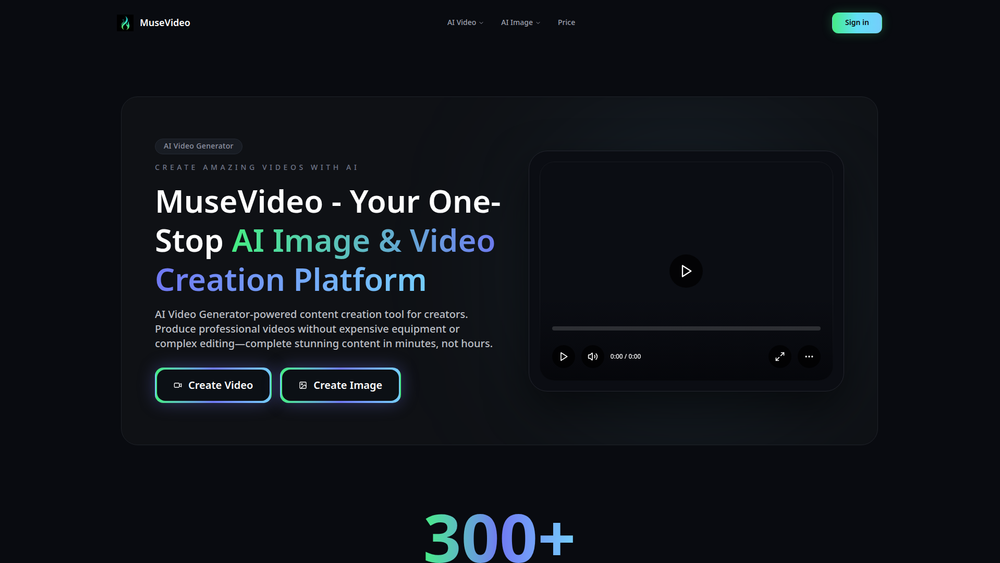
MuseVideo is a powerful AI-powered platform designed to generate stunning, cinematic videos from simple text prompts or still images. It serves as an all-in-one hub, unifying multiple industry-leading AI video generation models into a single, user-friendly dashboard. This eliminates the need for users to switch between different tools or manage multiple subscriptions to access diverse creative capabilities.
The primary benefit of MuseVideo is its ability to democratize video creation, making it accessible to a wide range of users, from professional content creators and marketers to small business owners and hobbyists. By transforming ideas into high-quality, full HD videos with synchronized audio and realistic sound effects in seconds, it drastically reduces the time, cost, and technical skill required for video production. Whether you need to create engaging social media content, promotional videos, or artistic visuals, MuseVideo provides the tools to bring your vision to life with speed and professional polish.
Features
- AI Text to Video Generator: Transforms written scripts, blog posts, or simple text prompts into complete video scenes. The AI comprehends the text to generate cinematic content, complete with lip-synced dialogue and scene-aware sound design.
- AI Image to Video Generator: Animates static images, turning photos into dynamic video clips. This feature adds natural movement, cinematic lighting, and professional motion simulation to bring portraits, landscapes, and other still visuals to life.
- All-in-One Model Hub: Access a diverse collection of cutting-edge AI video generation models within a single workspace. Users can seamlessly switch between different models, each offering unique strengths like cinematic realism, stylized motion, or rapid prototyping, to find the perfect fit for their project.
- Synchronized Audio and Sound Effects: The AI doesn't just create visuals; it builds a complete soundscape. Each generated video includes context-aware ambient audio, sound effects, and voiceovers that are automatically synced to the on-screen motion and action.
- Fast, High-Quality Output: Generate stunning, full HD videos with lightning-fast rendering speeds. The platform is optimized to produce realistic and high-resolution visuals in seconds, empowering creators to produce content efficiently without sacrificing quality.
- 60+ AI Effects & Filters: Go beyond realistic rendering with a vast library of over 60 built-in AI effects, exclusive styles, and creative filters. Users can apply artistic themes like anime, glitch, comic, or vintage looks to stylize their videos and create unique visual experiences.
How to Use
- Choose Your Generator: Start by selecting your desired creation method on the MuseVideo dashboard. You can choose between the "AI Text to Video" generator or the "AI Image to Video" generator.
- Provide Your Input: For Text to Video, type or paste your script or a descriptive prompt into the text box. For Image to Video, upload the still image you want to animate. Be as descriptive as possible in your text prompts for better results.
- Select a Model and Style: Browse the available AI models and choose the one that best suits your project's needs (e.g., cinematic, stylized). You can also explore and apply one of the 60+ AI effects or filters to define a specific artistic look.
- Generate and Refine: Click the "Generate" button to let the AI create your video. Review the output and, if needed, refine your prompt or change the style and regenerate until you are satisfied.
- Add Audio (Optional): While the AI automatically generates synchronized sound, you can further customize the audio. Add a voiceover or background music to perfect the final product.
- Export Your Video: Once you are happy with the result, export your video in full HD. You can then download it and share it across your social media channels, website, or marketing campaigns.
Use Cases
- Social Media Marketing: Marketers can quickly generate eye-catching video ads, promotional content, and engaging stories for platforms like Instagram, TikTok, and Facebook. By turning product images or marketing copy into dynamic videos, they can capture audience attention and boost engagement.
- Content Creation for YouTubers & Bloggers: Bloggers can repurpose their articles into video summaries by feeding the text into the AI, creating a new content format for their audience. YouTubers can use it to create cinematic B-roll or visualize concepts described in their videos.
- Artistic and Creative Expression: Artists and designers can use MuseVideo as a tool for digital art. They can bring their static creations to life, experiment with surreal AI effects, or generate abstract visual sequences from poetic prompts.
- Business and Corporate Presentations: Enhance corporate presentations and training materials by turning bullet points and data into illustrative video clips. This makes information more digestible and engaging for employees and stakeholders.
FAQ
What kind of videos can I create with MuseVideo?
You can create a wide range of videos, from realistic, cinematic scenes to stylized animations. Use the Text to Video feature for narrative content and ads, or the Image to Video feature to animate photos. With over 60 effects, you can also create artistic, surreal, or theme-based content.
How does the Text to Video generator work?
The AI analyzes your text prompt to understand the scene, characters, and actions. It then generates corresponding video frames, synthesizes character motion, and adds relevant sound effects and ambient audio to match the context.
Can I use my own images?
Yes, the AI Image to Video generator is specifically designed for this. You can upload your own photos, illustrations, or digital art, and the AI will add natural motion and lighting effects to transform them into dynamic video clips.
How fast is the video generation process?
MuseVideo is built for speed. Thanks to advanced AI technology and optimized infrastructure, you can generate full HD videos in seconds, allowing for rapid iteration and content creation.
What makes MuseVideo different from other AI video generators?
MuseVideo's key differentiator is its all-in-one model hub. Instead of being limited to a single AI engine, you get access to multiple cutting-edge AI video models in one platform. This provides greater flexibility to choose the best model for each specific project.
Does the AI also generate audio?
Yes, one of the standout features is synchronized audio generation. The AI automatically creates and syncs ambient sounds and specific sound effects to ensure the final video is immersive and realistic.
What resolution are the output videos?
MuseVideo generates videos in full HD quality, ensuring your content looks professional and crisp on any screen.