GPT Image 2.5 is OpenAI's image generation and editing model designed for high-fidelity visual tasks. It allows developers to create images from text or modify existing photos while keeping specific subjects and styles intact. The model is accessible through reAPI's shared endpoint, making it easier to integrate into existing software stacks.
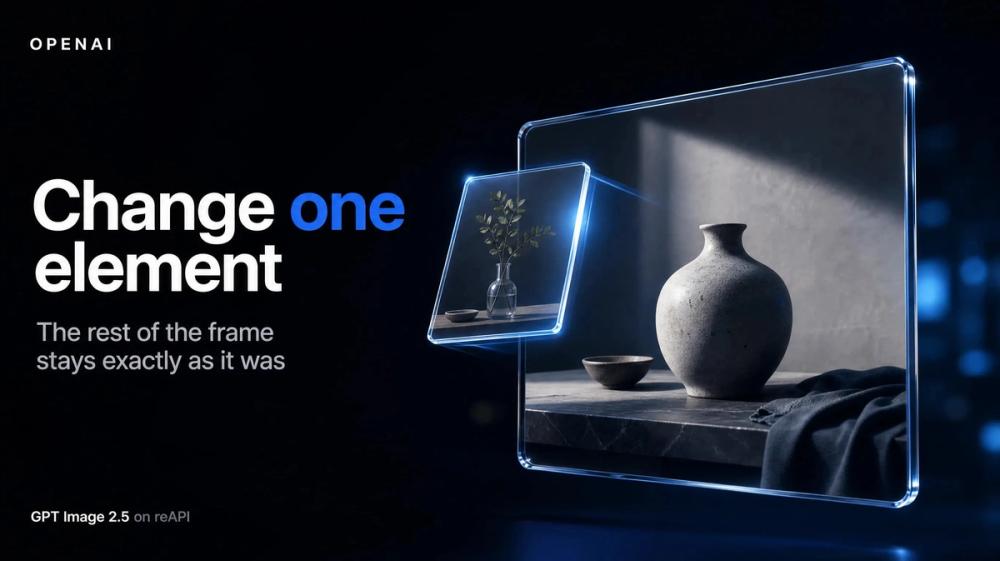
Creative teams and developers use this tool to solve the problem of visual drift in AI image editing. Older models often change the entire composition when you only want to swap one item, but this model isolates changes to specific regions or elements. It works well for maintaining brand consistency across large batches of assets where the subject must remain recognizable.
Key features
- Flare tier for low-latency generation when speed is the priority
- Sunburst tier for high-precision campaign assets that require tighter control
- Support for up to 16 reference images in a single request to guide the output
- Input fidelity controls to adjust how closely the model sticks to the source detail
- Transparent background support for direct use in UI and web design assets
- Custom output sizes reaching up to 4K resolution for high-quality printing
- Regional masking to fence edits to a specific coordinate while leaving the rest untouched
How to use
- Sign up at reAPI and generate a unique API key from the dashboard
- Select between the Flare or Sunburst model IDs depending on your speed requirements
- Send a POST request to the image generation endpoint with your prompt and reference URLs
- Include an optional mask URL if you only want to change a specific part of the frame
- Poll the task ID until the status returns as completed to get the result
- Download the final PNG or JPEG from the provided temporary URL before it expires
Use cases
- Replacing a single product in a lifestyle photo without altering the lighting or shadows
- Generating a series of marketing assets where the same human subject appears in different locations
- Building a long chain of edits for a UI mockup where every button and icon stays in place
- Transforming a rough sketch into a polished 4K render using the reference edit mode
Pricing
Check the official website for current pricing.
FAQ
What is GPT Image 2.5?
It is an OpenAI model for creating and modifying images with a focus on realism, lighting, and subject control.
Is GPT Image 2.5 free?
It requires credits through the reAPI platform; you can manage your balance and keys in the user console.
What is the difference between Flare and Sunburst?
Flare is faster for high-volume work, while Sunburst offers tighter control for premium assets and takes longer to generate.
How many reference images can I use?
You can provide up to 16 source images to guide the generation process for better subject recognition.
Does it support transparent backgrounds?
Yes, the model handles complex layouts including transparency for easier compositing in design tools.
Can I edit just one part of an image?
Yes, using the masked inpainting mode allows you to isolate changes to one specific area while the rest stays identical.