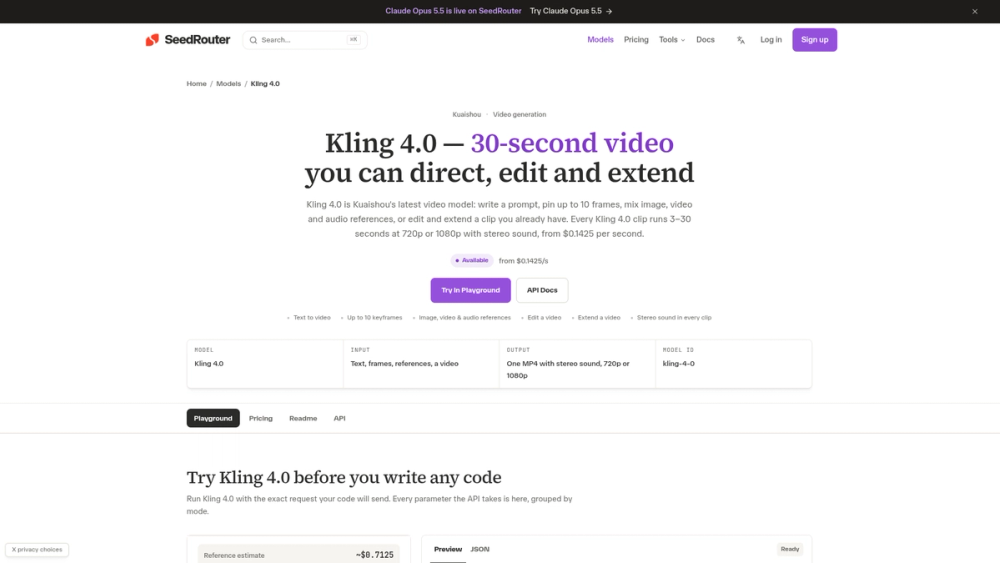
Kling 4.0 is a video generation model created by Kuaishou that produces clips between 3 and 30 seconds long. Developers and marketing teams use it to create high-fidelity video content that follows specific visual instructions through keyframes and reference files. It solves the common problem of AI video drifting off-track by allowing you to pin specific frames that the model must pass through during the generation process.
The system runs on SeedRouter's API, which handles the billing and task management. You can mix different types of media, such as using an image for the start frame and a short audio clip for the background music. Since the model generates stereo sound automatically, the resulting MP4 files are ready for use in social media or product demos without needing additional sound design.
One thing to keep in mind is that the model processes requests asynchronously. You send your parameters, receive a task ID, and poll the server until the video is finished. This workflow is designed for apps and automated pipelines rather than instant previews.
Key Features
- Clip duration ranges from 3 to 30 seconds per generation
- Keyframe control allows for up to 10 specific points of motion
- Stereo sound is included in every generated MP4 file
- Multi-reference support handles up to 10 images and 5 videos
- Resolution settings for 720p or 1080p output
- Video extension mode adds new content to the end of existing clips
- Edit mode changes styles or environments of uploaded footage
- Asynchronous API workflow uses task IDs for status tracking
How to Use
- Sign in to SeedRouter and create an API key to access the model.
- Upload your reference images, videos, or audio files to a public URL.
- Send a POST request to the generations endpoint with your prompt and media links.
- Capture the task ID returned by the initial request.
- Poll the task status every 15 seconds until the status is marked as completed.
- Download the final MP4 from the hosted CDN link provided in the response.
Use Cases
- Producing social media ads that transition perfectly from a product shot to a lifestyle scene.
- Visualizing film storyboards by turning static frames into a continuous 30-second sequence.
- Updating the background of a video clip to change the season or location using the Edit mode.
- Creating long-form video tutorials by extending short segments into a cohesive walkthrough.
Pricing
Kling 4.0 is billed per second of video generated. 720p clips start at $0.1425 per second, while 1080p costs $0.2125 per second. Input video for edits and references is billed at a lower rate of $0.085 per second. Failed tasks are not charged.
FAQ
What is Kling 4.0?
It is a video generation model from Kuaishou that creates 3-30 second clips with sound and motion control.
Is Kling 4.0 free?
No, the service is billed per second of video generated using a credit-based system.
Can I use my own audio?
Yes, you can upload up to 3 audio clips as references to influence the sound of the final video.
What resolutions are available?
The model supports 720p and 1080p resolutions, with 1080p costing more per second.
How long does it take to generate a video?
In tests, a 3-second clip typically takes between 2 and 5 minutes to complete.
Can I control the aspect ratio?
Yes, it supports multiple ratios including 16:9, 9:16, 1:1, and 21:9.