Claude is an AI assistant developed by Anthropic that processes text, code, and images to help with technical and creative tasks. It is used by software engineers for debugging, researchers for summarizing papers, and office workers for managing daily communications. Instead of just generating text, it focuses on being a reliable partner for complex reasoning and large-scale data analysis.
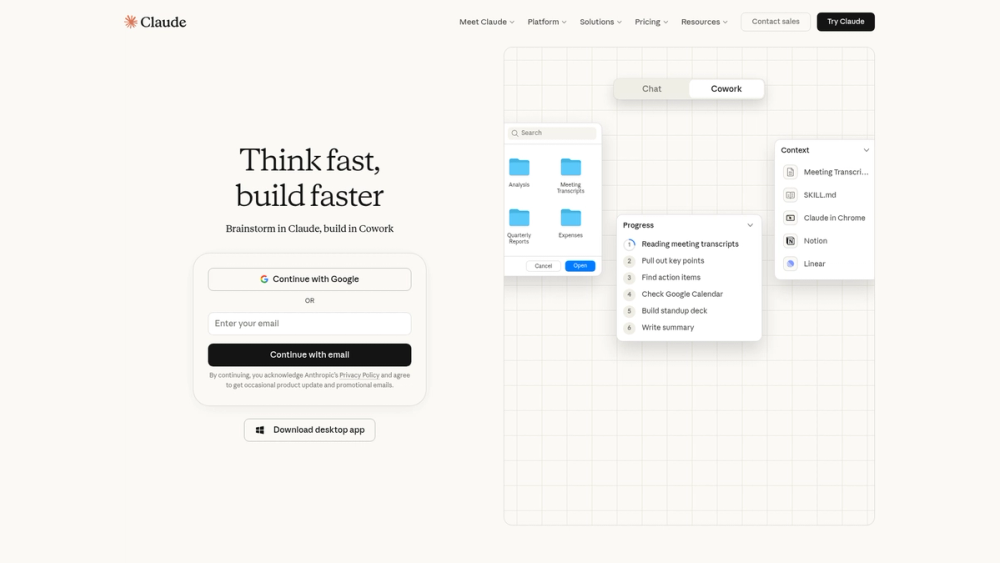
The system runs on several models like Opus, Sonnet, and Haiku, each balanced for different speeds and costs. You can upload files directly into the chat, including PDFs, CSVs, and images, to get specific answers based on your own data. It also features "Cowork" for team collaboration and "Claude Code" for specialized programming tasks.
Users can access the tool through the web, mobile apps, or desktop applications for macOS and Windows. Extensions for Google Chrome, Excel, and Slack allow the assistant to work within existing software environments. These integrations help move data between the AI and your work files without manual copying.
Key Features
- Multiple model options including Claude 3.5 Sonnet for a balance of speed and intelligence
- File analysis for documents up to 30MB or long transcripts
- Artifacts window lets you view and edit code or websites side-by-side with the chat
- Native desktop applications for macOS and Windows keep the assistant accessible
- Projects feature to organize chats and documents into specific workspaces
- Web search capabilities to pull in current information from the internet
- Mobile apps for iOS and Android that sync conversations across devices
- Integration with Slack and Google Workspace to bring AI into existing team workflows
How to Use
- Create an account at claude.ai using an email or Google login
- Type a prompt in the central text box to start a conversation
- Use the paperclip icon to upload documents or images for analysis
- Select a specific model from the dropdown menu if you have a Pro subscription
- Click the Projects tab in the sidebar to group related chats and knowledge files together
Use Cases
- A developer pastes a stack trace to find the root cause of a memory leak in a Python application
- A marketing manager uploads a 50-page industry report to extract five key trends for a presentation
- A student uses the Artifacts feature to visualize a physics concept through an interactive React component
- A recruiter drafts personalized outreach emails based on a candidate's LinkedIn profile and a job description
Pricing
Claude offers a free tier with basic usage limits. The Pro plan costs $20 per month (or $17 with annual billing) and provides more usage and access to advanced models. A Max plan is available for $100 per month for heavy users. Check the official website for current Team and Enterprise pricing.
FAQ
What is Claude?
Claude is a family of large language models built by Anthropic that can chat, code, and analyze data.
Is Claude free?
Yes, there is a free version available for everyone with daily message limits.
Can Claude browse the internet?
Yes, Claude now has the ability to search the web to provide up-to-date information.
Does Claude have an API?
Yes, developers can access Claude through the Anthropic Console or through partners like Amazon Bedrock.
Can Claude write code?
It is highly capable at coding and can generate, debug, and explain code in dozens of programming languages.
What are Artifacts?
Artifacts are a UI feature that displays code snippets, documents, and websites in a dedicated window next to the chat.