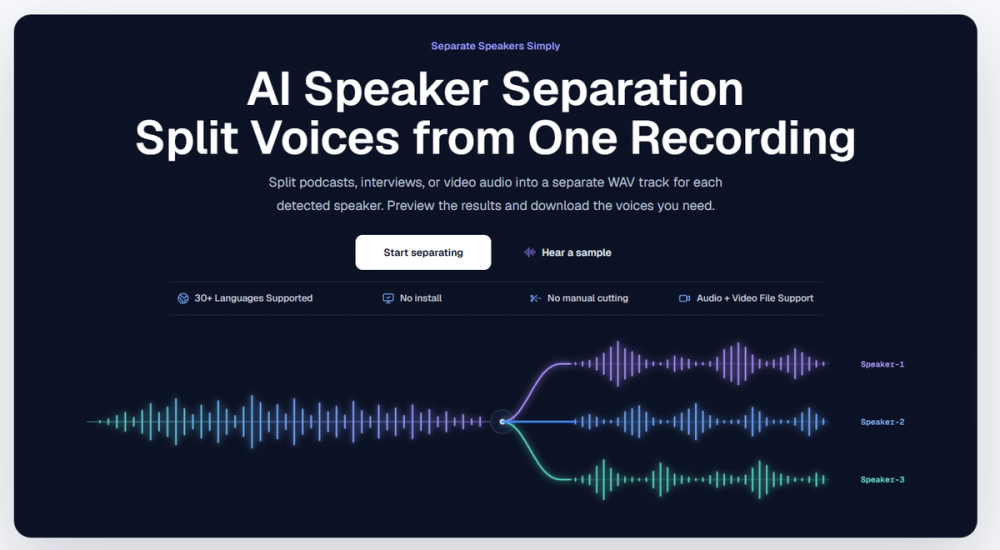
Seply is an AI speaker separation tool that splits mixed audio recordings into individual tracks for each person talking. It helps podcasters, editors, and researchers isolate voices from interviews or meetings without manual cutting. Instead of just providing a transcript with labels, this service generates actual audio files for every detected speaker.
The platform works with both audio and video files, including formats like MP3, WAV, and MP4. Users upload their recording to a browser-based workspace that handles files up to 1 GB. Once the AI finishes processing, it provides time-aligned WAV files that start at the exact same point as the original recording, keeping the whole conversation in sync.
One distinct feature is the Advanced Overlap mode. This setting is designed for recordings where participants frequently interrupt or talk over one another. While standard separation is sufficient for clear turn-taking, the advanced mode attempts to untangle simultaneous speech, giving editors more control over the final mix.
Features
- Individual WAV tracks for every detected speaker in the recording
- Time-aligned output ensures all tracks stay in sync with the original file
- Support for 30+ languages in the separation and transcription process
- Automatic speaker detection or manual entry of the expected speaker count
- Browser-based workspace that handles uploads up to 1 GB
- Advanced Overlap mode for handling interruptions and simultaneous speech
- Direct preview player to listen to isolated voices before downloading
- Secure 30-day storage for processed results in a private history
How to use
- Sign in to the Seply workspace and click the upload button to start a new job.
- Select your audio or video file, ensuring it is under the 1 GB size limit.
- Choose between Standard Separation or the Advanced Overlap mode based on the conversation style.
- Wait for the AI to process the file and split the voices into separate tracks.
- Preview the isolated speakers in the online player to verify the separation quality.
- Download the individual WAV files and import them into your chosen editing software.
Use cases
- A podcast editor needs to lower the volume of a loud guest without affecting the host's audio track.
- A journalist wants to transcribe a two-person interview but needs a clean audio track for a radio segment.
- A video editor imports time-aligned tracks into Premiere Pro to mute a background speaker during a specific scene.
- A researcher uses the speech-to-text feature to generate a transcript with accurate speaker labels for a focus group.
Pricing
Seply offers a free trial with 20 credits. Paid plans start at $12 per month for 200 credits, while the Creator plan provides 600 credits for $29. A Studio plan for high-volume users costs $65 per month. Standard separation costs 10 credits per minute, and one-time credit packs are also available. Check the official website for current pricing.
FAQ
What is Seply?
Seply is an AI tool that separates audio recordings into individual tracks for each person speaking.
Is Seply free?
New users get 20 free credits to try the service, which covers about two minutes of standard separation.
Does it work with video files?
Yes, you can upload MP4 or MOV files, and the tool will extract the audio and separate the speakers into WAV tracks.
Can it handle overlapping voices?
The Advanced Overlap mode is specifically designed to separate people talking at the same time, though results depend on audio quality.
How long are my files stored?
Seply keeps your original recordings and the separated tracks in your private history for 30 days.
Is this the same as diarization?
No, diarization only provides labels and timestamps, while Seply provides the actual audio files for each speaker.