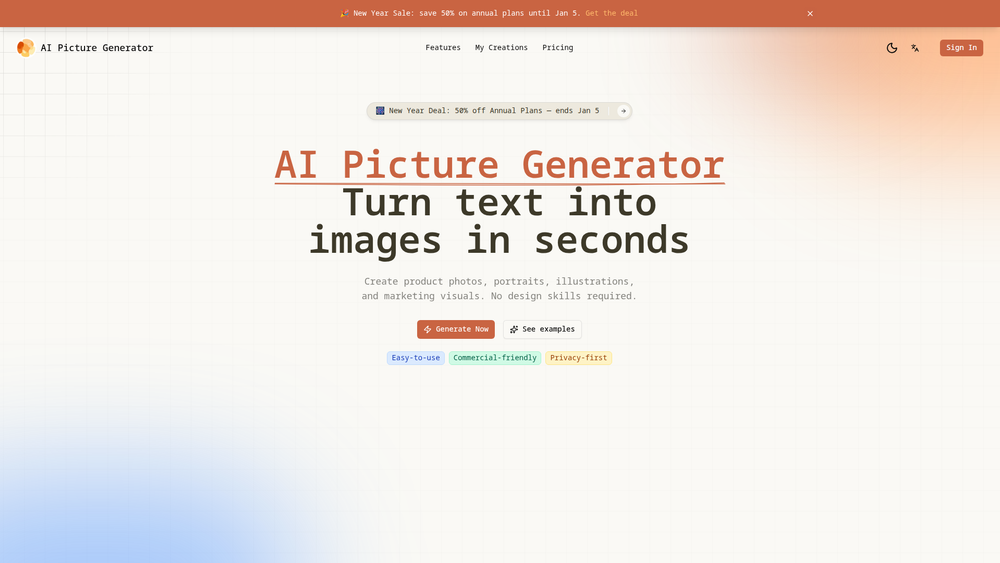
AI Picture Generator is a powerful and intuitive tool that transforms text descriptions into high-quality images in seconds. It serves as a comprehensive visual creation platform, offering text-to-image, image-to-image, and photo editing capabilities. The primary purpose of the tool is to empower users to generate custom visuals like product photos, portraits, illustrations, and marketing materials without needing any prior design experience.
This platform is designed for a wide range of users, including marketers, e-commerce store owners, content creators, and designers. The key benefits include rapid generation speed, ease of use, and reliable control over the final output. By providing pre-made templates and different quality modes, AI Picture Generator makes the creative process both efficient and accessible. It stands out as a valuable asset for anyone looking to produce unique, production-ready visuals quickly, saving significant time and resources compared to traditional design workflows or sourcing stock imagery.
Features
- Text to Image: Instantly generate four high-quality image options from a simple text prompt. Describe what you want to see—from product shots to fantasy illustrations—and the AI brings it to life.
- Image to Image: Upload an existing photo and use a text prompt to modify it. This feature allows you to change the style, lighting, background, or other details while preserving the core subject and composition of the original image.
- Variations: Once you have an image you like, you can generate multiple variations at once. This allows for easy side-by-side comparison and iterative refinement to achieve the perfect result.
- Prompt Templates: Start creating immediately with a library of proven, effective prompts designed for specific use cases like product photos, avatars, advertisements, and illustrations. These templates can be easily tweaked with simple controls.
- Dual Quality Modes: Choose between 'Turbo' and 'Max' modes. 'Turbo' is optimized for speed, allowing for fast iterations and brainstorming, while 'Max' prioritizes detail and quality for final, export-ready visuals.
- Commercial-Friendly: Images created with the generator can be used for commercial purposes, making it a practical tool for businesses to create marketing assets, product listings, and more.
How to Use
- Select Your Creation Method: Begin by choosing your desired workflow. Select 'Text to Image' to create a new visual from scratch or 'Image to Image' to upload and modify an existing photograph.
- Provide Your Input: For Text to Image, write a clear and descriptive prompt detailing the subject, style, color, and composition you envision. For Image to Image, upload your source photo and write a prompt describing the specific changes you want to make.
- Use a Template (Optional): If you need inspiration, browse the prompt templates. Select a template that matches your goal (e.g., 'Product Photo') and customize the details to fit your needs.
- Choose a Quality Mode: Select 'Turbo' for rapid generation to explore different ideas quickly. Switch to 'Max' when you are ready to create a final, high-resolution version of your image.
- Generate and Refine: Click the generate button to see the AI-created options. Review the results and use the 'Variations' feature on your favorite image to explore similar alternatives until it's perfect.
- Download Your Image: Once you are satisfied with the result, download the high-quality image and use it in your projects.
Use Cases
- E-commerce Product Photography: Generate professional and creative lifestyle shots or studio photos for products without the need for a physical photoshoot. Place products in various settings and styles to appeal to different customer segments.
- Marketing and Advertising: Create unique and eye-catching visuals for social media posts, digital ads, email newsletters, and website banners. This allows marketers to produce a high volume of custom content quickly.
- Content Creation and Illustration: Illustrators and bloggers can generate custom images, characters, and scenes for articles, presentations, or concept art, instantly visualizing ideas that would otherwise take hours to draw.
- Design Prototyping: Designers can quickly generate realistic mockups and placeholder visuals for websites, apps, and other digital products, helping to communicate a concept's look and feel in the early stages of development.
FAQ
What is AI Picture Generator?
AI Picture Generator is a web-based tool that uses artificial intelligence to create original images from text descriptions (text-to-image) and to edit existing photos based on text commands (image-to-image).
Who is this tool for?
It's designed for a broad audience, including marketers, business owners, designers, content creators, and anyone who needs custom visuals but may not have advanced design skills or resources.
Can I use the images I create for my business?
Yes, the platform is commercial-friendly, which means you can use the images you generate for marketing campaigns, product listings, social media, and other business-related purposes. It is always recommended to review the specific terms of service for detailed licensing information.
What is the difference between 'Text to Image' and 'Image to Image'?
'Text to Image' creates a completely new image based solely on your written description. 'Image to Image' starts with a photo you upload and then modifies it according to your text prompt, allowing you to alter style, background, or details while keeping the original subject intact.
How do Prompt Templates help?
Prompt Templates are pre-written, optimized prompts for common image types like portraits or ads. They provide a proven starting point, saving you time and helping you achieve high-quality results faster, even if you are new to AI image generation.
What's the difference between Turbo and Max quality modes?
'Turbo' mode generates images very quickly, making it ideal for experimenting with different ideas and creating drafts. 'Max' mode takes a bit longer but produces images with significantly more detail and higher overall quality, perfect for your final assets.
Do I need to install any software?
No, AI Picture Generator is an online tool that runs directly in your web browser. There is no software to download or install.