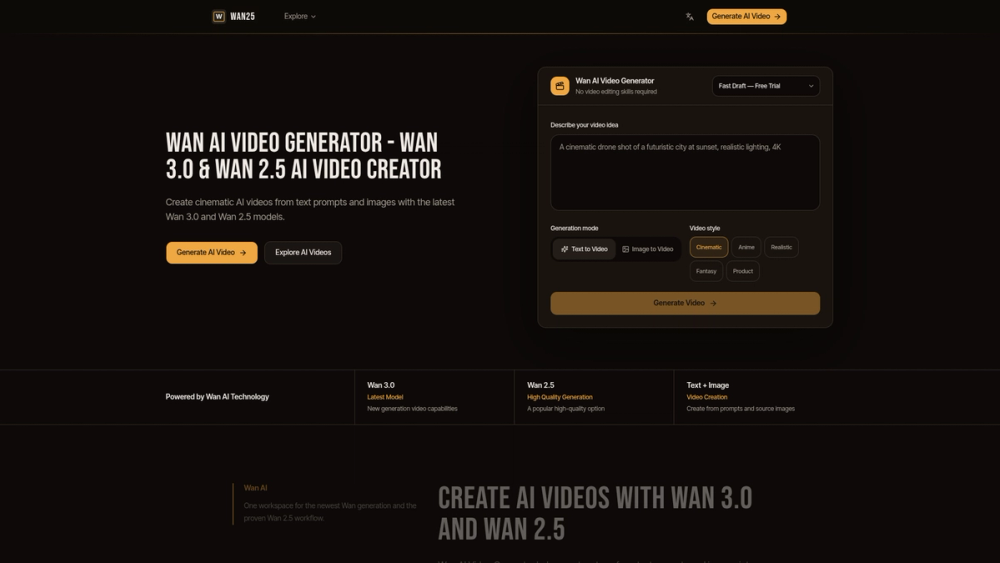
Wan AI Video Generator is a tool for creating short videos from text prompts and images using Wan 3.0 and 2.5 models. It provides a workspace where users can generate cinematic clips, product demos, and character animations. Content creators and marketers use it to produce visual content quickly without needing a camera or studio.
The platform helps solve the problem of creating realistic motion in AI-generated visuals. It offers a choice between the newer Wan 3.0 model and the older Wan 2.5 version. This allows users to pick the best technology for their specific project, whether it involves complex physics like wind and fabric or simple camera movements.
Features
- Dual model selection lets you choose between Wan 3.0 and Wan 2.5
- Image-to-video generation turns static photos into short clips
- Cinematic camera controls include aerial moves and slow pans
- Lighting adjustments help create professional product commercials
- Physics engine handles realistic fabric and wind effects in anime
- Text-to-video conversion creates scenes from written descriptions
- Workspace environment organizes multiple video projects in one place
How to Use
- Select the Wan 3.0 or 2.5 model from the main menu.
- Enter a descriptive text prompt in the input box.
- Upload a reference image if you want the AI to follow a specific visual.
- Adjust the settings for camera movement and lighting.
- Click the generate button to produce the video clip.
- Download the final result once the rendering finishes.
Use Cases
- Creating a slow aerial shot of a coastal city for a travel video.
- Animating a product bottle to show light reflections for a social media ad.
- Generating a character animation with realistic hair and clothes movement.
- Turning a fantasy landscape painting into a moving scene for a game intro.
Pricing
Check the official website for current pricing.
FAQ
What is Wan AI Video Generator?
It is an AI-powered platform that creates videos from text prompts and images using Wan 3.0 and 2.5 models.
Is Wan AI Video Generator free?
The website does not specify a free version, so you should check their official pricing page for details.
Can I use my own images?
Yes, the tool supports image-to-video generation, allowing you to animate any static image you upload.
What is the difference between Wan 3.0 and Wan 2.5?
Wan 3.0 is the latest model for cinematic realism, while Wan 2.5 is a stable version often preferred for character work.
What styles of video can I create?
You can generate cinematic, anime, product commercials, and fantasy-themed videos.
Does it support camera movement?
Yes, the models can generate specific movements like aerial pans and controlled highlights.