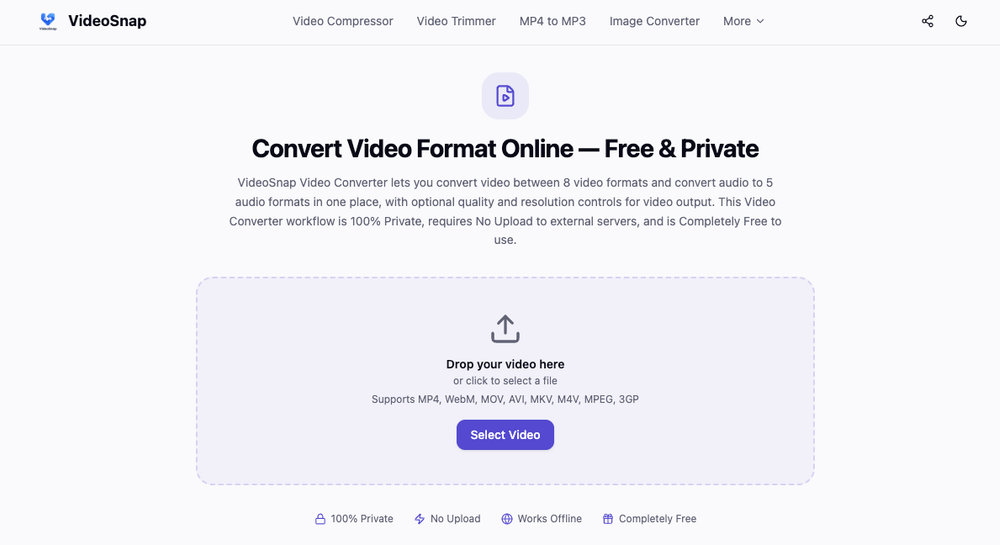
VideoSnap is a browser-based utility for converting video and audio files without sending data to a remote server. It is built for users who need to change media formats but are concerned about privacy or have limited bandwidth. Since the tool processes everything locally within your browser, it avoids the typical upload and download wait times found in cloud-based converters.
The tool handles a variety of common formats like MP4, MOV, and MKV. It also includes basic compression settings to help reduce file sizes by lowering resolution or bitrates. Because it runs in a sandboxed environment, your files never leave your machine, making it a safer option for handling private recordings.
Key features
- Local browser processing keeps all data on your physical device
- Video support covers MP4, WebM, MOV, AVI, MKV, M4V, MPEG, and 3GP
- Audio output options include MP3, AAC, WAV, FLAC, and OGG
- Offline functionality allows conversion without an internet connection after the first load
- Resolution adjustment lets you downscale footage to save space
- Quality presets offer Original, High, Medium, and Low settings
- No watermarks are added to any of your converted files
- Zero account registration or subscription fees required
How to use
- Drag your media file into the upload area on the VideoSnap homepage
- Pick your target format from the video or audio selection lists
- Adjust the resolution or quality settings if you want to compress the file
- Press the convert button to begin the local encoding process
- Save the finished file directly to your computer or phone once it finishes
Use cases
- Converting a large MOV file from an iPhone to MP4 for better compatibility with Windows apps
- Extracting audio from a video clip to create a standalone MP3 file for a podcast
- Reducing the resolution of a 4K video to 720p to save space on a mobile device
- Processing sensitive internal company videos where cloud uploads are strictly prohibited
Pricing
VideoSnap is completely free with no hidden tiers or paid features.
FAQ
What is VideoSnap?
VideoSnap is a web-based media converter that runs entirely in your browser. It changes video and audio formats without uploading files to any external servers.
Is VideoSnap free?
Yes, the tool is free to use without any limits, watermarks, or account requirements.
Does VideoSnap store my videos?
No, your files never leave your device. The processing happens in your browser's memory, so the developers never see or store your data.
Why is it faster than other online converters?
It skips the upload and download phases required by cloud services. Files load instantly into your RAM, which is much faster than transferring large video files over the internet.
What formats can I convert to?
You can export video to MP4, WebM, MOV, MKV, AVI, M4V, MPEG, or 3GP. Audio options include MP3, AAC, WAV, FLAC, and OGG.
Can I use it on a plane?
Yes, as long as you have the page open in your browser before you lose connection. The core conversion logic is stored locally once the site is loaded.