Veeso AI: An AI-Powered Design Shortcut
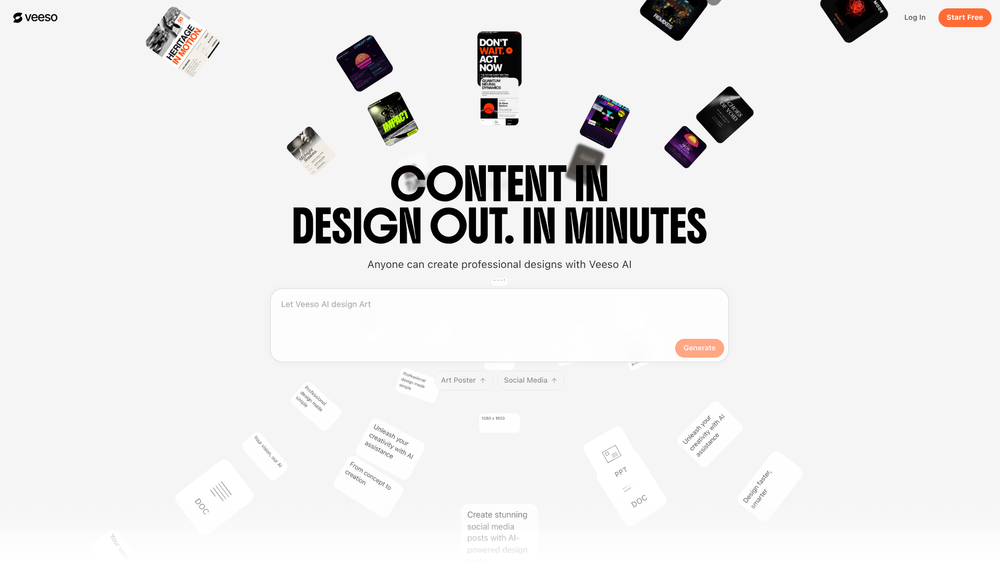
Alright, let's break down Veeso AI. It's pitched as a design automation platform – essentially, a tool that's trying to eliminate the design bottleneck for marketers, social media managers, and small business owners. I'm seeing it as a bridge between ideas and professional visuals, which is an interesting premise.
From the documentation, it seems the core idea is to take raw copy – that blog post snippet, a draft social media caption, even just bullet points – and, with a click, generate polished visual assets. Forget struggling with Photoshop or Illustrator; this is about streamlining the process. In practice, it's about speed and efficiency, especially in fast-paced environments where content needs to be pumped out at scale.
The platform boasts a "text-to-design engine," multi-format support (images, Word docs, PDFs are all fair game), and a high-resolution 4K output. It's got social media optimization baked in, with ready-to-post aspect ratios tailored for platforms like Instagram. The AI handles the layout, typography, and asset selection automatically, making the output ready to go. You can get a design in under a minute, which is impressive. It also supports various aspect ratios (9:16, 4:5, 16:9, and 1:1), so you should be covered across various digital channels. That said, it looks like there's automated asset matching, so no need to hunt for background imagery.
Using it seems pretty straightforward: you input your content (either pasting text or uploading a document), choose your desired format (e.g., vertical story or a square post), pick a style (or let the AI suggest one), hit "Create," and then refine the options. The final step is exporting in 4K resolution.
The documentation highlights some use cases: rapid social media content creation, ad campaign generation, content repurposing, event promotion, and small business branding. It looks like it could be useful for A/B testing variations for digital advertising and maintaining a consistent brand presence without a dedicated designer.
As for pricing, it's tiered, as you'd expect. The website (veeso.ai/pricing) is the place to check for specifics on subscriptions and credit-based options.
The FAQ covers the basics: Veeso AI is an automated design tool that converts text into visuals. You might get a trial or free version, but full access is likely paid. Design experience isn't required – that's the point! You can upload images, Word docs, and PDFs. It's optimized for social media, including 4K resolution. It takes less than a minute to generate a design. And yes, you can export in high resolution. Worth noting, the generated designs are limited to the Veeso UI. You will not have access to a photoshop file.
Categories: Design, AI Marketing, Image, AI. Tags: Image, AI Marketing, AI Assistant, Writing & Note.