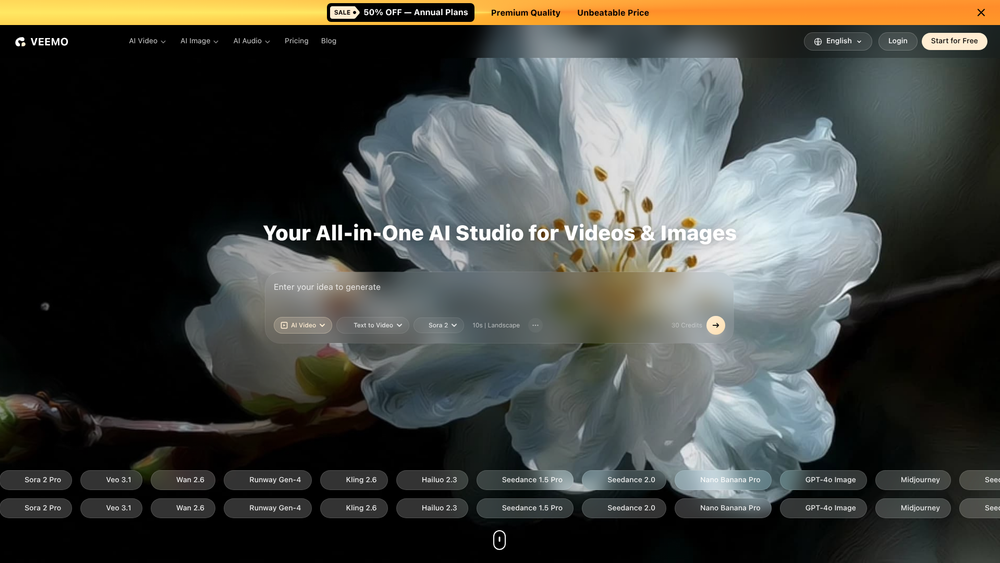
Veemo: A Deep Dive into the All-in-One AI Multimedia Powerhouse
Okay, here's the breakdown. Veemo positions itself as the all-in-one AI platform for multimedia creation, a single workspace that aims to kill the multi-tab workflow. It's built on the idea that multi-modal AI shouldn't be fragmented, and that creative work should be streamlined. This platform acts as a bridge between specialized AI tools, making it a professional utility rather than a toy. You can do all sorts of stuff, from video generation to audio creation, without hopping between a dozen different apps.
It's geared towards everyone, from developers building new features to marketers needing quick social assets. In practice, the platform feels more like a professional utility, offering granular controls and going beyond simple text-to-image. I'm seeing it as something that could be very useful for a whole host of needs.
Here's the core of what it offers:
- Multi-Model Video Synthesis: Tap into various underlying video models to generate cinematic B-roll, stylized animations, and everything in between.
- Advanced Image Generation: High-fidelity image creation with support for custom aspect ratios, negative prompting, and specific stylistic weights for brand consistency.
- AI Voice & Audio Production: Beyond simple text-to-speech, it includes tools for generating background music, sound effects, and realistic voiceovers.
- Digital Avatars & AI Humans: Produce presenter-style videos without a camera or physical studio, creating talking virtual humans.
- Developer API: Integrate video, image, and audio generation into custom applications.
- Motion Control & Animation: Bring static images to life with motion paths and camera movements within the AI-generated scene.
- Unified AI Assistant: An integrated assistant that guides the creative process, making prompt engineering and complex workflows easier.
Here's how I'd use it:
- Create an account and get familiar with the dashboard.
- Choose the module you need - Video, Image, or Audio.
- Enter a detailed prompt, specifying lighting, angles, and textures for optimal results.
- Fine-tune the output by adjusting resolution, duration, or specific AI models.
- Generate the asset and use the preview tool to iterate.
- Download the file or use the API for larger-scale production.
Think about how I could use it in these ways:
- AI Marketing & Advertising: Rapidly iterate on video ads and social media graphics, testing different styles efficiently.
- Game Development: Generate 3D assets, environmental textures, and music for faster prototyping.
- Corporate Education: Produce professional-grade videos using digital avatars for consistent messaging across global teams.
- Content Creation for Entertainment: Generate unique intro sequences, sound effects, and thumbnails to boost production value without breaking the bank.
And for FAQs:
- What is Veemo?
- Is Veemo free to use?
- Can I use the generated content for commercial purposes?
- Does Veemo support 3D asset generation?
- Is there a Chrome Extension?
- Can I use Veemo for meetings (summaries/avatars)?
- How do I access the API for development?