

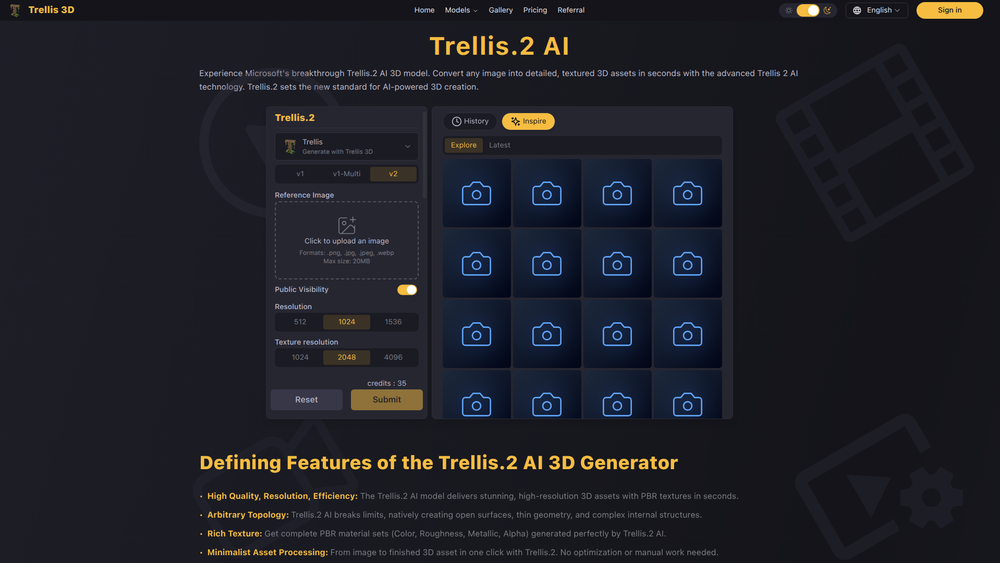
Trellis.2 AI 3D is an advanced, AI-powered online platform designed to revolutionize the creation and management of 3D models. Its core purpose is to democratize 3D content generation, transforming complex text descriptions or image inputs into detailed, high-quality 3D assets in a fraction of the time it takes with traditional methods. By leveraging sophisticated artificial intelligence, Trellis.2 removes the steep learning curve and technical barriers associated with conventional 3D modeling software.
The primary beneficiaries of this platform include game developers, animators, product designers, architects, and digital artists. For independent creators and small studios, it offers a cost-effective way to produce custom assets without a large budget or specialized team. For larger enterprises, it accelerates prototyping and content production pipelines. The value of Trellis.2 lies in its ability to drastically reduce production time, lower costs, and empower users to rapidly iterate on creative ideas, turning imagination into tangible 3D reality with unprecedented speed and ease.
Features
- AI Text-to-3D Generation: Instantly create complex 3D models from simple text prompts. Describe the object, character, or scene you envision, and the AI will generate a corresponding 3D asset.
- Image-to-3D Conversion: Upload a 2D image or concept art to have the AI interpret and construct a three-dimensional model based on the visual data, maintaining key features and perspectives.
- Model Refinement and Customization: After generation, users can access a suite of intuitive tools to tweak, refine, and customize models. Adjust textures, modify geometry, and change colors to perfectly match your vision.
- Cloud-Based Asset Management: All your generated models are stored in a secure, cloud-based library. This allows you to easily access, organize, and manage your 3D assets from any device, anywhere.
- Multiple Export Formats: Seamlessly integrate your creations into existing workflows by exporting models in industry-standard formats such as .obj, .fbx, and .gltf, ensuring compatibility with major game engines and design software.
- API for Automation: Developers can leverage the Trellis.2 API to integrate 3D model generation capabilities directly into their own applications, games, or automated content pipelines.
- Texture and Material Generation: The AI not only creates the model's shape but can also generate realistic PBR (Physically Based Rendering) materials and textures, adding another layer of detail and quality automatically.
How to Use
- Sign Up and Log In: Create an account on the Trellis.2 platform to access your personal dashboard and asset library.
- Choose Your Generation Method: Select whether you want to create a 3D model from a text prompt or by uploading a reference image.
- Provide Your Input: For text-to-3D, write a clear and descriptive prompt. Tip: Use specific adjectives and details (e.g., "a weathered wooden pirate chest with iron fittings and a skull lock"). For image-to-3D, upload a high-quality image with a clear subject.
- Generate and Review: Initiate the AI generation process. Trellis.2 will produce one or more initial models based on your input. Review the results and select the one that best fits your needs.
- Refine and Customize: Use the built-in editor to make adjustments. You can modify the model's shape, apply different textures, or change its scale and orientation.
- Export Your Model: Once you are satisfied with the final result, choose your desired file format (.fbx, .obj, etc.) and download the model to your computer for use in your project.
Use Cases
- Rapid Prototyping for Game Development: Indie developers and large studios can generate placeholder or final 3D assets for characters, props, and environments in minutes, significantly speeding up the prototyping and production phases.
- Product Visualization for E-commerce: Businesses can create realistic 3D models of their products for use in online stores, augmented reality viewers, and marketing materials, providing customers with an immersive shopping experience.
- Asset Creation for Animation and VFX: Animators and visual effects artists can quickly generate custom 3D models for scenes, saving hours of manual modeling work and allowing more time for animation and composition.
- Architectural and Interior Design: Architects and designers can use Trellis.2 to quickly create 3D models of furniture, fixtures, and structural elements to populate their virtual designs and presentations.
FAQ
What kind of 3D models can I create?
You can create a wide variety of models, including characters, creatures, vehicles, props, furniture, and architectural elements. The quality and detail depend on the specificity of your text prompt or the clarity of your reference image.
Do I need any 3D modeling experience to use Trellis.2?
No, prior experience is not required. The platform is designed to be intuitive for beginners, relying on natural language and simple tools. However, users with a background in 3D design may find the refinement tools even more powerful.
What file formats are supported for export?
Trellis.2 supports several industry-standard formats, including .obj, .fbx, and .gltf, ensuring compatibility with popular software like Blender, Unity, Unreal Engine, and 3ds Max.
Can I use the models I generate for commercial purposes?
Yes, models generated on the platform can typically be used for commercial projects, subject to the terms of service of your specific subscription plan. Always review the licensing agreement for details.
How long does it take to generate a model?
Generation time can vary from a few seconds to several minutes depending on the complexity of the request and current server load. The platform is optimized for speed to support rapid iteration.
Is there an API available for developers?
Yes, Trellis.2 offers a robust API that allows developers to integrate our AI-powered 3D generation technology directly into their own applications, services, and workflows.
Can I edit the textures and materials on the models?
Yes, the platform includes tools for editing and applying different textures and materials. You can also export models with their UV maps to refine textures in external software.



