

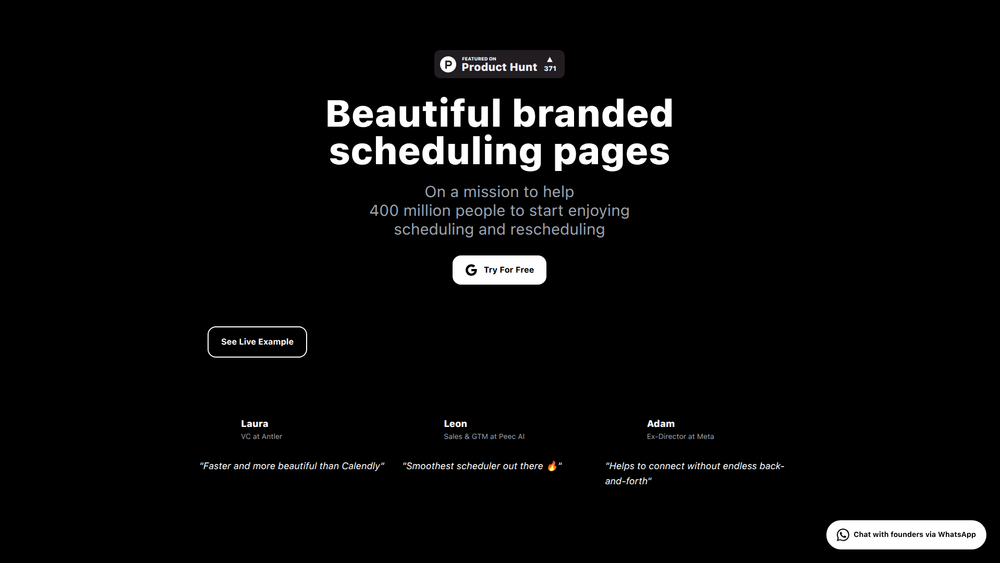
TimeTuna is a design-focused scheduling platform that allows users to create beautiful, branded booking pages with custom video backgrounds. Positioned as an aesthetic alternative to tools like Calendly, its primary purpose is to transform the often mundane task of scheduling into an engaging and professional brand experience. By providing visually appealing and highly customizable pages, TimeTuna helps professionals make a strong first impression.
The key benefit of TimeTuna lies in its ability to seamlessly integrate a user's brand identity into their scheduling process. It is designed for founders, artists, designers, agencies, and any professional who values aesthetics and wants to stand out. The platform is valuable because it helps users connect with clients and partners without the endless back-and-forth emails, all while maintaining a cohesive and impressive brand presence from the very first point of contact.
Features
- Custom Branding with Video: Set yourself apart by using custom video backgrounds, avatars, and brand logos on your scheduling page to create a memorable and immersive booking experience.
- Real-Time Calendar Sync: Automatically synchronizes with your Google and Microsoft Calendars in real-time to show your accurate availability and prevent any double bookings or scheduling conflicts.
- Multiple Meeting Durations: Offer various meeting lengths (e.g., 15, 30, 60 minutes) on a single booking page, giving invitees the flexibility to choose the duration that best suits their needs.
- Automated Reminders: Reduce no-shows with systematic email confirmations sent at the time of booking and automated reminders delivered 24 hours before the scheduled meeting.
- Video Conferencing Integration: Automatically generate meeting links by directly integrating with Google Meet and Microsoft Teams, streamlining the process for both you and your invitees.
- Website Embedding: Natively embed your TimeTuna scheduling page directly into your website for a seamless user experience that matches your existing design and branding.
- Upcoming AI Features: Future updates include an autonomous assistant for fully automated calendar management and calendar intelligence to provide insights into your scheduling patterns and time allocation.
How to Use
- Sign Up and Connect Calendar: Create your TimeTuna account and connect it to your Google or Microsoft Calendar to sync your availability.
- Customize Your Page: Navigate to the customization settings. Upload a video background, your professional avatar or headshot, and your company logo to brand your page.
- Set Up Meeting Types: Define the different types of meetings you offer. Specify the duration for each and configure your availability rules.
- Integrate Tools: Connect your Google Meet or Microsoft Teams account to have video call links automatically generated and included in the calendar invites.
- Share Your Link: Copy your unique TimeTuna URL and share it in your email signature, on social media, or directly with clients.
- Embed on Your Website: For a more integrated experience, copy the embed code and paste it into the HTML of your personal or company website.
Use Cases
- Founders & Entrepreneurs: Impress potential investors, partners, and early customers with a sleek, professional scheduling page that reflects the vision and quality of their startup.
- Creative Professionals: Artists, designers, and photographers can use a video background to showcase their work, turning their booking page into an extension of their portfolio for client consultations.
- Sales & GTM Teams: Stand out from competitors by providing prospects with a visually engaging and smooth scheduling experience that leaves a lasting positive impression.
- Consultants & Coaches: Offer different session lengths on one page and project a premium, polished image that aligns with high-value service offerings.
FAQ
What is TimeTuna?
TimeTuna is a scheduling tool that focuses on creating beautiful, branded booking pages with features like custom video backgrounds. It's designed as a more aesthetic and personalized alternative to other scheduling platforms like Calendly.
Who is TimeTuna for?
It is ideal for founders, artists, designers, agencies, and any professional who wants their scheduling process to reflect their brand's quality and creativity.
What calendars does TimeTuna sync with?
TimeTuna offers real-time, two-way synchronization with both Google Calendar and Microsoft Calendar to ensure your availability is always up-to-date.
Can I really use a video as my background?
Yes, the ability to add a custom video background to your scheduling page is one of TimeTuna's core features, allowing for a highly dynamic and branded experience.
Does it integrate with video conferencing tools?
Yes, it integrates directly with Google Meet and Microsoft Teams. When someone books a meeting, a unique video conference link is automatically generated and added to the calendar event.
Can I put my TimeTuna page on my own website?
Yes, TimeTuna provides an embed option, allowing you to integrate your scheduling page natively into your existing website for a seamless user flow.
What features are coming soon?
TimeTuna is planning to release several advanced features, including group scheduling for multiple participants, priority management for rescheduling, and AI-powered calendar intelligence and an autonomous assistant.



