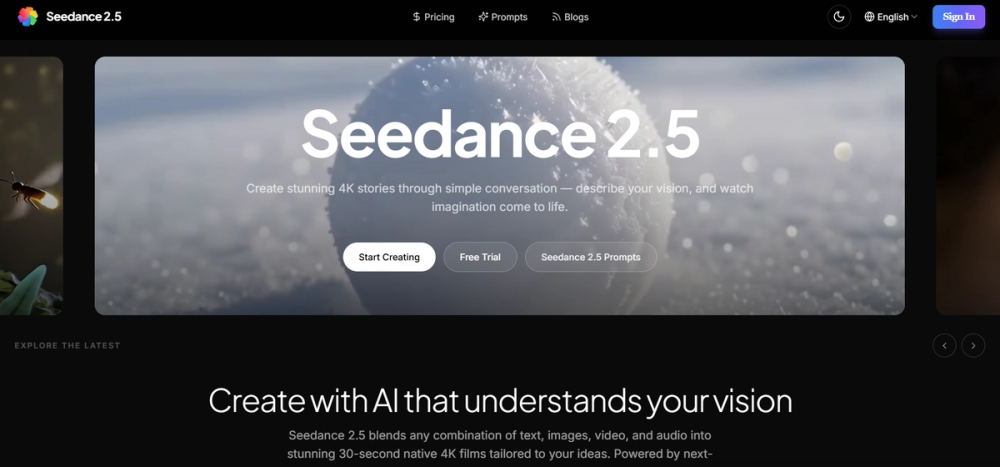
Seedance 2.5 is an AI video generation platform developed by ByteDance for creating high-resolution cinematic content. It helps filmmakers, marketing teams, and content creators who need more control than basic text-to-video tools offer. The system handles complex inputs like 3D models and audio to produce 4K videos that maintain consistent lighting and character details throughout the clip.
Most AI video tools struggle with length and consistency, often requiring users to stitch short clips together. Seedance 2.5 avoids this by generating 30-second sequences in a single pass. It also lets you edit specific parts of a video—like changing a character's outfit or a background—without losing the original camera movement or lighting setup. This makes it a practical choice for professional workflows where precision is required.
Key Features
- Native 4K generation for 30-second clips without any visible stitching
- Multimodal input support that combines up to 50 different references including text and audio
- Local video editing tools to swap subjects while keeping the original camera path
- 3D pre-visualization using white models to check angles before full rendering
- Internal audio-visual synchronization for realistic lip-sync and ambient sound
- Prompt adherence improvements of 20% for more realistic physics and interactions
- Support for multiple languages including English, Chinese, and Japanese in prompts
- Export options for 4K MP4 files, GIF animations, and high-res cover images
How to Use
- Open the studio interface and select your primary generation mode like text-to-video.
- Upload up to 50 reference files such as a 3D model for structure or an image for style.
- Type a detailed prompt describing the camera motion, lighting, and specific actions.
- Run the generation and use the local editing tools to refine specific objects or backgrounds.
- Review the synchronized audio and lip-sync before exporting the final 4K file.
Use Cases
- A marketing team creates a 30-second product demo by feeding the AI a 3D model of their product and a brand style guide.
- An independent filmmaker uses 3D pre-visualization to test complex camera movements before a physical shoot.
- Social media managers generate localized versions of an ad by swapping backgrounds while keeping the same actor.
- A creator restores a vintage photo and turns it into a cinematic video sequence with consistent lighting.
Pricing
Check the official website for current pricing.
FAQ
What is Seedance 2.5?
It is a video generation tool from ByteDance that turns text, images, and 3D models into 4K films. It focuses on production-grade quality for professional creators.
Is Seedance 2.5 free?
The current site does not list a free version. You should visit the official studio link to see if there are trial credits available.
How long are the generated videos?
The platform creates up to 30 seconds of native 4K video in one go. You don't need to stitch multiple clips together to get a half-minute sequence.
Can I edit a video after it is generated?
Yes, the tool has local editing features. You can change a specific object or the background while the original motion and lighting stay the same.
Does it handle audio?
It generates sound effects and ambient noise within the same process. It also includes phoneme-level lip-sync for characters speaking in the video.
What kind of files can I upload as references?
You can upload images, video clips, audio tracks, and even 3D white models. The AI can process up to 50 of these inputs at once to guide the final output.