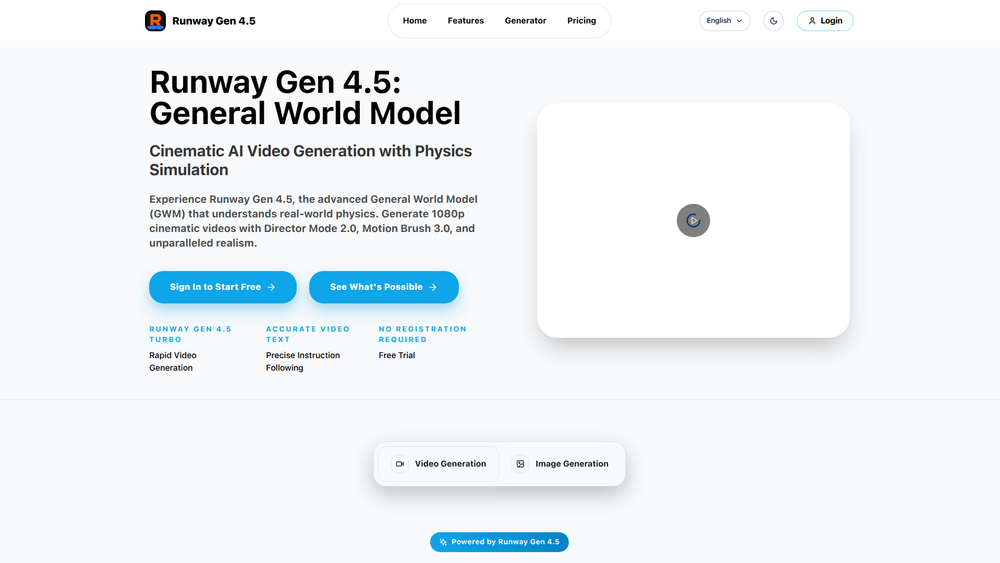
Runway Gen 4.5 is a state-of-the-art General World Model (GWM) designed for advanced AI video generation. It moves beyond simple text-to-video animation by simulating real-world physics, including gravity, object interactions, and fluid dynamics. This allows for the creation of highly realistic, cinematic videos in 1080p quality, giving creators unprecedented control over the final output.
The platform is built for professionals, including filmmakers, marketers, visual effects artists, and content creators who require high-fidelity visuals and granular control. By integrating powerful tools like Director Mode 2.0 and Motion Brush 3.0, Runway Gen 4.5 empowers users to direct camera movements, control subject motion, and maintain stylistic consistency with professional precision. It bridges the gap between creative vision and execution, making it possible to produce commercial-ready video content efficiently from a simple text description.
Features
- General World Model (GWM): The underlying model simulates real-world physics, resulting in videos where motion, gravity, and object interactions appear natural and believable.
- Director Mode 2.0: Offers studio-grade control over the virtual camera. Users can direct shots using professional vocabulary to manage pan, tilt, zoom, dynamic depth of field, and over 50 lens simulations.
- Motion Brush 3.0: Provides precise control over the movement of multiple subjects within a scene. Users can paint over specific areas to direct their motion independently, ensuring style consistency across videos.
- High-Fidelity 1080p Output: Generates videos in high-definition 1080p quality, complete with a built-in upscaler to ensure visuals are crisp and ready for professional use.
- Format Flexibility: Natively supports all aspect ratios, from 9:16 for TikTok to 21:9 for widescreen cinema. This eliminates the need for awkward cropping and reframing.
- Zero-Shot Style Transfer: Allows users to lock in a specific aesthetic across a project. By uploading a single reference image, the AI can clone its style, color grading, and texture and apply it to generated videos.
- Text-to-Video Generation: The core function allows users to generate complex video scenes instantly by simply typing a descriptive text prompt.
How to Use
- Describe Your Scene: In the text input field, type a detailed description of the video you want to create. Be specific about subjects, actions, and the environment.
- Configure Generation Settings: Choose your desired aspect ratio (e.g., 16:9, 9:16) to match your target platform. Adjust other model parameters as needed.
- Generate the Initial Video: Click the generate button. The AI will interpret your prompt and create an initial video clip based on your description.
- Refine with Advanced Tools: Use Director Mode 2.0 to fine-tune camera movements and focus. Employ Motion Brush 3.0 to paint specific motion paths onto subjects for granular control.
- Apply a Consistent Style (Optional): If you need a specific look, use the Style Transfer feature by uploading a reference image to apply its aesthetic to your video.
- Download Your Video: Once you are satisfied with the result, download the final, commercial-ready video in high resolution.
Use Cases
- Marketing & Advertising: Create visually stunning and dynamic video ads for campaigns that capture attention and drive conversions. Generate unique product visuals without the need for physical shoots.
- Filmmaking & Visual Effects: Produce complex VFX shots and pre-visualizations that adhere to realistic physics. This is perfect for indie filmmakers and studios looking to reduce CGI costs and production time.
- Product Visualization: Generate professional product videos that showcase items in motion with studio-quality lighting and dynamic camera angles, all from a text prompt.
- Social Media Content Creation: Quickly produce high-quality, native-format video content for platforms like TikTok, Instagram Reels, and YouTube Shorts, ensuring your content is perfectly framed for each audience.
FAQ
What is Runway Gen 4.5?
Runway Gen 4.5 is a General World Model (GWM) for AI video generation. It's designed to create realistic videos by simulating physical world dynamics, offering users precise cinematic control and high-fidelity 1080p output.
How is this different from other AI video generators?
Unlike tools that simply animate images, Gen 4.5 simulates physics, making motion and interactions look true-to-life. It also offers professional-grade controls like Director Mode 2.0 and Motion Brush 3.0 for unparalleled creative precision.
Can I control the camera movement in my video?
Yes, Director Mode 2.0 gives you full control over virtual camera parameters. You can direct pans, tilts, zooms, and even simulate different lenses and depth of field to achieve a cinematic look.
Is it possible to control the motion of a specific person or object?
Absolutely. Motion Brush 3.0 allows you to "paint" motion onto any subject or region in your video, giving you independent control over how different elements move within the scene.
What video formats and resolutions are supported?
Runway Gen 4.5 generates videos in 1080p quality and supports all aspect ratios, including 16:9, 9:16, 1:1, and 21:9. This allows you to create native content for any platform without cropping.
How does Style Transfer work?
You can upload a reference image, and the AI's Style Transfer feature will analyze its aesthetic—including colors, textures, and lighting—and apply that same style to the videos you generate, ensuring visual consistency.
Can I use the generated videos for commercial purposes?
Yes, the tool is designed to produce commercial-ready videos that you can download and use for marketing campaigns, product promotions, films, and other professional projects.