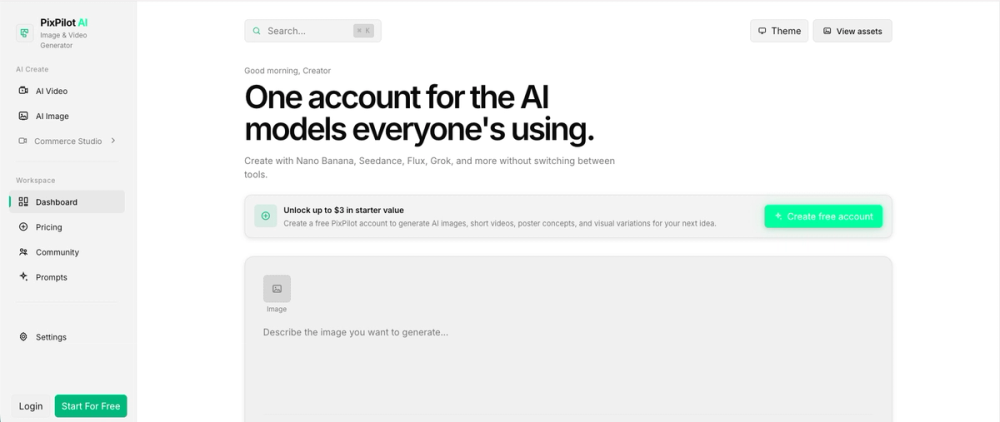
PixPilot is an AI image and video generation platform that aggregates multiple specialized models into a single workspace. It caters to digital artists, marketing teams, and content creators who need to produce visual assets without managing separate subscriptions for different AI tools. By bringing models like Flux, Grok, and Nano Banana together, the tool simplifies the process of switching between different creative styles and technical requirements.
The platform focuses on providing specific controls for each model rather than a one-size-fits-all interface. Users can generate high-resolution product photography, short cinematic clips, or social media assets. It keeps all outputs in a centralized history, which makes it easier to track assets across different projects or campaigns.
Key Features
- Access to multiple models including Flux, Grok, Seedance, and Nano Banana 2
- GPT Image 2 integration for precise edits and quality-controlled image generation
- Reference image support to guide composition, color, and style
- Video generation tools for creating short clips from text or static images
- First and last frame control for managing specific video transitions
- Centralized asset management to store all completed outputs in one private history
- Model-specific settings that only show parameters each engine actually supports
- Dedicated workspaces for image and video tasks with credit estimates
How to Use
- Sign in to your account and choose either the image or video workspace.
- Select a specific AI model from the dropdown menu, such as Flux or Nano Banana.
- Enter your text prompt and upload any reference media or starting frames if needed.
- Adjust the settings like aspect ratio or motion intensity based on what the model allows.
- Click generate and wait for the asset to appear in your workspace.
- Save the final result or reopen it later from your private Assets page.
Use Cases
- Create polished product shots for e-commerce listings using the AI product photography tool.
- Animate still brand logos or product photos into short social media clips.
- Generate consistent marketing campaign visuals by using reference images for style and color.
- Build storyboard frames for video projects by controlling the first and last frames of a sequence.
Pricing
Check the official website for current pricing and credit package details.
FAQ
What is PixPilot?
PixPilot is a web-based platform that lets you use various AI image and video models through a single interface and account.
Is PixPilot free?
The website provides credit-based generation, but you should check their current plans for any free trial or entry-level tiers.
Can I upload my own images?
Yes, you can upload images to act as style references or to serve as the starting point for video animations.
Where are my images saved?
All generated files are saved to your private account history and can be accessed through the Assets page at any time.
Does it support text-to-video?
Yes, the platform includes a text-to-video generator where you can control camera pacing and lighting through prompts.
Which models are available?
Currently, the platform supports Nano Banana, Seedance, Flux, Grok, and GPT Image 2, among others.