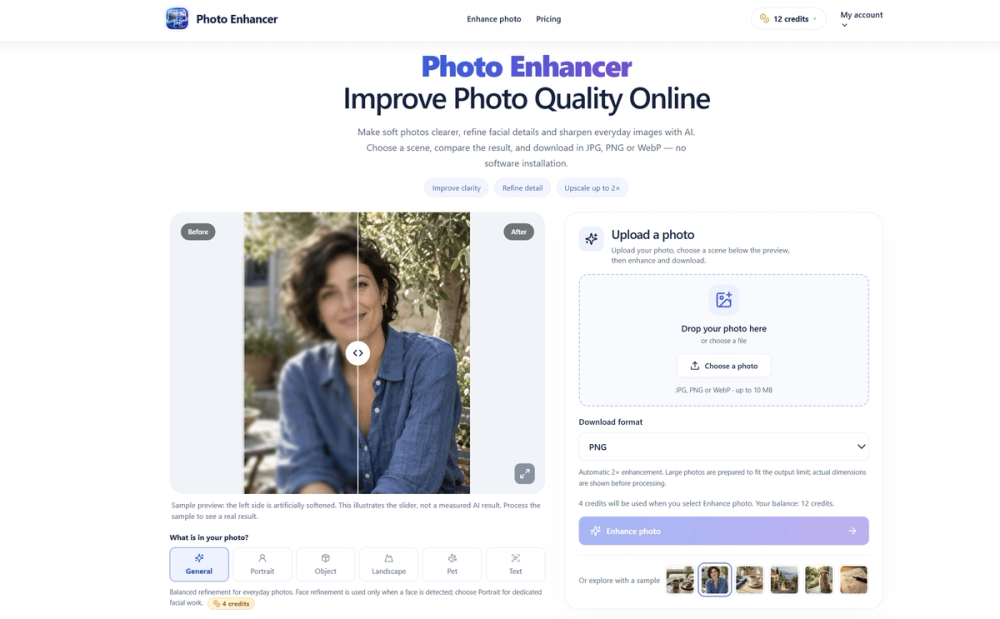
Photo Enhancer is an online tool that uses AI models to sharpen blurry images and refine specific details like faces or text. Photographers and casual users use it to fix soft focus or low-resolution shots from phones and old cameras. It works by applying different processing logic based on what is in the picture, rather than using a one-size-fits-all filter.
One thing to keep in mind is that the tool works best when the original image still has some recognizable visual information. It does not just enlarge the file; it attempts to reconstruct textures like fur, skin, or fabric using specialized prompts. The interface includes a comparison slider so you can verify the results before using your credits to download the final version.
Key features
- Scene-specific processing for portraits, pets, landscapes, and text
- Automatic 2x upscaling on every processed image
- Side-by-side comparison slider to check results before downloading
- Support for JPG, PNG, and WebP output formats
- Privacy-focused storage that auto-deletes files after 1 to 7 days
- Browser-based conversion so no software installation is required
- Dedicated text mode that sharpens characters without generative distortions
How to use
- Upload a JPG, PNG, or WebP file up to 10MB from your device
- Select the scene that matches your photo, such as Portrait or Pet, to guide the AI
- Click the enhance button to start the AI processing task
- Use the slider to compare the original image with the sharpened version at full resolution
- Choose your preferred file format (JPG, PNG, or WebP) and download the result
Use cases
- Sharpening soft phone photos of daily moments or meals for social media
- Restoring facial details in portraits where the focus was slightly off
- Making text in document scans or signs more readable for archival purposes
- Enhancing product photos for small businesses to show off fabric textures or edges
- Improving travel photos where recognizable stonework or leaves have become blurry
Pricing
Guests get one free enhancement every day which resets at midnight UTC. Signed-in accounts run on a credit system and unlock larger output limits. Check the official website for current credit package pricing.
FAQ
What is Photo Enhancer?
It is a web-based AI tool that sharpens images and adds detail through specialized processing models instead of simple pixel interpolation.
Is Photo Enhancer free?
Yes, guests get one free credit every 24 hours. More frequent use or larger file outputs require a signed-in account with a credit balance.
Does it work on very blurry photos?
It works best on images that still have some recognizable edges. It cannot accurately recreate details from heavy motion blur or completely missing pixels.
How long are my photos stored?
Guest uploads and results last for 24 hours. Signed-in users have their results saved for seven days before they are automatically deleted.
Can I choose the download format?
Yes, you can select between PNG for quality, JPG for compatibility, or WebP for smaller file sizes during the download step.
Does it add watermarks to images?
The tool does not force watermarks on your enhanced images, even for free daily users.