

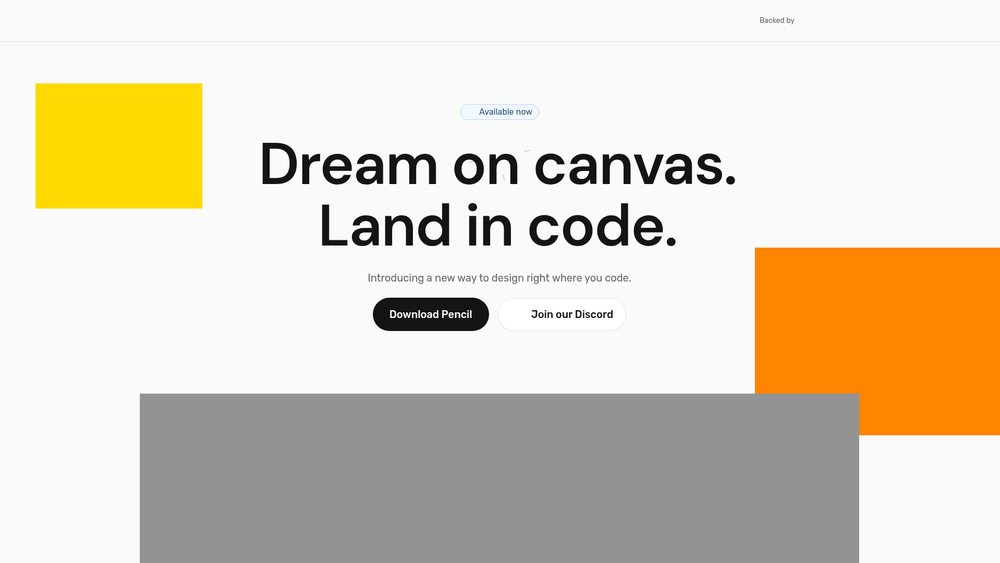
Pencil represents a significant shift in the developer workflow by merging the visual design process directly into the coding environment. Rather than relying on static mockups that often drift away from the actual implementation, Pencil provides an agent-driven MCP (Model Context Protocol) canvas that lives within your IDE. This setup allows developers to toggle between a pixel-perfect design view and their React or HTML/CSS code with a single click, effectively turning the design file into a first-class citizen of the repository.
By treating design as code, Pencil eliminates the traditional friction of handoffs between design and engineering teams. It is built for speed, allowing users to move from vector-based ideation to production-ready components without leaving their workspace. This tool is particularly useful for full-stack developers and design-engineers who want to maintain high aesthetic standards while moving at the pace of a modern development cycle.
Key Features
- Infinite Design Canvas: A spatial workspace embedded directly in the IDE for designing layouts with vector precision.
- Agent-Driven Design: Utilizes AI agents to generate entire screens or specific components based on natural language prompts.
- Open File Format: Designs are saved in a transparent, non-proprietary format, preventing vendor lock-in and allowing for custom tool integration.
- Vibe Designing: A high-speed iteration mode where users can prompt the AI to generate a UI "vibe," then refine it with granular controls.
- Curated Design Kits: Access to pre-built, component-based kits that provide the aesthetic quality of a senior designer out of the box.
- Direct Code Alignment: Generates production-ready HTML, CSS, and React code that stays synchronized with the visual canvas.
- IDE Integration: Works within your existing development environment, reducing context switching and streamlining the feedback loop.
- Pixel-Perfect Context: Ensures that the code stays true to the design by maintaining a shared context between the canvas and the repo.
How to Use Pencil – Design on canvas. Land in code.
- Integrate Pencil into your IDE as an MCP-enabled tool to connect your codebase with the design canvas.
- Initialize a new Pencil file within your project repository to ensure the design data is version-controlled alongside your code.
- Select a curated design kit or import your team's existing design system to maintain brand consistency.
- Use the "Vibe Designing" prompt bar to describe the interface you want to build, allowing the AI agent to generate the initial layout.
- Refine the generated vectors using the canvas tools, ensuring every element meets your specific requirements for spacing and typography.
- Sync the design directly into your React components or CSS files to see the changes reflected in your application immediately.
Use Cases
- Rapid Prototyping: Quickly turning a concept into a functional, coded UI without the friction of a separate design-to-code translation phase.
- Design System Management: Centralizing a company's design language within the codebase, making it easier for engineers to stay on-brand.
- Solo Developer Productivity: Enabling full-stack developers to create high-quality interfaces without needing a dedicated design team.
- Iterative UI Refinement: Making small, pixel-perfect adjustments to existing screens directly where the code lives, ensuring the implementation never drifts from the design.
Pricing
Check the official website for pricing.
FAQ
What is Pencil – Design on canvas. Land in code.?
Pencil is an IDE-integrated design tool that uses AI agents to help developers create pixel-perfect UIs that sync directly with their code.
Is Pencil – Design on canvas. Land in code. free to use?
Please refer to the official Pencil website for the most current information regarding their pricing tiers and trial availability.
Does it support React?
Yes, Pencil is designed to generate production-ready React code, along with standard HTML and CSS.
Can I use my own design system?
Absolutely; you can plug in your team’s existing design system directly from the codebase or use the curated kits provided by the platform.
What makes the file format "open"?
Unlike proprietary design tools that hide data in binary files, Pencil uses a format that is readable and debuggable by other tools, ensuring you aren't locked into a single ecosystem.
How does the AI agent help during design?
The agent acts as a collaborative partner that can build entire screens or specific UI sections based on text prompts, which you can then manually tweak on the canvas.



