

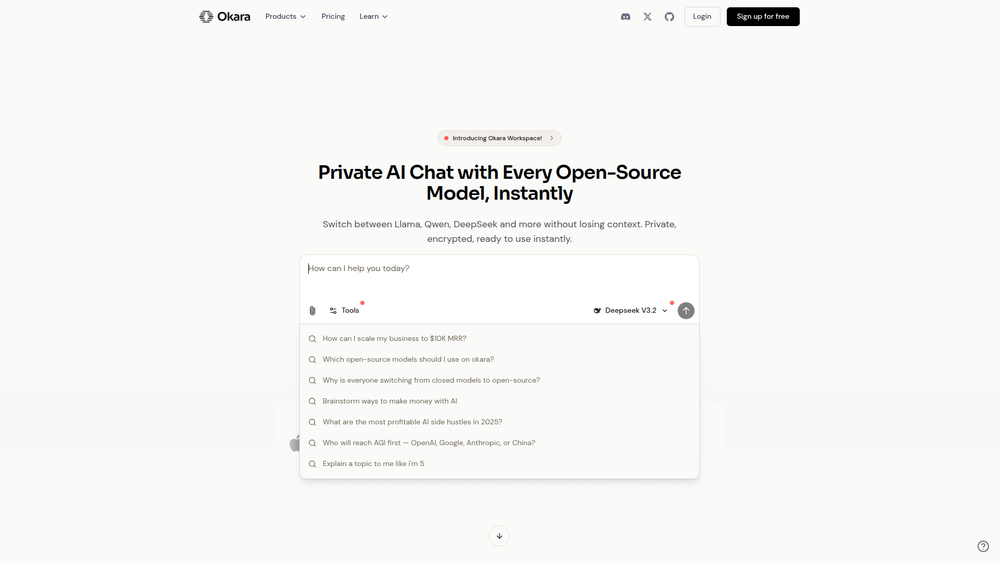
Okara is a private AI chat platform designed for professionals who require a secure and versatile AI workspace. It provides instant access to over 20 leading open-source language models, including Llama, Qwen, and DeepSeek, all within a single, unified interface. The core purpose of Okara is to offer a powerful AI toolset while prioritizing user data privacy through end-to-end encryption and a strict policy against using data for model training.
The platform is particularly valuable for users who handle sensitive information or require diverse AI capabilities for complex tasks. By integrating features like unified memory, which maintains conversation context across different models, and built-in search tools for accessing live web data, Okara streamlines workflows for developers, researchers, marketers, and business professionals. It eliminates the need to manage multiple AI subscriptions and provides a cohesive environment for everything from code analysis and content creation to data analysis and image generation.
Features
- 20+ Open-Source AI Models: Access a wide array of the latest open-source models from providers like Qwen, DeepSeek, Llama, and Mistral in one subscription-based workspace.
- Unified Memory: Seamlessly switch between different AI models within the same conversation without losing context or history, allowing each response to build upon previous interactions.
- True Data Privacy: All user data is encrypted, processed on privately hosted models, and is never used for training. Okara also offers a 'True Deletion' feature, ensuring your data can be permanently removed.
- Integrated Search Tools: Enhance your AI's knowledge by searching the web, Reddit, X (formerly Twitter), and YouTube directly from the chat interface to incorporate real-time information into your work.
- Image Generation: Create professional-grade visuals and images directly within the chat, making it a versatile tool for both text-based and visual content creation.
- File Upload and Analysis: Upload various file types, including images (JPEG, PNG), documents (PDF, DOCX), spreadsheets (CSV, XLSX), and JSON files, for the AI to analyze, summarize, or process.
How to Use
- Create an Account: Sign up on the Okara website to get started. You may need to choose a pricing plan to access all models and features.
- Start a Chat: Navigate to the chat interface. You can begin by typing a message or prompt directly.
- Select an AI Model: Choose your preferred AI model from the dropdown list. You can select from over 20 options like DeepSeek, Llama, or Qwen based on your task's requirements.
- Interact with the AI: Ask questions, give commands, or upload files (e.g., PDFs, CSVs, images) for the AI to analyze. Paste images directly from your clipboard or drag and drop files into the chat window.
- Use Integrated Tools: To use the search tools, simply formulate your prompt to include a search request, such as "Search the web for recent AI trends and summarize them."
- Switch Models Mid-Conversation: If you want a different perspective or need the capabilities of another model, simply select a new one from the menu. The conversation context will be preserved.
Use Cases
- Content Creation and Research: Marketers and writers can use the integrated search tools to gather the latest information from the web, Reddit, or X, and then use a creative model like Llama to draft articles, social media posts, or marketing copy based on that data.
- Software Development and Debugging: Developers can upload code files or paste snippets into the chat and ask a coding-proficient model like DeepSeek to review, debug, refactor, or explain the code, accelerating the development lifecycle.
- Business and Data Analysis: Business analysts can upload CSV or XLSX files containing sales data or market research and ask the AI to identify trends, generate summaries, and create visualizations, all within a secure, private environment.
- Secure Internal Brainstorming: Teams can use Okara as a private digital whiteboard to brainstorm sensitive project ideas or discuss strategy. The strict privacy policy ensures that proprietary information remains confidential.
FAQ
What is Okara?
Okara is a private AI chat platform that provides access to over 20 open-source AI models in a single workspace. It is designed for professionals and focuses on data privacy, unified conversation memory across models, and integrated tools like web search and image generation.
How is my data kept private?
Your data is encrypted both in transit and at rest. Okara uses privately hosted models and guarantees that your conversations are never used for training any AI. They also offer a 'True Deletion' policy, allowing you to permanently erase your data.
Which AI models are available?
Okara offers 20+ open-source models, including the latest versions from Llama, Qwen, DeepSeek, Mistral, and others. This allows you to choose the best model for your specific task, all under one subscription.
Can I switch between models in the same chat?
Yes. Okara features 'Unified Memory,' which allows you to switch between different AI models at any point in a conversation without losing the chat history or context.
What kinds of files can I upload?
You can upload images (JPEG, PNG), documents (PDF, DOCX, DOC, TXT, MD), spreadsheets (CSV, XLSX, XLS), and JSON files. The maximum file size is 5MB.
What are the integrated search tools?
Okara allows you to perform live searches on the web, Reddit, X (formerly Twitter), and YouTube directly from the chat. This enables the AI to access and incorporate up-to-date information in its responses.
Is there a paid plan?
Yes, Okara operates on a subscription model. The website mentions 'Upgrade to access all AI models' and offers a discount code, indicating that full access to its features and model selection requires a paid plan.



