

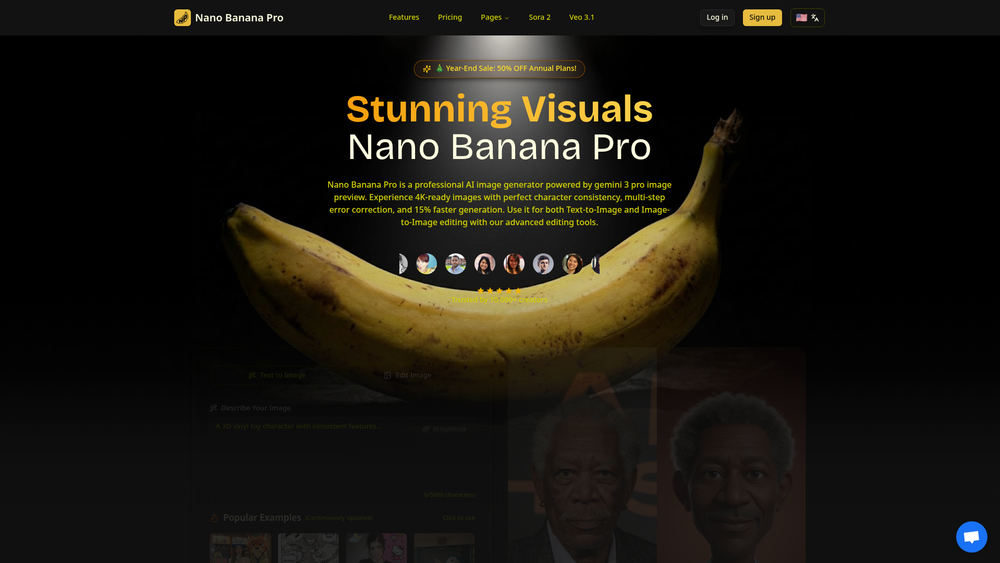
Nano Banana Pro is a professional-grade AI image generator designed to create stunning, high-quality visuals. Powered by the gemini 3 pro image preview engine, it offers users the ability to generate 4K-ready images with remarkable speed and precision. The platform is built for both creative professionals and enthusiasts who require top-tier visual content without the complexity of traditional design software.
The key benefits of Nano Banana Pro lie in its advanced features, including perfect character consistency, multi-step error correction, and a generation process that is 15% faster than many alternatives. It supports both Text-to-Image and Image-to-Image generation, complemented by a suite of advanced editing tools. This makes it an invaluable asset for marketers, designers, artists, and content creators looking to produce unique, high-fidelity images for their projects.
Features
- Gemini 3 Pro Engine: Utilizes the advanced gemini 3 pro image preview model to generate highly detailed and sophisticated images.
- 4K-Ready Images: Produces high-resolution visuals suitable for professional use, including print, digital media, and large-format displays.
- Perfect Character Consistency: Maintains the appearance and features of characters across multiple generated images, ideal for storytelling and series creation.
- Text-to-Image Generation: Create entirely new images from simple text descriptions, turning your ideas into visuals instantly.
- Image-to-Image Editing: Upload an existing image and use text prompts to modify, enhance, or completely transform it with AI.
- Advanced Editing Tools: Fine-tune your generated images with a suite of professional editing tools directly within the platform.
- Multi-Step Error Correction: An automated process that refines images during generation to fix imperfections and improve overall quality.
- Fast Generation Speed: Experience a 15% faster image generation process, enabling a more efficient creative workflow.
How to Use
- Sign Up: Create an account on the Nano Banana Pro website to access the generator.
- Choose a Mode: Select either "Text-to-Image" to create a new visual from a prompt or "Image-to-Image" to modify an existing picture.
- Write Your Prompt: In the text box, describe the image you want to create. Be as specific as possible, including details about the subject, style, lighting, and composition for best results.
- Generate the Image: Click the generate button and let the AI process your request. Your image will appear in a few moments.
- Edit and Refine: Use the advanced editing tools to make adjustments, correct errors, or add finishing touches to your generated image.
- Download and Use: Once satisfied, download the high-resolution 4K-ready image for your project.
Use Cases
- Marketing and Advertising: Generate unique and eye-catching visuals for social media campaigns, website banners, and promotional materials without needing stock photos.
- Concept Art and Design: Quickly visualize characters, environments, and props for video games, films, and other creative projects, accelerating the pre-production process.
- Content Creation: Produce custom thumbnails, illustrations, and graphics for blog posts, YouTube videos, and presentations to enhance audience engagement.
- Product Prototyping: Create realistic mockups and visualizations of products in various settings and styles for market testing and presentations.
FAQ
What is Nano Banana Pro?
Nano Banana Pro is a professional AI image generator that uses the gemini 3 pro image preview engine to create high-quality, 4K-ready visuals from text descriptions or existing images.
Is Nano Banana Pro free to use?
The website promotes a "Free AI Image Generator" and offers sign-ups, suggesting a free or freemium model. However, it also lists a "Pricing" page and annual plan promotions, which indicates that paid tiers with more advanced features are available.
What does "perfect character consistency" mean?
This feature allows the AI to generate the same character in different poses, scenes, or styles while maintaining their key features and appearance. This is crucial for creating comic strips, storyboards, or any series of images featuring a recurring character.
What resolution are the generated images?
The platform is designed to produce "4K-ready" images, meaning they are of a high resolution suitable for large screens and professional print applications.
What is the difference between Text-to-Image and Image-to-Image?
Text-to-Image generates a completely new image based solely on a written description (a "prompt"). Image-to-Image takes an existing image you provide and modifies it according to your text prompt, allowing for powerful editing and transformation.
How does the multi-step error correction work?
This is an automated feature that analyzes the image during the generation process. It identifies and corrects potential flaws, artifacts, or inconsistencies, resulting in a cleaner and more polished final image.
What kind of editing can I do with the advanced tools?
While specific tools aren't listed, advanced editing in AI generators typically includes features like inpainting (regenerating specific parts of an image), outpainting (extending the image canvas), color correction, and style adjustments.



