

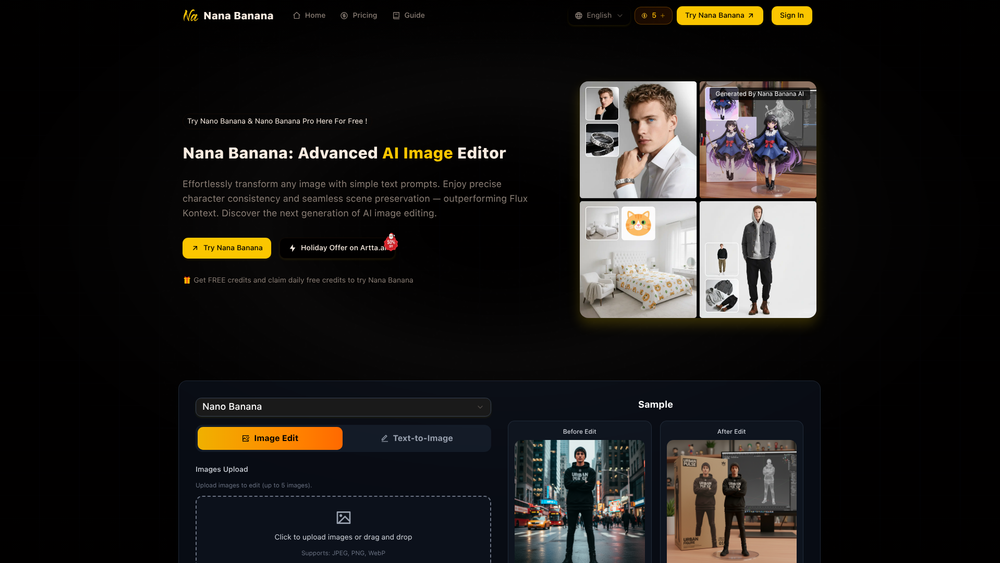
Nana Banana AI Image Editor is a specialized tool designed to bridge the gap between complex image manipulation and simple natural language instructions. By leveraging advanced AI models, it allows users to modify existing photos or generate entirely new visuals simply by describing the desired changes. This makes it an accessible option for designers, content creators, and hobbyists who need quick, high-quality edits without the steep learning curve of traditional software like Photoshop.
Unlike many basic filters, Nana Banana focuses on character consistency and scene preservation. This means if you upload a photo of a specific person or object, the AI understands the core elements that need to stay the same while altering the background, clothing, or artistic style. It offers a "Pro Mode" for those requiring higher resolution outputs, making it versatile enough for both social media posts and professional-grade assets.
Features
- Text-to-Image Generation: Create completely new visuals from scratch by entering detailed descriptive prompts.
- Advanced Image Editing: Modify specific elements of an uploaded image through natural language commands, such as changing a coffee cup into a pillow.
- Character Consistency: Maintain the identity and features of a subject across multiple edits or generations, outperforming standard models like Flux Kontext.
- Multi-Image Upload: Upload up to five reference images simultaneously to provide the AI with more context for complex transformations.
- Nano Banana Pro Mode: Access professional-grade resolutions including 1K, 2K, and 4K, along with expanded aspect ratio options.
- Flexible Aspect Ratios: Choose from a wide variety of formats such as 1:1, 9:16, 16:9, 3:2, 21:9, and more to suit different platform requirements.
- High-Definition Upscaling: Enhance the quality of generated or edited images to ensure they are crisp and suitable for large-scale displays.
- Format Versatility: Export your final creations in either PNG or JPEG formats depending on your storage or quality needs.
How to Use
- Visit the Nana Banana website and sign in to access the editing dashboard.
- Upload the images you wish to edit (up to 5 files) or select the "Text-to-Image" tab if starting from scratch.
- Enter a detailed prompt in the text box, specifying the changes, colors, lighting, and mood you want to achieve.
- Toggle "Nano Banana Pro Mode" if you require high-resolution output or specific aspect ratios.
- Adjust advanced settings like image size and output format, then click "Start AI Edit" to process the request using your credits.
- Review the "Before" and "After" comparison and download the final high-definition result.
Use Cases
- E-commerce Product Photography: Quickly swap backgrounds or adjust lighting for product shots without needing a physical studio reshoot.
- Social Media Content Creation: Transform personal photos into stylized artistic pieces or themed visuals for Instagram and TikTok.
- Character Design for Games: Maintain consistent character appearances across different environments and poses for concept art.
- Marketing Campaign Mockups: Generate variations of an advertisement by changing specific elements like the season or setting while keeping the core brand assets intact.
Pricing
Nana Banana operates on a credit-based system. Users can claim daily free credits or purchase packages for more intensive use. Check the official website for the latest pricing tiers and holiday offers.
FAQ
What is Nana Banana AI Image Editor?
It is an AI-powered platform that allows users to edit existing images or generate new ones using text-based prompts, emphasizing consistency and ease of use.
Is Nana Banana AI Image Editor free to use?
Yes, there are daily free credits available for users to try the service, though advanced features and high-volume usage may require a paid plan.
How many images can I upload at once?
You can upload up to five images to serve as references for the AI during the editing process.
What resolutions does the Pro Mode support?
Pro Mode allows for higher quality outputs, including 1K, 2K, and 4K resolutions.
Can I maintain the same character in different scenes?
Yes, one of Nana Banana's core strengths is character consistency, ensuring the subject remains recognizable across different edits.
What file formats are supported for upload?
The tool supports JPEG, PNG, and WebP formats.



