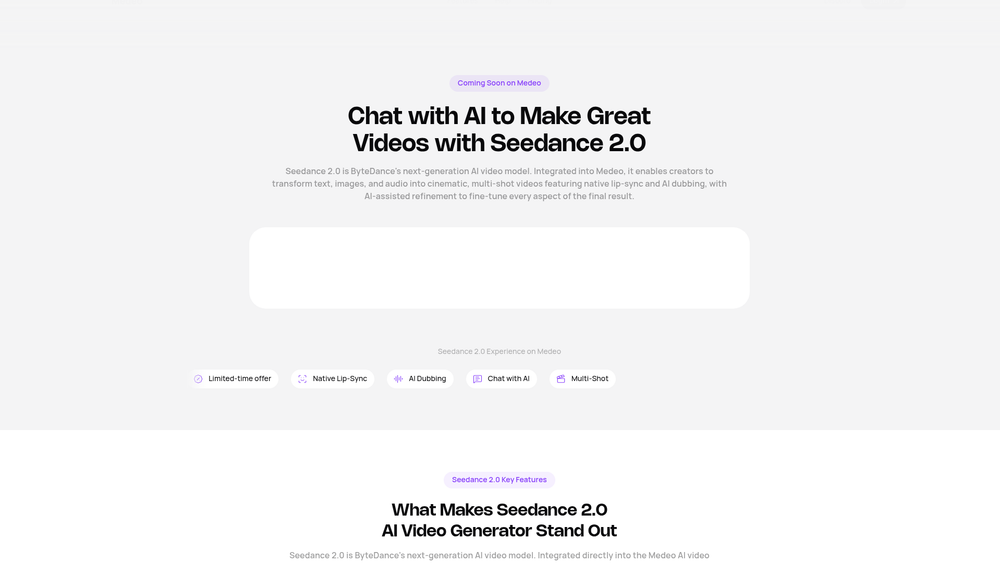
Medeo Seedance 2.0 represents a significant leap in accessible video production, leveraging ByteDance's sophisticated next-generation AI model to bridge the gap between imagination and cinematic output. Unlike traditional editors that rely on complex timelines, this tool utilizes a conversational workflow where users can "chat" their videos into existence. It is particularly effective for creators who need high-quality, multi-shot sequences without the steep learning curve of professional software.
In practice, the multimodal engine allows for a seamless blend of text, images, and audio, ensuring that character consistency and narrative flow are maintained throughout the generation process. That said, the underlying technology is powerful enough to handle nuanced requests, making it a viable tool for both hobbyists and professionals looking to streamline their production pipeline. By automating the technical heavy lifting, Seedance 2.0 lets creators focus entirely on the storytelling aspect of their projects.
Features
- One-Click Video Recreation: Users can input a single sentence to generate a finished video or replicate the style of existing clips, saving hours of manual labor.
- Multimodal Engine: The system can simultaneously process up to nine images, three video clips, and three audio tracks to maintain character consistency and visual depth.
- Pixel-Level Precision: It offers granular control over individual frames, ensuring that objects and compositions remain stable throughout the entire sequence.
- Native Lip-Sync & Dubbing: Integrated audio tools allow for realistic character speech and environmental soundscapes that sync perfectly with the visual action.
- Dynamic Motion Dynamics: The model handles complex physics, including realistic collisions and fast-paced camera tracking for intense action scenes.
- Multi-Camera Logic: It generates natural transitions between different shot types, maintaining narrative flow across varied camera angles.
- Flexible Aspect Ratios: Creators can choose between 16:9, 9:16, 4:3, and 1:1 formats to suit everything from TikTok to YouTube.
How to Use Medeo Seedance 2.0
- Navigate to the Medeo platform and select the Seedance 2.0 model from the available AI options.
- Set your project parameters, including the desired duration and the aspect ratio that fits your target platform.
- Provide your creative assets by uploading images or audio, and describe the scene in the chat interface.
- Review the generated shots and use the chat-based refinement tool to tweak specific details like lighting or character movement.
- Once the multi-shot sequence meets your standards, finalize the render and download your high-resolution video.
Use Cases
- Social Media Marketing: Rapidly produce high-quality short-form videos for platforms like Instagram or TikTok using trending styles.
- Independent Filmmaking: Create cinematic storyboards or full scenes with consistent characters and professional-grade camera work.
- Educational Content: Develop engaging explainer videos with synchronized AI dubbing to simplify complex topics for students.
- Content Localization: Use the native lip-sync and dubbing features to adapt existing video concepts for different languages and regions.
Pricing
Check the official website for pricing.
FAQ
What is Medeo Seedance 2.0?
Medeo Seedance 2.0 is an advanced AI video generator based on ByteDance technology that creates cinematic content via a chat interface.
Is Medeo Seedance 2.0 free to use?
Pricing details vary; it is best to check the official Medeo website for the most current subscription or credit plans.
Can I maintain character consistency?
Yes, by using the multimodal engine, you can lock character details across multiple shots for a cohesive narrative.
Does it support audio input?
Absolutely, you can upload up to three audio tracks to guide the narration and sound effects within your video.
What resolutions are supported?
It supports various aspect ratios including 16:9, 9:16, 4:3, and 1:1, making it suitable for both vertical and horizontal displays.
Do I need video editing skills?
No, the chat-based workflow is designed to be intuitive for users of all skill levels, requiring no prior editing experience.