

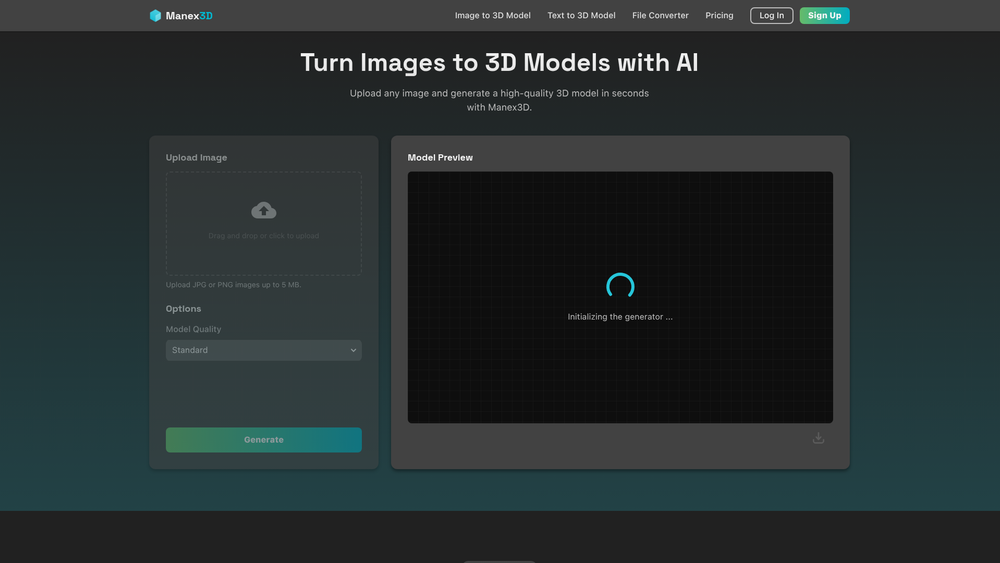
Manex3D is an AI-driven platform designed to transform the way creators generate 3D assets. By leveraging sophisticated neural networks, the tool allows users to convert standard 2D images into high-quality 3D models in a matter of seconds, effectively removing the technical barriers associated with traditional modeling software. Whether you are a hobbyist looking to print a custom figurine or a professional developer needing rapid assets for a virtual environment, Manex3D provides a streamlined, browser-based workflow. The platform emphasizes accessibility without sacrificing the geometric accuracy required for high-end production pipelines.
In practice, the tool eliminates the need for expensive hardware or years of specialized training. That said, the quality of the output is heavily dependent on the input image, so starting with a high-resolution file is always recommended for professional-grade results. Worth noting is that the system handles the complex task of interpreting depth and contours automatically, allowing you to focus on the creative aspects of your project rather than the technical minutiae of vertex manipulation.
Features
- Advanced Geometry Analysis: The AI interprets depth and contours from 2D images to create highly accurate meshes with precise geometry.
- Quality Presets: Users can choose between Standard for speed or High for enhanced detail and complexity in their models.
- Interactive 3D Preview: An integrated viewer allows for full rotation and zooming, letting you examine the model from any angle before downloading.
- Versatile Export Options: Support for industry-standard formats including OBJ, STL, PLY, and GLB ensures compatibility with most 3D software.
- Rapid Processing: Standard conversions typically finish in under a minute, keeping your creative workflow moving at a fast pace.
- No-Install Interface: The entire process is handled in the cloud, meaning no heavy software installation is required on your local machine.
- Customizable Generation: Adjust the output quality and other settings to personalize your generation with no limit.
How to Use Manex3D
- Prepare your image file, ensuring it is a JPG or PNG under the 5MB limit for the best processing results.
- Upload the file to the Manex3D dashboard using the intuitive drag-and-drop interface or the click-to-upload button.
- Adjust the "Model Quality" setting to match your project's specific requirements for detail and polygon count.
- Click the generation button and wait for the AI to process the image data into a high-quality 3D mesh.
- Use the real-time previewer to rotate, zoom, and inspect the model to ensure the geometry meets your needs.
- Select your preferred file format, such as OBJ, GLB, or STL, and download the finished asset to your device.
Use Cases
- Rapid Prototyping: Product designers can turn 2D sketches into 3D models to test physical forms and proportions quickly.
- Indie Game Development: Small teams can populate game worlds with unique props and assets without the overhead of manual modeling.
- Custom 3D Printing: Turn personal illustrations or photos into physical objects by exporting directly to STL format for printing.
- E-commerce Visualization: Create 3D versions of physical products for interactive web displays and virtual catalogs.
Pricing
Check the official website for pricing.
FAQ
What is Manex3D?
Manex3D is an AI-powered tool that converts 2D images into 3D models using deep learning and advanced geometry analysis.
Is Manex3D free to use?
Yes, the platform offers a free generator, though paid plans are available for users who require priority processing and faster generation speeds.
Which image formats are supported?
You can currently upload JPG and PNG files, provided they are under the 5MB size limit.
How do I get the best results?
For the most accurate models, use high-resolution images with clear lighting and a distinct subject against a clean, non-distracting background.
What export formats are available?
The tool supports several industry-standard formats, including OBJ, STL, PLY, and GLB.
How long does the generation process take?
Most standard conversions are completed within 30 to 60 seconds, while high-quality settings or complex images may take up to 3 minutes.



