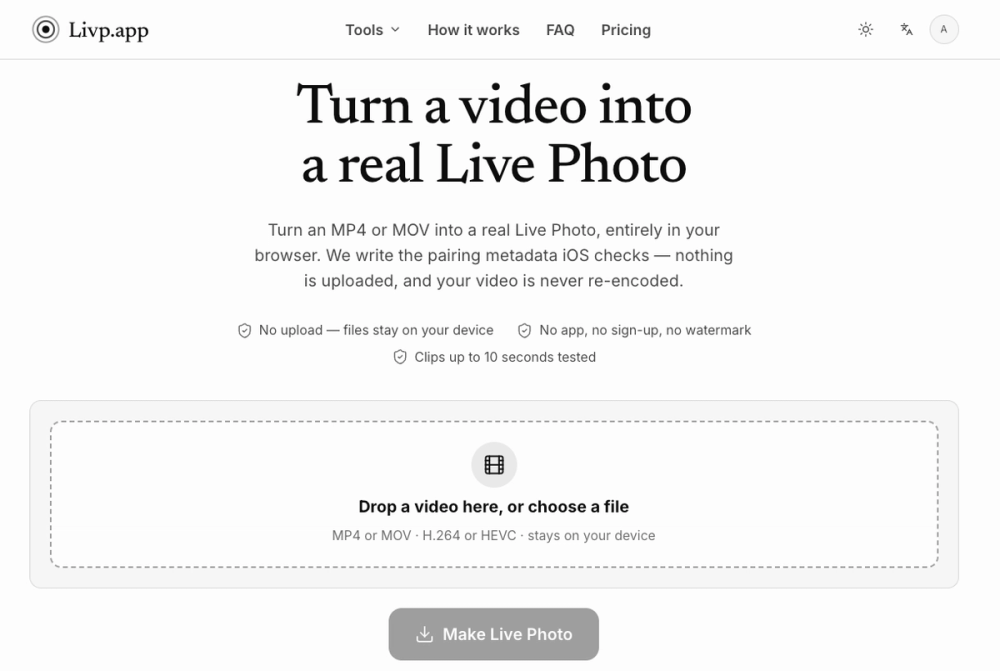
Live Photo Converter & Maker is a web utility that transforms standard video files into functional iOS Live Photos. It targets iPhone users who want to organize their media more effectively or create custom moving wallpapers without installing third-party apps. By writing specific pairing metadata directly into the files, it ensures the iOS Photos app recognizes the result as a single Live asset rather than two separate files.
The tool runs entirely in your browser using JavaScript. This means your videos are not sent to a server, which protects your privacy and makes the process nearly instant. Since it avoids re-encoding the video stream, the original quality remains bit-identical while the necessary Apple MakerNote identifiers are added to the metadata.
key features
- Local browser processing ensures no files are ever uploaded to a server
- Metadata pairing writes the exact identifiers iOS requires for the LIVE badge
- Zero re-encoding keeps the video quality exactly as it was in the source file
- Support for long clips allows for imports up to 3 minutes, exceeding typical app limits
- Custom cover frame selection lets you pick the specific image shown in the gallery
- Instant conversion speeds often finish a 2MB clip in under 15 milliseconds
- Dual file output provides both the HEIC/JPEG still and the paired MOV movie
how to use
- Navigate to the workspace section on the website
- Select an MP4 or MOV file from your computer or phone library
- Use the slider to select the specific frame you want as the cover photo
- Press the convert button to generate the metadata-paired files
- Download the output to your device storage
- Open the file on an iPhone and select Save to Photos to finish the import
use cases
- Converting a short drone or gimbal clip into a Live Photo for your library
- Re-pairing a Live Photo that was split into two files after being sent via email
- Pulling a high-quality JPEG still out of an existing Live Photo pair
- Creating a GIF from a video for use in chat apps that do not support Live Photos
pricing
The tool offers 3 free conversions per day without an account. Signing in increases this to 10 daily conversions, while a paid membership removes ads and allows for 4K output. Check the official website for current pricing.
FAQ
what is live photo converter & maker?
It is a tool that adds pairing metadata to videos so iOS treats them as Live Photos.
is live photo converter & maker free?
Yes, you get a few free conversions every day, though there are limits on resolution and quantity.
why does my converted photo not animate on the lock screen?
Some iOS versions require specific camera motion data for lock screen animations that generated files might lack.
does this work with mkv or webm files?
No, the tool only supports MP4 and MOV formats to avoid the need for heavy server-side transcoding.
will my videos be private?
Yes, the conversion happens locally in your browser tab and nothing is uploaded to the internet.
why is the conversion so fast?
It only writes small pieces of metadata instead of processing the actual video pixels.