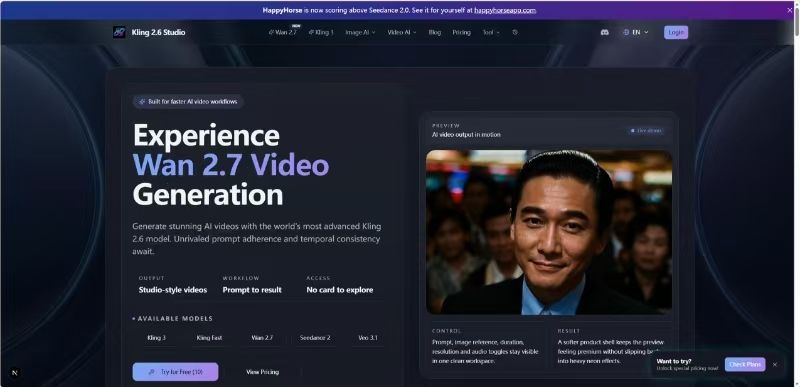
Kling 2.6 Studio is an AI video generation platform that turns text descriptions and images into short, high-quality video clips. Filmmakers, content creators, and marketing teams use it to produce B-roll or social media assets without a full production crew. It solves the common issue of floaty or inconsistent motion often found in older generative models.
In practice, the tool functions as a virtual studio where you can control camera movements and character orientation. The engine handles complex scene transitions while keeping objects stable. This makes it useful for projects where visual continuity is more important than just generating a single cool-looking frame.
Features
- Text-to-video generation using natural language prompts to describe scenes
- Native audio synchronization that aligns sound effects and speech with visual actions
- Dual processing modes including Fast for quick iterations and Pro for cinematic output
- Motion control settings to adjust character orientation and camera paths
- Image reference support to maintain character consistency across different clips
- Aspect ratio options including 16:9 for widescreen and 9:16 for vertical social content
- Temporal consistency that prevents objects from morphing or disappearing between frames
How to Use
- Open the Studio workspace and select the Text to Video or Image to Video tab.
- Type a detailed description of the scene including specific lighting and camera motion details.
- Upload a reference image if you need to keep a specific character or setting consistent.
- Select the desired duration and resolution settings in the side panel.
- Click the generate button to process the video using your available credits.
- Review the preview and download the final clip once the rendering finishes.
Use Cases
- Creating cinematic B-roll for YouTube videos to illustrate complex concepts or historical events.
- Generating realistic character animations for game development cutscenes and trailers.
- Producing social media advertisements with synchronized audio and accurate lip-syncing.
- Visualizing architectural walkthroughs with smooth camera pans and realistic lighting effects.
- Prototyping anime or cartoon scenes by combining Niji 7 visuals with Kling motion.
Pricing
Check the official website for current pricing. The platform uses a credit-based system where a standard generation costs approximately 40 credits. Users can explore the workspace without a credit card.
FAQ
What is Kling 2.6 Studio?
It is an advanced AI video generation platform that uses the Kling 2.6 engine to create realistic motion and synchronized audio from prompts.
Is Kling 2.6 Studio free?
You can access the workspace and explore features without a card, but generating videos requires credits.
Does it support lip syncing?
Yes, the model includes native audio features and lip-syncing capabilities for digital characters.
What resolution does it support?
The platform currently supports 720p output for standard generations with options for upscaling.
Can I use the videos commercially?
Yes, Kling 2.6 provides commercial licensing options for professional video production and marketing.
How long are the generated videos?
Standard video generations are typically 5 seconds long, though the engine supports extended lengths in specific modes.