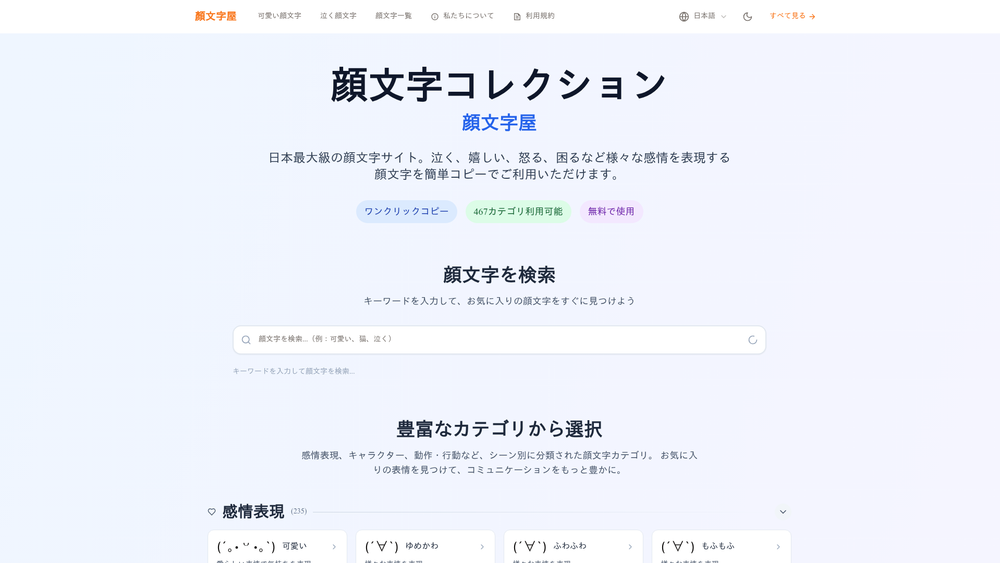
Kaomojiya stands as Japan's premier digital repository for kaomoji, offering an expansive library of over 3,000 unique Japanese emoticons. Unlike Western-style emoticons that are read sideways, kaomoji are designed to be viewed horizontally, utilizing a sophisticated mix of punctuation and special characters to convey nuanced human emotions. This platform simplifies the process of finding the perfect expression, whether you are looking to convey joy, frustration, or professional politeness.
The tool is particularly valuable for social media managers, gamers, and casual users who want to transcend the limitations of standard emojis. By providing a structured, searchable database, Kaomojiya allows users to bypass the tedious task of manually constructing complex character strings. In practice, it serves as a bridge between traditional text-based communication and the more visually expressive nature of modern digital interactions.
Features
- One-Click Copy Functionality: Every emoticon on the site can be instantly copied to your clipboard with a single click, eliminating the need for manual highlighting.
- Extensive Categorization: The library is organized into 467 distinct categories, ranging from basic emotions like "happy" or "sad" to specific actions and character types.
- Mobile-First Design: The interface is fully responsive, ensuring a seamless experience for users accessing the site from smartphones or tablets.
- Keyword Search Engine: A dedicated search bar allows users to quickly filter through thousands of options to find specific expressions or themes.
- Commercial Use License: Unlike many free resources, Kaomojiya permits the use of its emoticons in commercial projects, including advertisements and professional blogs.
- Universal Compatibility: The kaomoji are designed to function across nearly all modern platforms, including LINE, X (formerly Twitter), Discord, and Instagram.
- Cultural Context: The site provides historical background on the evolution of kaomoji, helping users understand the nuances behind different styles.
- No Registration Required: Users can access the full database and all features without creating an account or providing personal information.
How to Use Kaomojiya
- Browse or Search: Navigate through the various emotional categories on the homepage or use the search bar to find a specific type of expression.
- Select an Emoticon: Once you find a kaomoji that fits your needs, simply click or tap on it.
- Automatic Copy: The system will automatically copy the selected string to your device's clipboard.
- Paste into Application: Open your desired messaging app or social media platform and use the paste command (Ctrl+V or long-press) to insert the kaomoji.
- Send Your Message: Complete your text and send it to enjoy more expressive digital communication.
Use Cases
- Professional Correspondence: Use subtle, polite kaomoji like m(_ _)m to soften the tone of business emails or internal chat messages.
- Social Media Engagement: Enhance the visual appeal of SNS posts with decorative or high-energy emoticons to grab the audience's attention.
- Gaming Interactions: Express competitive spirit or celebrate victories with fellow players using action-oriented kaomoji.
- Personal Messaging: Add a layer of emotional depth to chats with friends that standard emojis might fail to capture.
- Creative Content: Incorporate unique character strings into blog posts or digital art projects to give them a distinct Japanese aesthetic.
Pricing
Kaomojiya is completely free to use. The platform is supported by advertising, allowing all users to access the full database of 3,000+ emoticons without any subscription fees or hidden costs.
FAQ
What is Kaomojiya?
It is Japan's largest directory of Japanese emoticons (kaomoji), providing a searchable platform for copying and pasting unique text-based expressions.
Is Kaomojiya free to use?
Yes, the service is entirely free for both personal and commercial use, with no registration required.
Can I use these emoticons on my smartphone?
Absolutely. The website is optimized for mobile browsers, and the copied kaomoji are compatible with mobile operating systems like iOS and Android.
Do these work on social media platforms like X or Instagram?
Yes, they are standard text strings and will display correctly on almost all major social media platforms and messaging apps.
What should I do if the copy function doesn't work?
If your browser doesn't support the automatic clipboard API, you can manually highlight the kaomoji and use the standard copy command (Ctrl+C or Cmd+C).
Are there restrictions on commercial use?
While you can use the kaomoji in commercial advertisements or products, you are prohibited from selling the kaomoji themselves as a standalone product.