

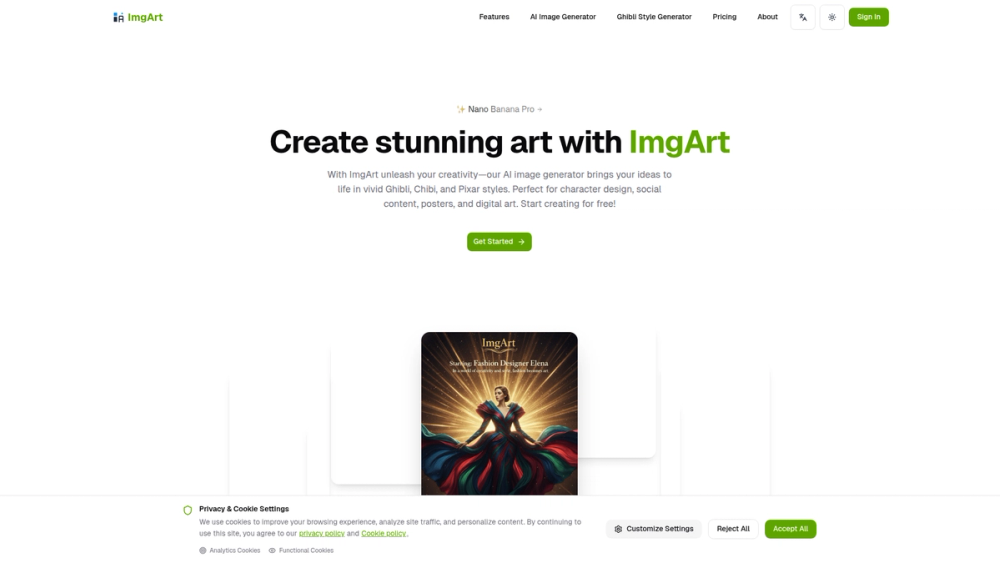
ImgArt is an advanced AI image generator designed to transform your creative ideas into stunning visual art. It empowers users to generate and edit images with a special focus on popular and beloved animation styles, including Ghibli, Chibi, and Pixar. The platform serves as a powerful tool for artists, designers, content creators, and hobbyists who want to bring their visions to life without needing complex software or traditional artistic skills.
The primary benefit of ImgArt lies in its accessibility and specialized output. By offering a free starting point and leveraging multiple advanced AI models like Nano Banana and Flux Kontext, it lowers the barrier to high-quality digital art creation. Whether you're designing a unique character for a story, creating eye-catching content for social media, or simply exploring your creativity, ImgArt provides the tools to produce professional-grade visuals quickly and efficiently. Its focus on distinct styles makes it an invaluable resource for anyone looking to capture a specific aesthetic in their work.
Features
- Multi-Model AI Generation: Utilize a variety of advanced AI models, including Nano Banana, Flux Kontext, and ChatGPT-4o image, each offering unique strengths and creative possibilities.
- Specialized Art Styles: Generate images in distinct and popular styles such as Ghibli, Chibi, and Pixar, perfect for capturing a specific mood or aesthetic.
- Free Image Generation: Start creating immediately with a free plan that allows you to explore the core features of the AI image generator without any initial cost.
- Advanced Editing Capabilities: Go beyond generation with professional editing tools that allow you to refine, adjust, and perfect your AI-created images.
- Versatile Creative Applications: The platform is optimized for a wide range of uses, including character design, social media content, posters, and general digital art.
- Text-to-Image Creation: Simply describe your vision in a text prompt, and the AI will interpret your words to generate a corresponding image.
How to Use
- Sign Up and Get Started: Visit the ImgArt website and click "Get Started" to create a free account.
- Write a Descriptive Prompt: In the generator interface, type a detailed description of the image you want to create. Be specific about subjects, actions, colors, and composition for better results.
- Select an AI Model: Choose from the available AI models like Nano Banana or Flux Kontext. Experiment with different models to see how they interpret your prompt.
- Specify the Art Style: Clearly mention the desired style in your prompt, for example, "a character in Ghibli style" or "a chibi-style mascot."
- Generate Your Image: Click the generate button and wait for the AI to create your artwork. You can generate multiple variations to find the perfect one.
- Edit and Finalize: Use the built-in editing tools to make any necessary adjustments to your image before downloading and sharing it.
Use Cases
- Character Design: Quickly brainstorm and visualize characters for games, animations, or personal projects. Generate multiple iterations of a character in Ghibli or Pixar style to establish a consistent look and feel.
- Social Media Content Creation: Create unique and engaging visuals for platforms like Instagram, Twitter, or Facebook. Stand out with custom, stylized artwork for posts, stories, and advertisements.
- Digital Art and Illustrations: Produce high-quality digital paintings and posters without needing traditional drawing skills. It's an excellent tool for hobbyists and professionals to explore new creative avenues.
- Brand Mascot Design: Design cute and memorable chibi-style mascots for a business, community, or event. A well-designed mascot can significantly enhance brand identity and appeal.
FAQ
What is ImgArt Ai?
ImgArt Ai is an AI-powered platform that allows you to generate and edit images from text descriptions. It specializes in creating artwork in specific styles, such as Ghibli, Chibi, and Pixar.
Is ImgArt free to use?
Yes, ImgArt offers a free plan that allows you to start generating images right away. For users who need more features or higher usage limits, there are also premium plans available.
What AI models are available on ImgArt?
ImgArt utilizes several advanced AI models to power its generator, including Nano Banana, Flux Kontext, and ChatGPT-4o image, giving you a range of creative options.
What kind of images can I create?
You can create a vast array of images, from detailed character concepts and vibrant social media graphics to beautiful posters and digital art. The platform is particularly strong at producing visuals in animated styles.
Do I need to be an artist to use ImgArt?
Not at all. ImgArt is designed for everyone, regardless of artistic ability. If you can describe an idea in words, you can use the platform to turn it into a visual creation.
Can I edit the images after they are generated?
Yes, ImgArt includes professional editing capabilities, allowing you to fine-tune and customize the AI-generated images to perfectly match your vision.



