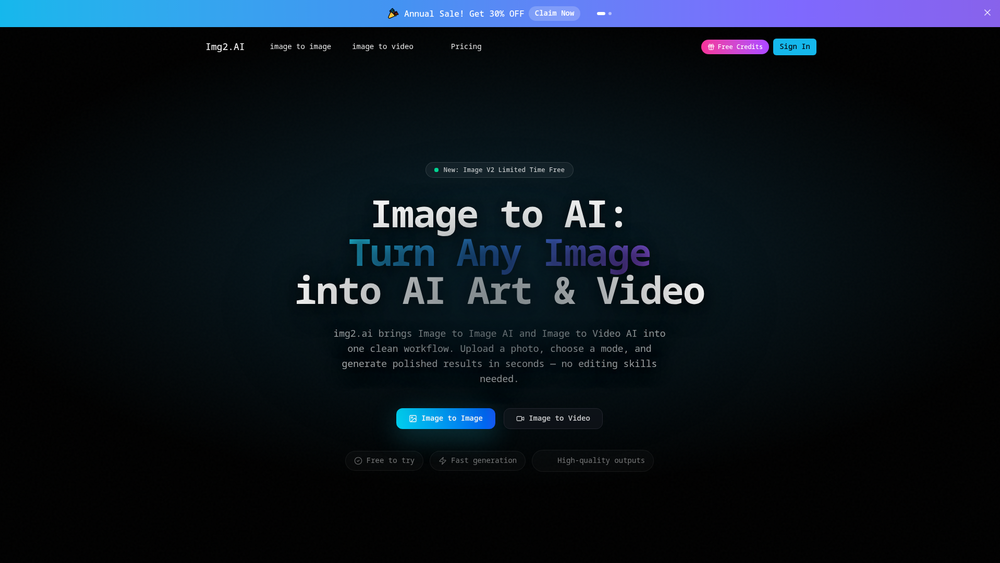
Img2.AI serves as a versatile creative hub designed to bridge the gap between static imagery and dynamic visual content. By integrating both image-to-image and image-to-video capabilities into a single, streamlined workflow, it allows users to repurpose existing assets into entirely new styles or cinematic clips. Whether you are looking to animate a portrait or reimagine a landscape in a cyberpunk aesthetic, the platform handles the heavy lifting of rendering and motion synthesis. This tool is particularly beneficial for digital artists, social media managers, and hobbyists who require high-quality visual outputs without the steep learning curve of professional editing suites. Worth noting, the platform emphasizes speed and quality, ensuring that even users without a background in graphic design can produce polished results in seconds. In practice, it simplifies the creative process by allowing the source image to dictate the composition, which often leads to more predictable and controlled results than text-to-image prompting alone. That said, the platform also includes robust text-based generation tools for those starting from a blank canvas. ## Key Features - Image to Image AI: Transform existing photos into new artistic styles while maintaining the original subject's core composition and structure. - Image to Video AI: Convert static images into short, animated video clips featuring natural camera movements and smooth motion transitions. - Text to Image Generation: Create high-fidelity visuals and backgrounds from simple text prompts, ideal for concept art and rapid prototyping. - Text to Video Conversion: Generate short video loops and visual sequences directly from text descriptions without needing a timeline editor. - AI Image Upscaler: Enhance the resolution and sharpness of your images with a single click, cleaning up details for high-quality exports. - HD Output Support: Generate and export content in high definition, ensuring professional-grade results suitable for various digital platforms. - User-Friendly Interface: A clean, intuitive workflow that prioritizes speed and accessibility, requiring zero previous video or photo editing experience. ## How to Use Img2.AI 1. Navigate to the Img2.AI website and select the specific tool you wish to use, such as Image to Image or Image to Video. 2. Upload a high-quality source image from your device or enter a detailed text prompt in the provided input field. 3. Select a generation mode or style preset to guide the AI's creative direction for the final output. 4. Initiate the generation process and wait a few seconds for the AI to render your new image or video clip. 5. Use the built-in upscaler tool if you need to improve the clarity or size of your generated image before saving. 6. Download the final asset directly to your device for use in your projects or social media channels. ## Use Cases - Content Creation: Social media influencers can turn static product photos into engaging video loops to increase audience engagement. - Brand Identity: Designers can quickly generate multiple stylistic variations of a single logo or brand asset to explore different visual directions. - E-commerce: Online sellers can enhance low-resolution product images using the upscaler to meet the quality standards of various marketplaces. - Storyboarding: Filmmakers and writers can use the text-to-video feature to create quick visual references and mood boards for their scripts. ## Pricing Check the official website for pricing. ## FAQ ### What is Img2.AI? Img2.AI is an all-in-one AI-powered platform that enables users to transform images into different art styles or animate them into short videos. ### Is Img2.AI free to use? The platform is free to try, allowing users to test the generation features before committing to a specific plan. ### Can I animate a photo? Yes, the Image to Video AI feature specifically handles turning static photos into short, smooth video clips with natural motion. ### What resolution does the upscaler support? The tool includes an AI upscaler that can enhance images up to 4x their original size and supports HD 1080P output. ### Do I need professional editing skills? No, the platform is designed for ease of use, automating complex rendering and animation tasks through simple controls. ### Can I generate images from text? Yes, Img2.AI includes a text-to-image engine that creates fresh visuals based on your written descriptions.

Img2.AI
All-in-one AI platform for transforming images into art, new styles, and animated videos.