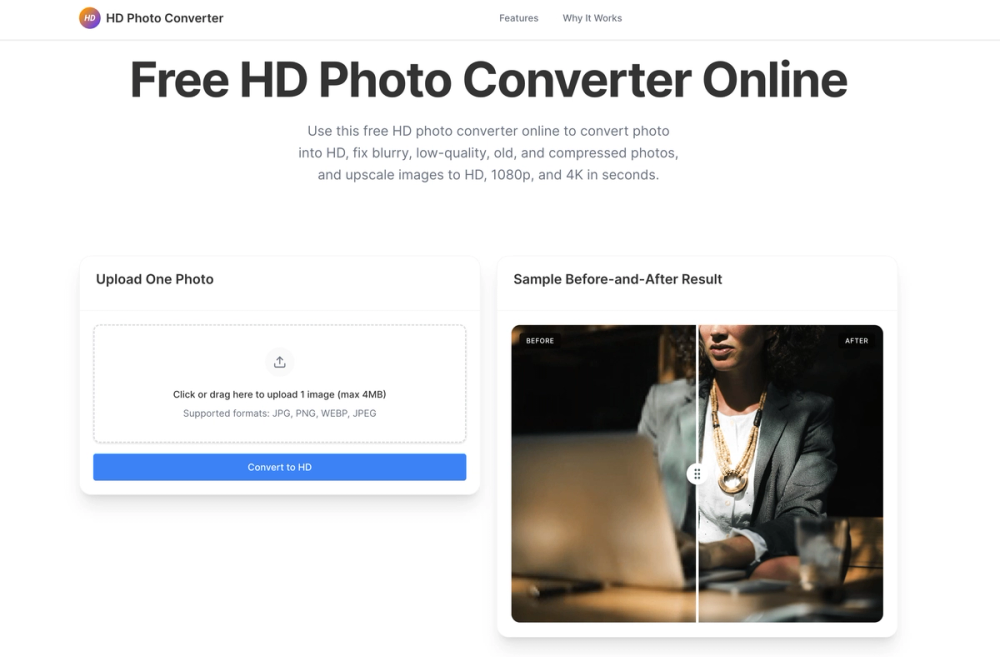
HD Photo Converter is an online tool that uses AI to upscale images and fix quality issues like blur or compression. It helps people who have old family photos, low-resolution screenshots, or blurry phone pictures that need to look sharp for professional or personal use. Instead of just making a file bigger, it reconstructs details to make the image actually look better.
In practice, the tool handles common enhancement tasks like sharpening soft portraits or cleaning up pixelated web images. It works directly in the browser, so there is no need to download heavy software. Users can quickly transform a standard JPG into a high-definition asset suitable for social media, prints, or digital presentations.
Key features
- AI upscaling to 1080p and 4K resolutions
- Sharpening for soft portraits and shaky mobile shots
- Noise reduction to remove grain from low-light photos
- Support for JPG, PNG, WEBP, and JPEG formats
- 4MB file size limit for uploads
- Side-by-side preview to compare original and enhanced versions
- Restoration for old scanned prints and faded images
Use cases
- Fixing a blurry selfie before posting it on social media.
- Improving low-quality product photos for an e-commerce store.
- Restoring old family photos that were scanned at a low resolution.
- Making text in screenshots easier to read for a presentation.
- Preparing web images for high-quality printing.
Pricing
This tool is currently available for free online. Check the official website for any future updates regarding pricing or premium features.
FAQ
What is HD Photo Converter?
It is an AI-powered web tool that improves image resolution and clarity by reconstructing missing details.
Is HD Photo Converter free?
Yes, the website currently offers free photo enhancement and upscaling services.
What file formats are supported?
You can upload JPG, PNG, WEBP, and JPEG files for conversion.
Is there a file size limit?
Yes, the maximum file size for a single upload is 4MB.
Can I upscale to 4K?
Yes, the tool allows you to convert images to HD, 1080p, and 4K quality depending on the input.
Does it work on mobile?
Since it is a web-based tool, it works on most modern mobile browsers without an app installation.