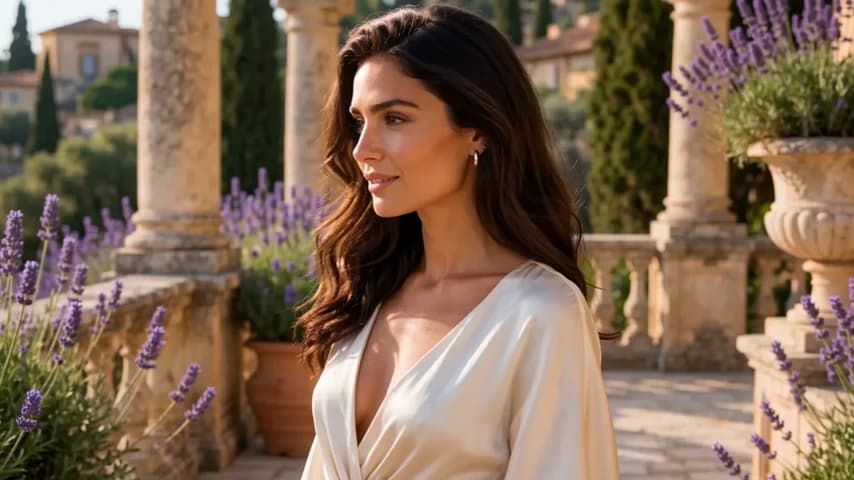
GPT Image 2 is the newest image generation model from OpenAI, available on the LoraAI platform. It works by interpreting natural language instructions to create high-quality images without the need for complex prompt engineering. You can write long, detailed descriptions and the model will follow the specific nuances of your request.
Designers and creative teams use this tool to produce brand-ready assets quickly. It handles specific requirements like exact color palettes or lighting styles that older models often ignore. Because it supports multiple reference images, it is particularly useful for maintaining consistency across a project or blending different visual elements into a single scene.
Key Features
- Multi-reference blending for up to four source images
- Support for 13 different aspect ratios including ultra-wide 21:9
- Processing for long, descriptive prompts up to several paragraphs
- Parallel generation that returns up to four images at once
- Credit-based pricing that only bills for successful outputs
- Automatic switching between text-to-image and image-to-image modes
- High-resolution results without a separate upscaling step
How to Use
- Navigate to the GPT Image 2 interface on LoraAI.
- Enter your prompt in the text box using plain language.
- Upload reference photos if you want to copy a specific style or subject.
- Pick an aspect ratio that matches your target platform like 9:16 for mobile.
- Set the number of variations you want and click the generate button.
Use Cases
- Creating lifestyle photography by blending a product shot with a background reference.
- Generating consistent character art for storyboards using a character reference image.
- Designing social media banners in specific aspect ratios like 21:9 or 16:9.
- Producing high-quality marketing visuals from long, detailed creative briefs.
Pricing
GPT Image 2 uses a credit system where each successful image costs 2 credits. If you generate a batch of four images, it costs 8 credits. You are not charged for images that fail the safety review.
FAQ
What is GPT Image 2?
It is OpenAI's latest image generation model that supports complex prompts and multiple reference images.
Is GPT Image 2 free?
The tool can be tried for free, but continued use requires credits which are spent per successful image generation.
Can I use my own photos as references?
Yes, you can upload up to four images to guide the style, lighting, or subject of the new generation.
Which aspect ratios are supported?
The model supports 13 ratios, including 1:1, 16:9, 9:16, 4:3, 3:2, and ultra-wide 21:9.
How long does it take to generate an image?
A single image typically takes about 45 seconds to finish processing.
What happens if the output is blocked?
If an image is rejected by the safety filter, the credits for that specific image are not deducted from your balance.