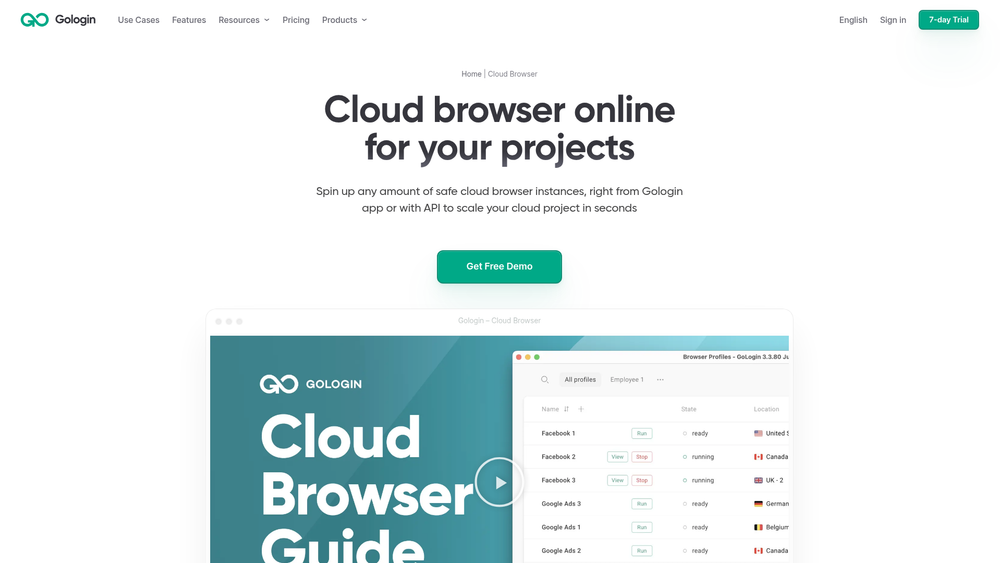
Gologin Cloud Browser is a specialized environment designed for developers and teams who need to run browser sessions without taxing local hardware. By moving the browser execution to the cloud, it allows for massive scaling of automation tasks while maintaining the security and anonymity of a real user session. This tool is particularly useful for those managing multiple accounts or complex web scraping workflows that require consistent, high-quality fingerprints.
In practice, it bridges the gap between manual browsing and high-level automation. Whether you are a solo developer testing scripts or a large business managing hundreds of digital identities, the platform provides the infrastructure to spin up instances instantly. That said, its strongest selling point is the flexibility of access, allowing users to control their cloud-based profiles through either a standard web interface or a robust API for programmatic management.
Features
- Cloud-Based Execution: Run browser profiles on remote servers instead of your local device, freeing up local RAM and CPU resources.
- Cross-Platform Compatibility: The Web App is accessible from literally any device, including smartphones and tablets, via any standard browser.
- Comprehensive API: Programmatically create, launch, and control infinite cloud profile instances for fast business scaling.
- Unique Fingerprinting: Each cloud instance is equipped with a real, unique browser fingerprint to prevent detection and bans.
- Web UI Management: Control your sessions through a user-friendly interface that looks and feels like a standard browser.
- No Installation Required: Work entirely within the cloud ecosystem without the need to download or install a desktop client.
- Scalable Infrastructure: Spin up any number of safe cloud browser instances in seconds to match the needs of your project.
How to Use Gologin Cloud Browser
- Log in to your Gologin account through the web dashboard or the desktop application.
- Create a new browser profile or select an existing one that you wish to move to the cloud.
- Select the 'Cloud Launch' option to initiate the session on Gologin's remote servers.
- Interact with the browser window directly through the web UI if manual actions are required.
- Integrate your API key into your automation scripts to control these cloud instances programmatically.
- Monitor your hourly usage and active sessions through the centralized billing and management dashboard.
Use Cases
- Web Scraping at Scale: Run hundreds of concurrent sessions to gather data without being limited by your local hardware's processing power.
- Multi-Account Management: Securely manage multiple social media or e-commerce accounts from a single device without account linking.
- Automated Testing: Deploy automated QA scripts across various cloud environments to ensure web application stability.
- Affiliate Marketing: Manage and scale advertising campaigns across different regions using unique IP addresses and fingerprints.
Pricing
Check the official website for pricing. Gologin offers several tiers including Starter, Professional, Business, and Enterprise, with simple hourly pricing and included hours.
FAQ
What is Gologin Cloud Browser?
It is a cloud-based browsing solution that allows users to run browser profiles on remote servers, accessible via a web interface or API.
Is Gologin Cloud Browser free to use?
Gologin offers a free trial, but continued use requires a subscription plan starting from the Starter tier.
Can I use Gologin Cloud Browser on my phone?
Yes, since it is a web-based application, you can access and control your cloud profiles from any mobile browser on iOS or Android.
Do I need to install software to use it?
No, the Cloud Browser can be used entirely within your existing web browser without any local installation required.
Is the API available on all plans?
API access for cloud profiles is available across different plans, though usage limits and pricing per minute may vary by tier.
How does it handle IP addresses?
Each cloud instance can be configured with unique IP addresses and fingerprints to ensure that sessions remain isolated and secure.