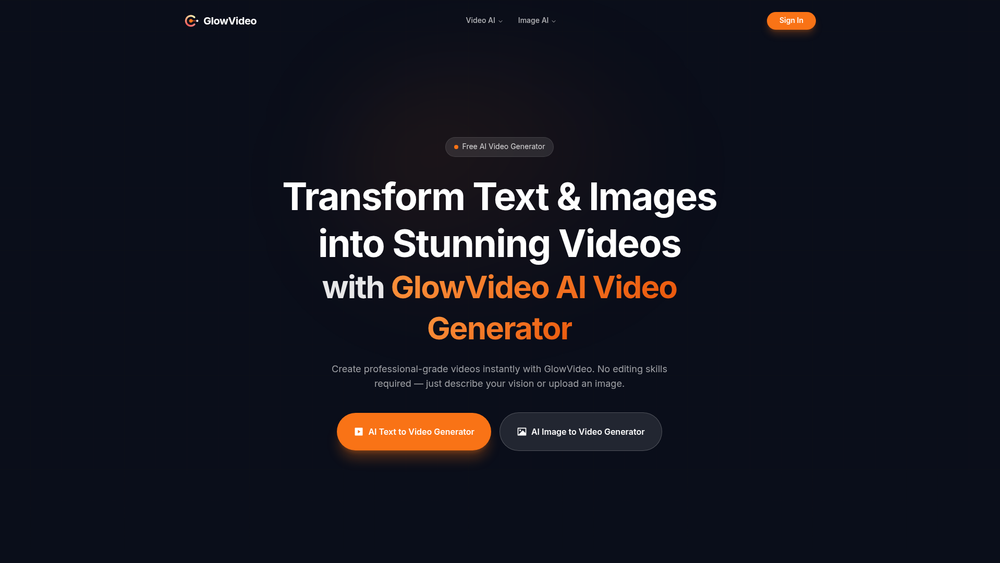
GlowVideo is a high-performance AI video generation platform designed to democratize professional-grade cinematography. By utilizing sophisticated generative models, the tool allows users to transform text descriptions or static images into fluid, 4K resolution videos. It effectively removes the technical barriers associated with traditional motion design, allowing anyone with a clear concept to produce visual content that looks like it was rendered in a high-end studio.
In practice, the tool serves as a bridge for creators who need high-fidelity B-roll or social media assets but lack the time or budget for complex production cycles. Whether you are starting from a single sentence or an existing brand photo, GlowVideo handles the heavy lifting of temporal consistency and lighting, ensuring that the resulting motion feels natural rather than jittery. That said, while the AI does most of the work, the quality of the output often depends on the specificity of the user's input.
Key Features
- 4K Resolution Rendering: Unlike many generative tools that cap at 720p, GlowVideo supports high-definition exports suitable for professional displays.
- Text-to-Video Synthesis: Users can describe a scene in natural language, and the AI interprets the lighting, movement, and subject matter to create a clip.
- Image-to-Video Animation: This feature allows for the upload of a static image, which the AI then animates based on the visual context and optional text instructions.
- Motion Intensity Slider: A granular control that lets you decide if the scene should have subtle atmospheric movement or high-energy action.
- Style Consistency Engine: Ensures that the visual aesthetic remains uniform throughout the clip, preventing the "morphing" effect common in lower-tier AI video tools.
- Multi-Aspect Ratio Support: Seamlessly switch between cinematic widescreen, square, and vertical formats for TikTok or Instagram Reels.
- Cloud-Based Processing: All the computational heavy lifting happens on GlowVideo’s servers, meaning you don't need a powerful GPU to generate content.
How to Use GlowVideo
- Access the Dashboard: Navigate to the GlowVideo website and create an account to access the generation interface.
- Select Your Mode: Choose between "Text-to-Video" if you are starting from scratch or "Image-to-Video" if you have a reference file.
- Input Your Prompt: Enter a detailed description of the scene you want to create, including lighting, camera angle, and specific actions.
- Configure Settings: Adjust the aspect ratio, motion intensity, and duration to match your project's requirements.
- Generate and Preview: Click the generate button and wait for the AI to render a low-resolution preview of your clip.
- Upscale and Download: Once satisfied with the preview, trigger the 4K upscaling process and download the final MP4 file.
Use Cases
- Social Media Marketing: Rapidly produce eye-catching vertical videos for Instagram and TikTok without needing a camera crew.
- E-commerce Showcases: Transform static product photos into dynamic lifestyle videos to increase engagement on listing pages.
- YouTube B-Roll: Generate specific atmospheric clips or transitions that are difficult to find in traditional stock footage libraries.
- Concept Visualization: Architects and designers can use the tool to create quick "mood videos" to pitch ideas to clients before full production.
Pricing
GlowVideo is currently available as a free tool. Check the official website for any updates on premium tiers or credit limits.
FAQ
What is GlowVideo?
GlowVideo is an AI-powered creative tool that generates 4K videos from text prompts or static images using advanced generative AI models.
Is GlowVideo free to use?
Yes, the tool currently offers free generation capabilities for its users, allowing them to experiment with 4K output at no cost.
What is the maximum resolution supported?
The platform is capable of upscaling and exporting videos in professional 4K resolution, ensuring high visual fidelity.
Can I animate my own photos?
Absolutely. The Image-to-Video feature allows you to upload any static image and instruct the AI on how to bring it to life with motion.
How long does it take to generate a video?
While it varies based on server load, most previews are generated within a few minutes, with 4K upscaling taking slightly longer to process.
Do I need a powerful computer?
No. Since all rendering is handled in the cloud, you only need a standard web browser and an internet connection to use the service.
What file formats are provided?
Videos are typically exported in standard MP4 format, making them compatible with almost all modern editing software and social platforms.
Can I use the videos for commercial projects?
In practice, usage rights depend on the current terms of service, so it is worth noting that you should verify the commercial license on the official site.