

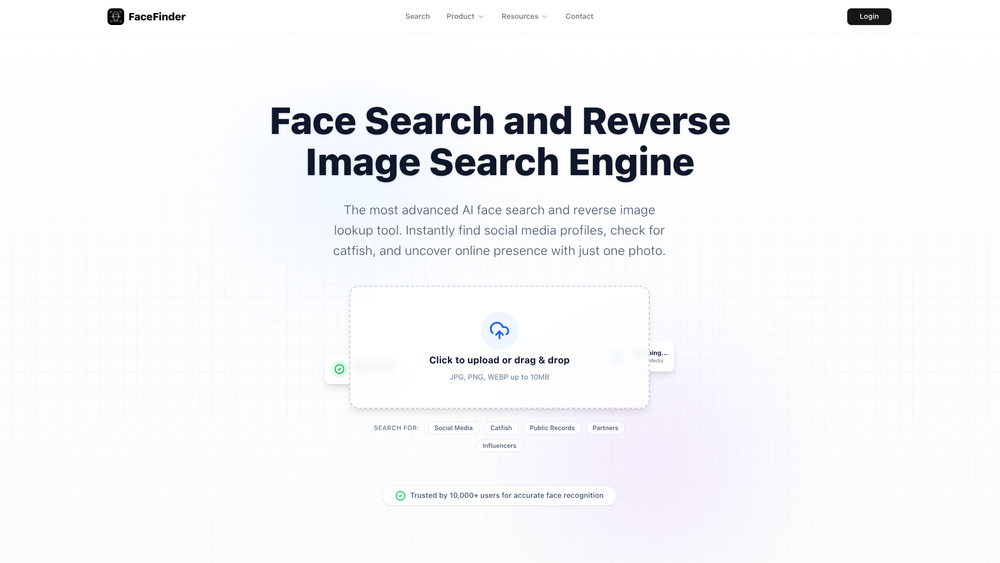
FaceFinder ID serves as a sophisticated facial recognition search engine designed to bridge the gap between a single photograph and a person's broader digital footprint. By leveraging advanced deep-learning algorithms, the platform scans the open web—including social media platforms, public records, and news sites—to locate instances where a specific face appears. This tool is particularly valuable for those looking to verify identities in an era where digital deception and profile cloning are increasingly common.
Beyond simple image matching, the system analyzes unique facial geometry to ensure high precision even when lighting or angles vary. Whether you are a professional investigator or an individual concerned about online safety, FaceFinder ID provides a streamlined way to uncover hidden profiles and verify the authenticity of an online persona. That said, the tool maintains a strong focus on privacy, ensuring that the search process remains discreet and user data is handled with care.
Key Features
- Advanced AI Face Search: Utilizes a cutting-edge recognition engine to scan millions of websites and public records for precise visual matches.
- 98.5% Match Accuracy: Employs high-precision deep learning models to ensure results are reliable and relevant.
- Secure Anonymous Searching: Prioritizes user privacy by performing searches anonymously without permanent storage of uploaded images.
- Comprehensive Source Reporting: Delivers detailed reports that include direct links to image sources, social media profiles, and blog appearances.
- Multi-Format Support: Compatible with common image formats including JPG, PNG, and WEBP for easy uploading.
- Large File Handling: Supports high-resolution image uploads up to 10MB to ensure the AI has enough detail for accurate scanning.
- Cross-Platform Scanning: Scours a wide variety of sources ranging from major social networks to obscure news articles and public databases.
How to Use FaceFinder ID
- Navigate to the FaceFinder ID homepage and locate the central upload area.
- Drag and drop a clear, front-facing photo of the individual you wish to search for into the upload zone.
- Select the specific search category if applicable, such as Social Media or Public Records, to narrow down the results.
- Wait for the AI engine to complete its scan of the open web, which typically takes only a few moments.
- Browse through the generated list of matches and click on the source links to investigate the original websites.
- Use the detailed report to verify identities or contact the relevant parties found in the search results.
Use Cases
- Catfish Detection: Verify the identity of online dating matches to ensure their photos aren't stolen from someone else's profile.
- Content Protection: Allow photographers and influencers to track down unauthorized use of their likeness or professional portraits across the web.
- Finding Lost Connections: Reconnect with old friends or classmates by locating their current social media profiles using an old photograph.
- Identity Verification: Help businesses and individuals perform due diligence on potential partners or influencers by confirming their online history.
Pricing
Check the official website for current pricing plans and subscription options.
FAQ
What is FaceFinder ID?
FaceFinder ID is an AI-powered reverse face search engine that helps users find people online by analyzing facial features and matching them against a massive database of web images.
Is FaceFinder ID free to use?
While users can often perform basic scans, full reports and advanced features typically require a subscription or credits. Visit the official site for the latest offerings.
Is my face search anonymous?
Yes. The platform is designed with privacy in mind; uploaded photos are not stored permanently, and your search history is kept private.
How accurate is the facial recognition?
FaceFinder ID boasts a 98.5% accuracy rate, though results can vary depending on the quality and clarity of the uploaded photo.
What is reverse image search?
Unlike a keyword search, reverse image search uses an actual image as the query to find where that specific visual content appears elsewhere on the internet.
Can I find social media profiles with this tool?
Yes, the engine specifically targets social media platforms to help users find the original profiles associated with an image.



