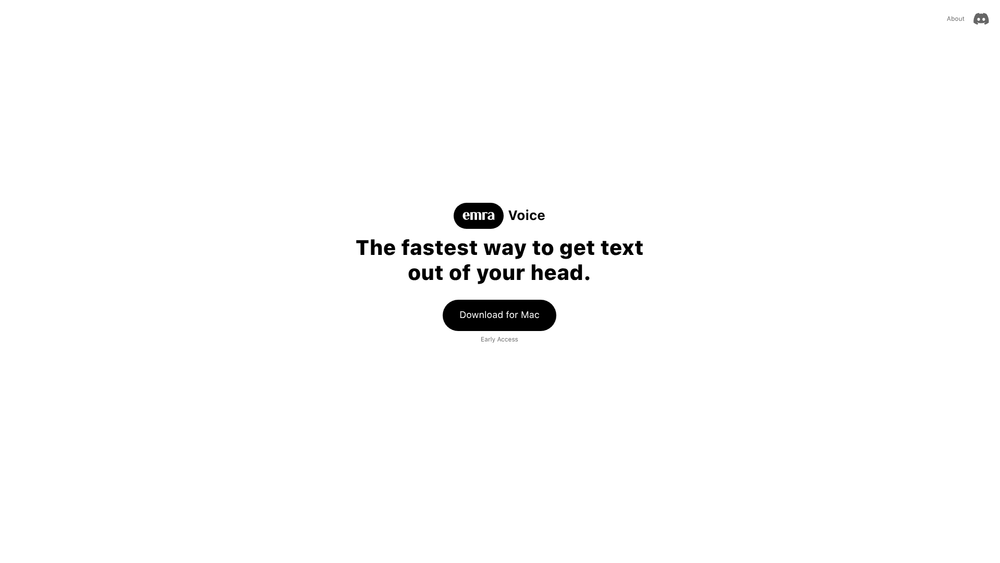
Emra is a specialized desktop voice toolkit designed for users who need to bridge the gap between spoken thought and written text with minimal friction. By operating as an "always-on" utility, it bypasses the need to open specific recording apps or invite bots to meetings, instead providing a persistent push-to-talk interface that works across any application on macOS or Windows. It is particularly effective for professionals who brainstorm out loud or need to capture quick insights without breaking their current workflow.
In practice, the tool functions as a high-speed bridge for your ideas. It offers a lightweight alternative to heavy transcription services, focusing on speed and real-time visibility. While many tools hide the transcription process until the recording is finished, Emra streams words as you speak, allowing for immediate verification and a more interactive dictation experience.
Key Features
- Always-on Push-to-Talk: Trigger voice capture instantly using a global hotkey from any application without switching windows.
- Real-time Word Streaming: View your transcription live as you speak, ensuring the AI captures your intent accurately in the moment.
- Independent Operation: Record notes and brainstorms without being tethered to a meeting platform or an active video call.
- AI-Powered Summarization: Automatically transform long transcripts into concise summaries, action items, and key decisions for easier review.
- Native Desktop Clients: Fully optimized versions for both macOS and Windows environments ensure a smooth background experience.
- Privacy-Centric Design: User data is kept private and is never sold to third parties, maintaining professional confidentiality.
- Daily Review Hub: A centralized location within the app to organize and revisit all voice captures from your workday.
- Flexible Usage Limits: Includes 20 hours of transcription monthly with simple top-up options available for power users.
How to Use Emra / Always on Transcription and PTT
- Download and install the Emra application for your specific operating system from the official website.
- Open the application and configure your preferred global shortcut for the push-to-talk functionality in the settings menu.
- Hold your designated hotkey whenever you have a thought, message, or meeting segment you wish to record.
- Monitor the live text stream on your screen to confirm the transcription is proceeding as expected in real-time.
- Access the Emra dashboard at the end of your session to review the AI-generated summaries and structured task lists.
Use Cases
- Frictionless Note-Taking: Capture spontaneous ideas while coding, designing, or researching without needing to stop and type.
- Meeting Documentation: Record internal discussions or client calls to ensure no action item or decision is forgotten.
- Drafting Communications: Speak your emails or Slack updates to save time compared to traditional typing, then copy the text over.
- Brainstorming Sessions: Use the always-on feature to talk through complex problems and receive a structured summary later for project planning.
Pricing
Emra Voice starts at $30 per month, which covers 20 hours of transcription. For users requiring more time, top-up plans are available at $15 for an additional 10 hours of usage. Check the official website for the latest pricing updates.
FAQ
What is Emra / Always on Transcription and PTT?
Emra is a desktop-based voice toolkit that provides instant transcription and AI-generated summaries via a push-to-talk interface that works across all your apps.
Is Emra / Always on Transcription and PTT free to use?
No, it is a paid service starting at $30 per month for 20 hours of transcription, though it is currently in an early access phase.
How does Emra differ from other transcription services?
It is designed to be lightweight and "always-on," allowing for live streaming of text as you speak, even when you aren't in a formal meeting.
Which platforms are currently supported?
Emra is currently available for macOS and Windows, with Linux and mobile versions (iOS/Android) planned for future releases.
Does Emra support multiple languages?
At this time, Emra focuses on English support. Multi-language support is on the development roadmap and will be rolled out in the future.
Is my data safe with Emra?
Yes, Emra does not sell your data. It uses modern AI models to process summaries while keeping your information private to your account.